
Vandaag of morgen in huis

Kwaliteit gegarandeerd

Welkomstaanbiedingen ontgrendelen: GRATIS bezorging | Tot 80% korting | Gratis 30 dagen JoyPlus-proefperiode
Download de app
An All-in-One PC seems like the perfect solution: a powerful computer and a sleek display in one, without the cable clutter of a traditional desktop computer. The result is a clean workspace, ideal for working from home, studying, or entertainment. But the market is filled with pitfalls. Many models entice you with a beautiful design but hide critical shortcomings that only become apparent after purchase.
Before you make a decision, it's important to recognise the most common marketing traps:
To avoid a bad purchase, you don't need to be a computer expert. By paying attention to a few key specifications, you can choose a model that truly fits your needs and will last for years.
The processor (CPU) and memory (RAM) determine how quickly and smoothly your computer performs tasks.
The display is the component you're constantly looking at, so quality is crucial.
The era of slow, mechanical hard drives (HDD) is over. A Solid State Drive (SSD) is essential. An SSD ensures your computer and programs boot up in seconds. Aim for at least 512 GB of storage space. This gives you enough room for your operating system, applications, and personal files without immediately hitting the limit.
Not everyone has the same needs. That's why we've selected a few models that fit different user profiles, based on their objective specifications.
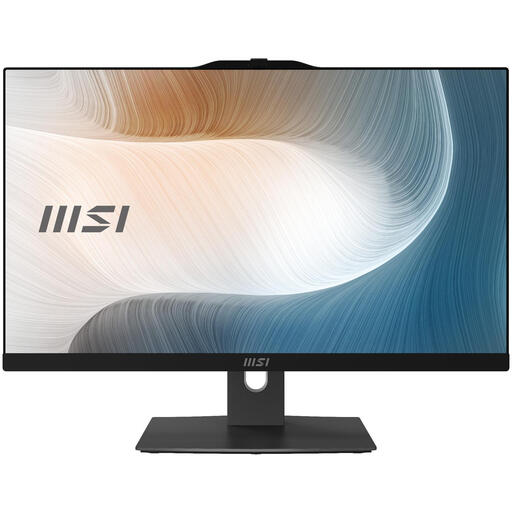
Why This Fits Their Persona: Ideal for those seeking a reliable and fast computer for office work, video calls, and browsing. It offers a great balance of performance and price, without unnecessary frills.
This model avoids the 'slow engine' trap by combining a modern Intel Core 5 processor with a fast 512 GB SSD. The performance is well-balanced with its Full HD IPS display.
Equipped with Windows 11 Pro and modern connectivity like Wi-Fi 6E. The memory is expandable up to 64 GB, which partially bypasses the 'lack of upgradeability' trap.
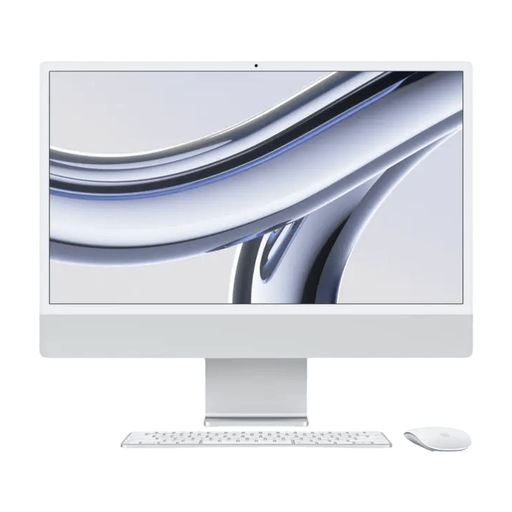
Why This Fits Their Persona: For graphic designers, photographers, and video editors, screen quality is essential. The iMac delivers with its 4.5K Retina display and the powerful M3 chip for demanding software.
The iMac avoids the resolution trap with its 4.5K display, which is far sharper than competitors' Full HD or QHD screens. The seamless integration of hardware and software ensures optimal performance.
Exceptional screen quality and color reproduction. The M3 chip provides an efficient and powerful foundation for creative tasks. Its iconic design is a bonus for a stylish workspace.
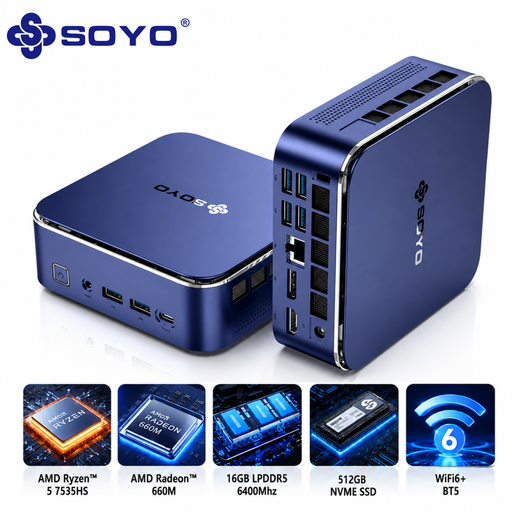
Why This Fits Their Persona: For those who want the power but not the large footprint of an All-in-One. A Mini PC is a compact computer that you pair with a monitor of your choice, offering maximum flexibility.
A Mini PC bypasses all the traps of an All-in-One. You aren't tied to a built-in display and can choose a monitor that perfectly meets your requirements. Upgrading the monitor later is also possible.
Extremely compact yet powerful, thanks to the AMD Ryzen 5 processor and 16 GB of LPDDR5 memory. It offers great performance for its size and price, with the freedom to choose your own peripherals.
We have compiled a complete, up-to-date list of products that meet these strict selection criteria.
An All-in-One PC has an average lifespan of 5 to 7 years. The lifespan is primarily determined by the internal components, which are usually difficult or impossible to upgrade. Over time, the processor may become outdated for new software, or the amount of RAM may become insufficient. Choosing a model with slightly better specifications can significantly extend its usable life.
This is a common question, but the answer is usually no. Most All-in-One PCs only have an HDMI output to connect a second screen, not an HDMI input to connect another device (like a laptop or gaming console). A few, often more expensive, models do offer this functionality. Carefully check the product specifications for an HDMI-in port if this is an important feature for you.
That depends on your priorities. A Mini PC offers more flexibility. You can choose your own monitor, keyboard, and mouse and upgrade them separately later. You often get more processing power for the same price in a Mini PC than in an All-in-One. An All-in-One PC, on the other hand, offers the convenience of a fully integrated, plug-and-play system with minimal cables. If you value a clean and tidy desk without any hassle, an All-in-One is an excellent choice.
