
Writer with one socket
You work in one place on a travel article and want to avoid connecting a separate desktop tower and monitor. Check what power supply and input devices the model you choose needs.


For a permanent writing space with few sockets, an all-in-one is a good place to start: it combines the computer and screen, but still needs mains power. If you already have a suitable screen, a mini PC could work, as long as you also take the screen’s connections and power supply into account. If you write in different places without reliable mains power, a desktop may not be the right choice.
You work in one place on a travel article and want to avoid connecting a separate desktop tower and monitor. Check what power supply and input devices the model you choose needs.
You already have a monitor and are considering whether a separate, compact computer would suit your workspace. Your existing screen’s power supply and connections are still part of the complete set-up.
You write in different places or can’t always rely on mains power. First, decide whether a desktop suits the way you work.
A good fit if: you write in a small, permanent workspace and want to combine the computer and screen.
Bear in mind: you’ll still need a mains adaptor, and replacing the screen and computer separately is less straightforward.
A good fit if: you already have a suitable screen and want to choose the computer separately.
Bear in mind: you’ll still need the screen, a compatible video connection and a separate power supply for the screen.
A good fit if: you mean writing while travelling or in different places without a reliable mains supply.
Bear in mind: consider a device with a battery instead; no battery life has been established here for a specific alternative.
| What to consider | What to look for when buying | Who is this important for? |
|---|---|---|
| Sockets required | Count the power supplies for the computer, screen and any necessary peripherals for the exact model. Don’t assume how many you’ll need based on the product category alone. | If I have few sockets in a permanent workspace, I want to know how many devices need power at the same time. Around 36% of consumers say keeping sockets free is their top priority. |
| Screen for writing and research | Compare the screen specifications of the exact all-in-one model or check the connection to your existing monitor. Also check which keyboard is included. | If I write long texts and consult sources, the screen needs to suit my workspace. Around 29% of consumers prioritise a comfortable writing and comparison experience. |
| Working in different places | Establish whether you’ll have a permanent place with mains power while writing. If not, first consider a device with a battery rather than focusing only on compactness. | If I often change where I write, I don’t want to depend on a socket. Around 21% of consumers say working in different places is their main purchasing priority. |
| Reusing an existing screen | Check the video connection on the computer and monitor, as well as the screen’s power supply. For an all-in-one, check which parts of the exact model can be replaced. | If I already have a screen, I want to keep using it or replace it separately. Around 14% of consumers prioritise reuse or separate replacement. |
A mini PC doesn’t have an integrated screen. You may also need a monitor, its connection and its power supply.
Before buying, count the components you’ll need for your complete writing set-up and check that your monitor connects to the computer you’ve chosen.
ASUS lists a 120 W adaptor for the V600 AiO VM640, while Lenovo lists a 170 W adaptor for the Yoga AIO 27IAH10 model F0J2001DNY. These are adaptor power ratings, not measurements of power consumption while writing.
So don’t use these figures as measured consumption or as the basis for calculating energy costs.
According to Lenovo, the memory in the Yoga AIO 27IAH10 model F0J2001DNY is soldered in and cannot be upgraded.
Before buying, check the upgrade options for the full model number and which parts can be replaced separately.
The Yoga AIO 27IAH10 is an all-in-one for a permanent writing space, with an integrated screen.
The V600 AiO VM640 is an all-in-one range with several models.
The Mac mini is a compact computer designed to be used with an external screen; the iMac is the all-in-one option with an integrated screen.
The OmniStudio range includes all-in-ones for a permanent workspace with an integrated screen.
The Aspire C 24 is an all-in-one range for anyone looking for an integrated screen.
These Joybuy products are all-in-one models for a permanent writing space, with an integrated screen. For electrical and electronic equipment covered by EU rules, check the conformity information and the required CE marking for the exact desktop model and power supply. Your Europe, the European Union’s website, and the UK Government explain the applicable rules.
 No image available
A permanent writing space without the need for a separate monitor; the power adaptor must be bought separately.
Integrated 23.8-inch Full HD IPS screen, Ryzen 5 7520U, 8 GB memory and 512 GB SSD. The product description also lists a QWERTY keyboard.
 No image available
The product description presents this thin client for cloud and VDI applications. Check that it’s compatible with the software and working environment you need.
Integrated 24-inch Full HD IPS screen, 8 GB memory and SSD storage. The description also lists Wi-Fi, Ethernet, a webcam, microphone and speakers.
 No image available
A permanent writing space with an integrated 27-inch screen. Check that the screen size and connections suit your documents and reference materials.
QHD IPS screen (2560 × 1440), Intel Core Ultra 5 125H, 16 GB DDR5 memory and 1 TB SSD storage. The product description lists a built-in camera and Windows 11 Pro.
 No image available
A permanent writing space with an integrated 27-inch screen. Compare this model with your needs for viewing documents and reference materials side by side.
QHD IPS screen (2560 × 1440), Intel Core Ultra 7 155H, 32 GB DDR5 memory and 1 TB SSD storage. The product description lists Windows 11 Pro and Wi-Fi 6E.
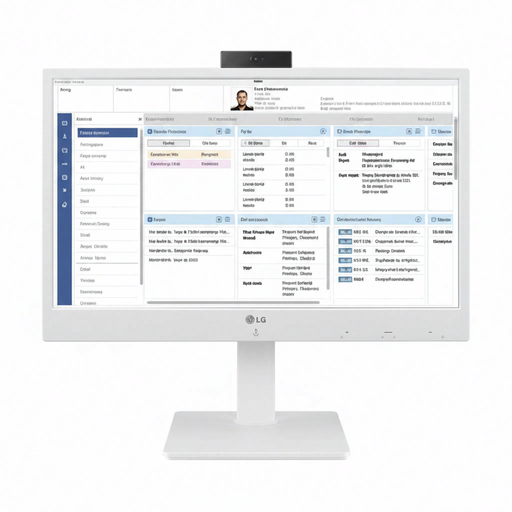 No image available
The product description mentions cloud and VDI use. Check that the writing software you need works in your working environment.
Integrated 24-inch Full HD IPS screen. The description lists Wi-Fi, Bluetooth, Ethernet, a webcam, microphone and speakers.
An all-in-one combines the computer and screen, but still needs a mains adaptor. Check the power supply for the exact model and count any other devices in your writing space separately.
You can if the connections on the computer and monitor are compatible. Apple lists support for external displays on the Mac mini; you should also check how your monitor gets its power.
Make regular backups before you set off. This is a usage tip, not a feature or guarantee of any of the desktops.
CE marking is required for electrical and electronic equipment covered by the relevant EU rules. Your Europe, the European Union’s website, and the UK Government explain the rules; check the conformity information for the exact model and power supply.
The Dutch Government states that the Netherlands has no fixed statutory warranty period. If a product doesn’t meet the required standard, the seller must provide an appropriate remedy; the exact situation depends on the product and the fault.