
Vandaag of morgen in huis

Kwaliteit gegarandeerd

Welkomstaanbiedingen ontgrendelen: GRATIS bezorging | Tot 80% korting | Gratis 30 dagen JoyPlus-proefperiode
Download de app
A clutter-free desk with minimal cables—that's the promise of an all-in-one computer. This concept, which integrates the PC and monitor into a single sleek enclosure, is appealing for both home users and business environments. But the market is filled with models that look good on the surface but disappoint in practice. Before you buy an all-in-one PC, it's crucial to know the common pitfalls.
Many buyers fall into the following traps:
compact desktop has a downside. A shortage of USB ports or the inability to upgrade the memory or storage later can make an otherwise decent computer impractical after just a year.To avoid a bad purchase, it helps to understand a few technical specifications. These determine whether an all-in-one computer is right for your needs.
The processor (CPU) and random-access memory (RAM) determine how smoothly your computer runs.
thin client. This is a business all-in-one PC designed to work with a central server. The processing power resides on the server, not locally, which allows for simpler management and enhanced security.You'll be looking at the screen for hours, so its quality is crucial.
24-inch all-in-one is a popular size that offers a good balance between workspace and compactness. Always opt for a resolution of at least Full HD (1920 x 1080 pixels). This ensures a sharp and clear image.Storage affects your computer's speed, and the ports determine its versatility.
Based on these criteria, we have selected a few models that suit different user profiles.
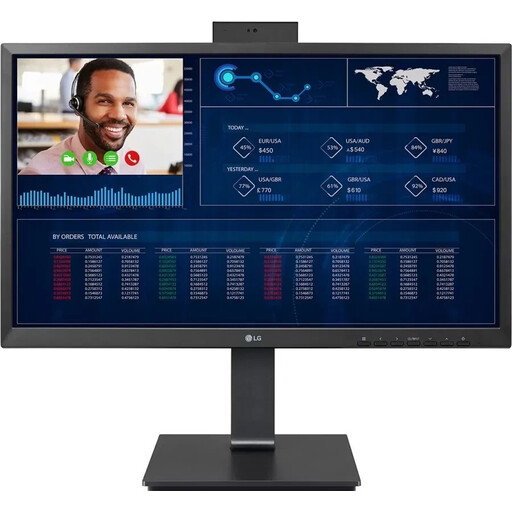
Why This Fits Their Persona: Ideal for those seeking a reliable and complete workstation for office tasks, email, browsing, and video calls. The plug-and-play design ensures a clutter-free desk without any hassle.
This model avoids the pitfall of a subpar screen with its 24-inch Full HD IPS display. The Intel Pentium processor delivers honest performance for its intended tasks, without the false promise of high-end gaming capabilities.
Built-in webcam, microphone, and Wi-Fi 6 for instant productivity. The height-adjustable stand ensures an ergonomic working posture.
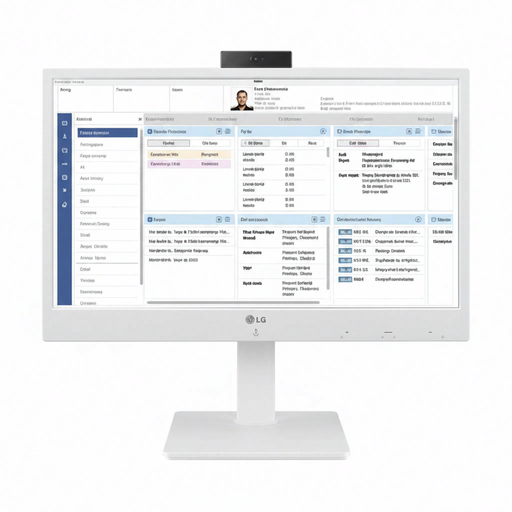
Why This Fits Their Persona: Specifically designed for corporate environments like healthcare or large offices, where central management, security, and a uniform user experience are essential.
As a thin client, this model avoids the trap of misleading performance claims. The focus isn't on local processing power but on an efficient and secure connection to a server, which is exactly what it's designed for.
Simplifies IT management and enhances data security, as no sensitive data is stored locally. Its energy-efficient design lowers operational costs.
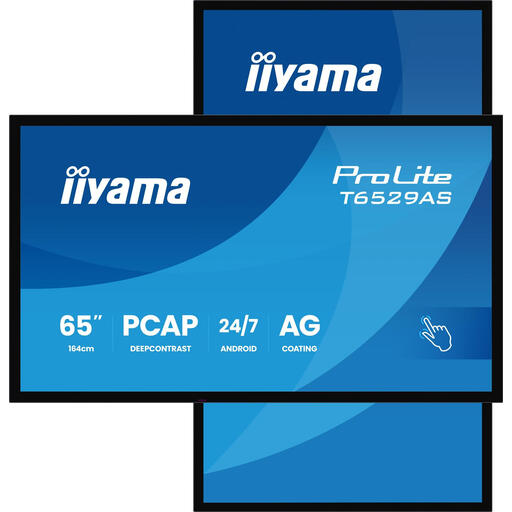
Why This Fits Their Persona: Perfect for meeting rooms, classrooms, and creative studios where interaction and visual presentations are key. This is more of an interactive hub than a personal computer.
This model sidesteps the pitfall of a subpar screen by excelling with a 65-inch 4K Ultra HD display. The focus is on interaction (20-point multi-touch) and connectivity, transcending the limitations of a standard AiO.
The combination of a large 4K touchscreen and the Android operating system makes it a versatile platform for presentations, digital whiteboarding, and collaboration.
We have compiled a complete, up-to-date list of products that meet these selection criteria and comply with current regulations.
The average lifespan of an all-in-one computer is 3 to 5 years, depending on the specifications and the intensity of use. Because many components like the processor and motherboard cannot be replaced, the lifespan is often determined by them.
Yes, this is one of its biggest advantages. The installation is typically very simple: plug it into the wall, connect the included mouse and keyboard, and turn the computer on. You'll be ready to start in minutes.
Upgrade options are limited. On some models, it's possible to replace or expand the RAM or storage (SSD). The processor, graphics card, and display are almost never upgradeable. It's wise to check this for each model before making a purchase.
