
Vandaag of morgen in huis

Kwaliteit gegarandeerd

Welkomstaanbiedingen ontgrendelen: GRATIS bezorging | Tot 80% korting | Gratis 30 dagen JoyPlus-proefperiode
Download de app
Buying an Alienware gaming monitor seems straightforward, until you have to choose between QHD, 4K, OLED, 240Hz and ultrawide. Marketing copy often focuses on one standout specification, but your connections, resolution and PC performance are just as important.
For PC and console gamers, esports fans, streamers and content creators, these are the three main pitfalls to watch out for:
A 27-inch gaming monitor is usually a good fit for a standard desk. QHD at 2560 × 1440 pixels is a clear step up from Full HD without putting the same strain on your graphics card as 4K. This size works well for shooters, racing games, streams and everyday computing.
A 34-inch gaming monitor with a 21:9 aspect ratio gives you extra horizontal space. That makes it a good option for simulation games, RPGs, video editing and multitasking. Just check that your desk is deep enough and your graphics card can handle ultrawide resolutions.
A 4K gaming monitor such as the Alienware AW2725QF displays 3840 × 2160 pixels. According to the product specifications, this model can reach up to 180Hz in 4K mode and up to 360Hz in Full HD mode. That makes it a flexible choice if you want to switch between picture detail and speed.
A monitor with 240Hz, 360Hz or 320Hz refreshes the picture more times per second than a 60Hz or 144Hz model. The difference matters most in fast-paced games, especially when your PC can produce a high frame rate.
Pay attention to how the response time is quoted, too. Figures such as 0.5ms or 0.03ms come from product specifications and can depend on the setting or measurement method used. So don’t just compare the lowest figure: consider the panel technology, resolution and connections as well.
The Alienware AW2525HM is an example of a Full HD monitor with a stated refresh rate of 320Hz and a Fast IPS panel. It’s suited to competitive players who value speed over higher resolution.
A G-SYNC monitor or FreeSync monitor can help reduce stuttering and screen tearing by matching the monitor’s refresh rate to your graphics card’s frame rate. Always check which standard is officially supported.
The AW2725DF lists FreeSync, FreeSync Premium and G-SYNC compatibility. The AW3425DWM lists FreeSync; its product specifications indicate that G-SYNC may work, but it is not officially listed as compatible. This difference matters if you use an NVIDIA graphics card.
Also check for HDMI 2.1, the DisplayPort version and USB connections. HDMI 2.1 can be important for a console or 4K at a high refresh rate. DisplayPort is often the go-to connection for a PC setup. Use a cable that supports the signal you want and check that your graphics card supports the same standard.
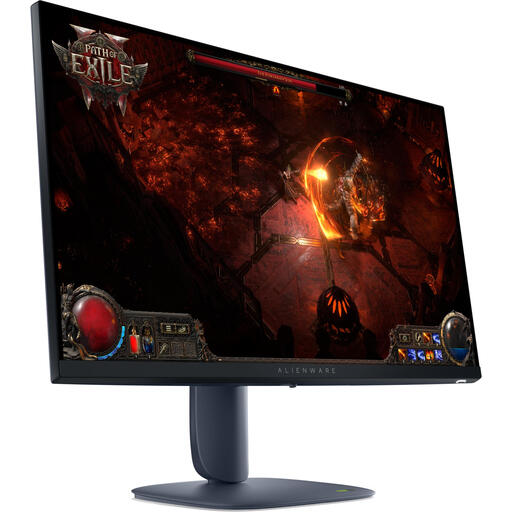
Why it suits this profile: The combination of a 27-inch screen, QHD resolution and 180Hz makes for a straightforward first gaming setup, with lower demands on your graphics card than 4K.
The stated 2560 × 1440 resolution and 180Hz refresh rate strike a good balance between detail and speed, without focusing solely on an extreme refresh rate.
IPS panel, QHD resolution, 180Hz and support for FreeSync Premium Pro and G-SYNC, according to the product description.
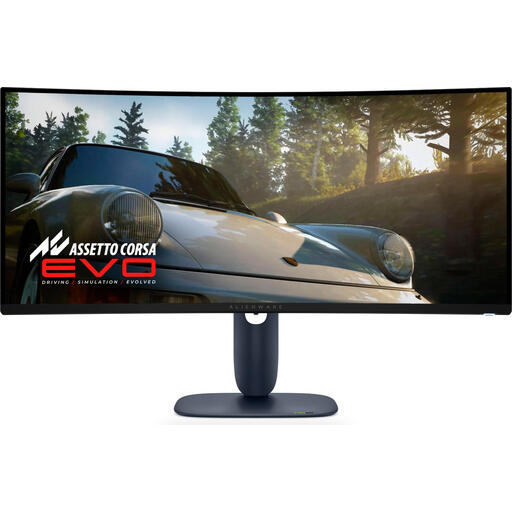
Why it suits this profile: The curved 21:9 display is designed for users who want to enjoy games, films and creative software on a wide screen.
The product lists the resolution, aspect ratio and refresh rate, so you can weigh up the extra screen space against the graphics performance required.
QD-OLED, 3440 × 1440 pixels, 240Hz, 21:9 and a curved screen, according to the stated product specifications.

Why it suits this profile: The compact Full HD size and high refresh rate suit competitive players who value desk space and fast on-screen action.
Choosing Full HD limits the graphics workload compared with 4K, making a high frame rate more realistically achievable in fast-paced games.
320Hz, Fast IPS, HDMI 2.1, DisplayPort 1.4 and support for FreeSync Premium and G-SYNC compatibility, according to the product listing.
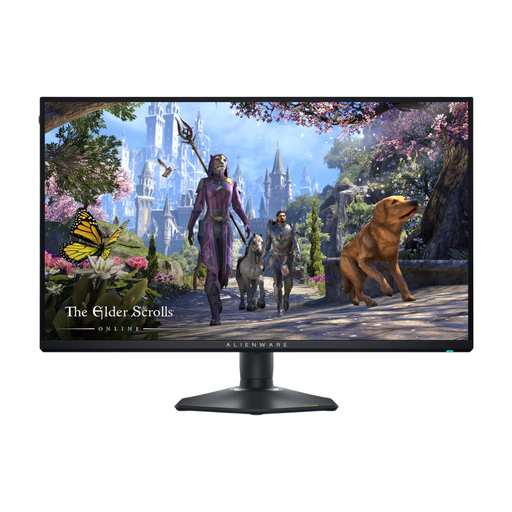
Why it suits this profile: The dual mode is useful if you want to switch between sharp visuals for content and higher speeds for gaming.
You don’t have to choose only between 4K detail and Full HD speed: the stated modes let you use the monitor for both.
4K up to 180Hz, Full HD up to 360Hz, IPS panel, HDMI 2.1, DisplayPort 1.4 and G-SYNC compatibility.
We’ve put together a complete, up-to-date list of products that meet these strict selection criteria and current European safety regulations.
A suitable monitor is just one part of your setup. The Alienware AW520H headset has a 3.5mm connection and USB 2.0, and comes with a retractable microphone, according to the product description. The AW510K keyboard has mechanical switches, programmable keys, a numeric keypad and a US International layout. When buying, check that the layout suits the way you type.
For a headset, check that the connection is compatible with your PC or console. For a keyboard, the layout is especially important: a US International layout doesn’t have the same key markings as a Dutch ISO layout.
It can be, but you’ll need a powerful graphics card to achieve a high frame rate at 4K. For esports, a Full HD or QHD monitor with 240Hz, 320Hz or 360Hz may be a more sensible compromise. Also check that your game and graphics card support the refresh rate you want.
Lifespan depends on brightness, hours of use and how much static content is displayed on screen. Follow the manufacturer’s maintenance features and instructions, and avoid leaving the same image on screen for long periods when you don’t need to. An IPS or VA panel may be a practical choice for office work with lots of fixed windows.
Power consumption depends on more than just the refresh rate: panel type, brightness, resolution and HDR use all play a part. Check the energy label and stated figures for the specific model. Turn the monitor off or put it into standby when you’re not using your PC.
