
Vandaag of morgen in huis

Kwaliteit gegarandeerd

Welkomstaanbiedingen ontgrendelen: GRATIS bezorging | Tot 80% korting | Gratis 30 dagen JoyPlus-proefperiode
Download de app
An Alienware gaming monitor can be a significant upgrade for PC and console gamers, but big numbers on the box don’t tell the whole story. A 360Hz refresh rate, for example, is of little use if your computer can’t achieve a high frame rate in your favourite game. And a large ultrawide screen won’t necessarily fit every desk.
So, before you buy an Alienware monitor, it’s worth checking for these three common pitfalls:
A 27-inch gaming monitor with 2560 × 1440 pixels generally offers a practical balance between detail and performance. A 27-inch 4K screen, such as the AW2725QF, has 3840 × 2160 pixels, giving it a higher pixel density. This can be useful for crisp text, simulation games and consoles, but it also puts more demand on your graphics card.
A 34-inch ultrawide monitor usually has a 21:9 aspect ratio. This gives you more horizontal screen space and can be appealing for racing games, RPGs and multitasking. Check the width of your desk beforehand: the AW3425DWM, for example, is over 80 cm wide, without allowing for extra space for cables.
Refresh rate is measured in hertz. 180Hz is a good option for fast-paced PC games, while a 360Hz gaming monitor is primarily aimed at players who can achieve high frame rates in competitive games. A higher figure won’t necessarily make a noticeable difference in every situation.
It’s also worth checking how the response time is measured. Manufacturers use GTG measurements and different overdrive modes, among other methods. Check whether the stated figure applies to a specific mode and whether it causes any distracting image artefacts.
An IPS panel often offers wide viewing angles and balanced colour reproduction. VA panels are generally known for their higher static contrast. A QD-OLED gaming monitor uses organic pixels and, according to the product description, can display deep blacks and rich colours. With OLED, be sure to follow the manufacturer’s instructions, including any settings for prolonged display of static images.
Check the synchronisation technology, too. A G-SYNC or G-SYNC Compatible monitor can help reduce screen tearing when the graphics card and monitor work together. A FreeSync monitor uses AMD’s synchronisation platform. The exact support varies by model and connection. FreeSync support is listed for the AW3425DWM, for example; G-SYNC may work according to the specifications, but the screen isn’t officially designated as G-SYNC Compatible.
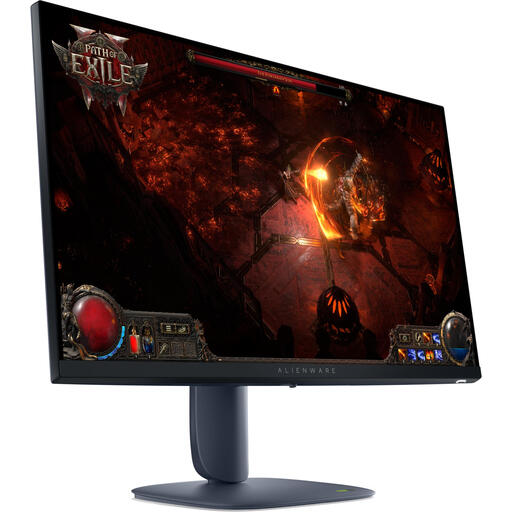
Why it suits this profile: The combination of a 27-inch screen, Wide QHD and 180Hz makes this a straightforward first gaming monitor, suitable for a range of PC games.
The specifications list both the resolution and 180Hz, so you can assess performance using more than just one marketing figure.
2560 × 1440 pixels, IPS panel, 180Hz and support for HDMI 2.1 and DisplayPort 1.4.
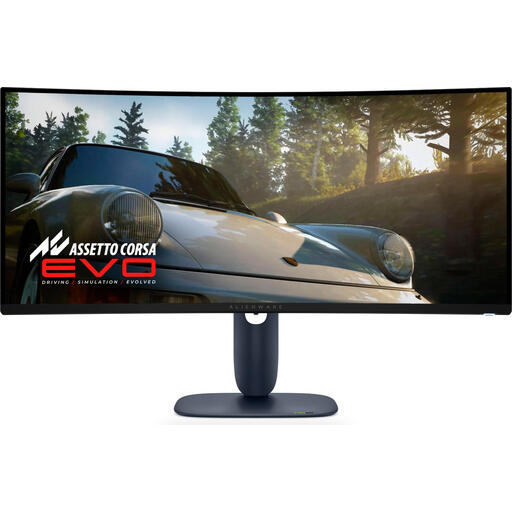
Why it suits this profile: The 21:9 aspect ratio, curved design and QD-OLED technology are ideal for users who value a wide view and strong contrast.
The resolution, aspect ratio, refresh rate and connections are listed separately, so you can compare them with your PC’s specifications.
34 inches, 3440 × 1440 pixels, QD-OLED, 240Hz and a stated response time of around 0.03 ms.
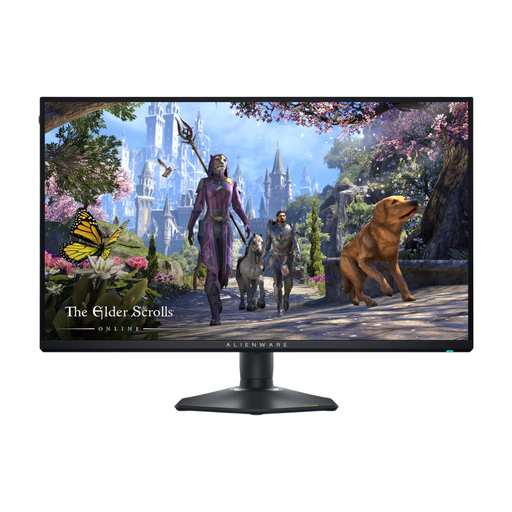
Why it suits this profile: This model is designed for users who want to switch between high resolution for picture quality and Full HD at a high refresh rate for competitive games.
The dual mode is clearly specified: 3840 × 2160 up to 180Hz or 1920 × 1080 up to 360Hz. This avoids confusion about the combination of resolution and speed.
4K resolution, 180Hz, 360Hz in Full HD, IPS panel, HDMI 2.1 and G-SYNC Compatible according to the product specifications.

Why it suits this profile: The compact Full HD format and high speed are a good fit for players who prioritise response times over 4K detail.
The product specifications list the Full HD resolution alongside 320Hz, making it clear which picture mode the high refresh rate applies to.
24.5 inches, 1920 × 1080 pixels, 320Hz, IPS panel, G-SYNC Compatible and FreeSync Premium according to the product information.
We’ve put together a full, up-to-date list of products that meet these strict selection criteria and current European safety regulations.
It depends on your PC, game and preferred refresh rate. 4K provides more pixels and detail, but requires more graphics processing power. For esports, Full HD or QHD with a higher refresh rate may be more practical. So, check not only the monitor but also your system’s average frame rate.
Use a cable that’s suitable for your chosen connection and picture mode. The AW2725QF uses HDMI 2.1 and DisplayPort 1.4; the product information recommends HDMI 2.1 as an accessory for optimum performance. Check your graphics card or console manual, too.
Power consumption varies by model, brightness, HDR mode and how long you use the monitor. The stated figures are a guide: the AW2725QF lists 26.1W, the AW3425DWM 32W and the AW2525HM 18.1W. To work out the annual cost, check the energy label, consumption per 1,000 hours and how many hours you play.
