
Vandaag of morgen in huis

Kwaliteit gegarandeerd

Welkomstaanbiedingen ontgrendelen: GRATIS bezorging | Tot 80% korting | Gratis 30 dagen JoyPlus-proefperiode
Download de app
On paper, a large ultrawide monitor can seem like an easy choice. However, marketing terms like HDR, 180Hz and adaptive sync can be misleading if you don't check exactly what's supported. The Alienware AW3425DWM gaming monitor combines a 34-inch screen, a 21:9 aspect ratio and a high refresh rate. But is this curved gaming monitor the right fit for your PC, desk, and needs?
A 180Hz monitor can display motion more smoothly than a 60Hz screen. However, your graphics card also needs to be able to deliver enough frames per second. At a resolution of 3440 x 1440 pixels, a game demands significantly more graphics processing power than it does at Full HD.
Therefore, you should check:
HDR is not a uniform standard of image quality. Pay close attention to the combination of brightness, contrast, panel type and the official certification. The product information supplied for the AW3425DWM mentions both VESA DisplayHDR 600 in the description and DisplayHDR 400 in the specifications. This information is contradictory. For this reason, you should always check the current product specifications before you order and not treat the HDR label as a guarantee of a particular viewing experience.
According to the product description, the screen supports AMD FreeSync Premium Pro. The technical data simply lists FreeSync. For Nvidia users, extra caution is advised: the product information does not officially certify the monitor as G-SYNC Compatible. It may be possible to enable G-SYNC via the driver, but its performance is not guaranteed.
The AW3425DWM is an Alienware 34-inch monitor with a resolution of 3440 x 1440 pixels. This WQHD resolution offers more horizontal space than a 16:9 monitor, without the reduced vertical workspace of some extra-wide screens.
The 21:9 monitor is a great fit for:
Bear in mind the width of 805.45 mm and a depth of 232 mm with the stand. Measure your desk beforehand. The stand is height-adjustable by 110 mm and supports tilt and swivel.
The screen uses a VA gaming panel with a static contrast ratio of 3,000:1 and a 178-degree viewing angle. Based on this specification, VA panels are known for having higher contrast than many standard IPS screens. This can be particularly pleasant for dark games and films.
The fixed 1500R curvature brings the sides visually closer to you. This works especially well when you are sitting directly in front of the screen. For graphic design work where straight lines and colour consistency from different viewing angles are important, it's wise to check the manufacturer's colour data in addition to the contrast ratio.
The maximum refresh rate is 180Hz. The product information mentions several response time modes: 2 ms GTG, 4 ms GTG and 1 ms GTG in Extreme mode. The actual response time achieved can vary depending on the settings and how you use it.
For competitive gaming, it's not just about milliseconds. You should also pay attention to:
The Alienware AW3425DWM has:
The USB ports act as a hub for your peripherals, but this is not a fully-fledged docking station with USB-C video or laptop charging. So, make sure to check which cable you need for your PC or console.
The screen is height-adjustable, and it can be tilted and swivelled. However, the fixed curvature means you cannot rotate the panel into portrait mode. The stated power consumption is 32 watts in SDR; for HDR, it is listed as 45 kWh per 1,000 hours. The energy label rating is G for both SDR and HDR. If you game for many hours every day, it's a good idea to factor this into the total running costs.
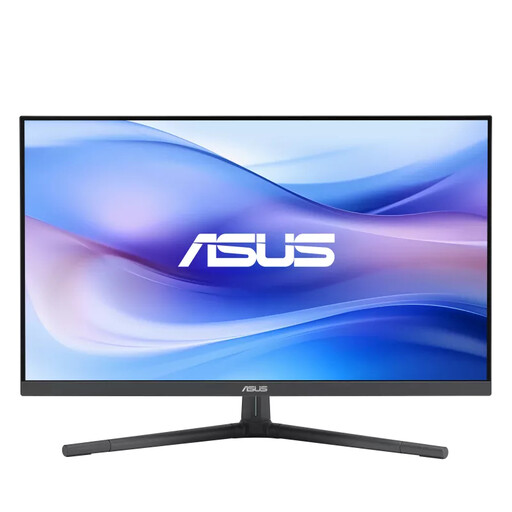
Why it fits this profile: A practical entry-level choice for everyday gaming and work, when 27 inches and Full HD are sufficient.
The 100Hz refresh rate is combined with a lower Full HD resolution, meaning less powerful hardware is sufficient.
27-inch IPS panel, 100Hz and USB-C with 15W Power Delivery.
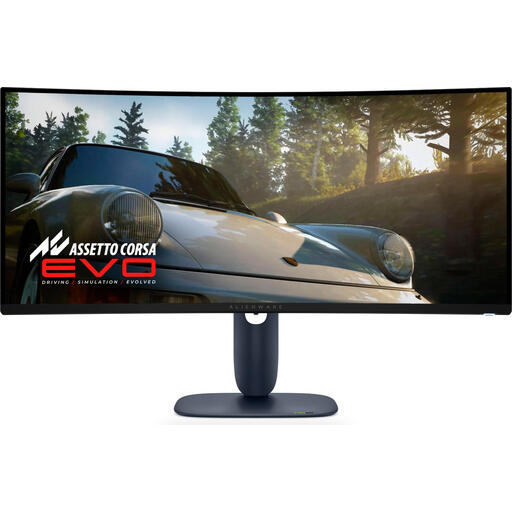
Why it fits this profile: Aimed at users who want to combine an ultrawide screen with an OLED panel and a very high refresh rate.
The product specifications clearly state 3440 x 1440, 240Hz, QD-OLED and HDR10, so you can base your choice on measurable features.
QD-OLED panel, 240Hz and a stated 0.03 ms response time.
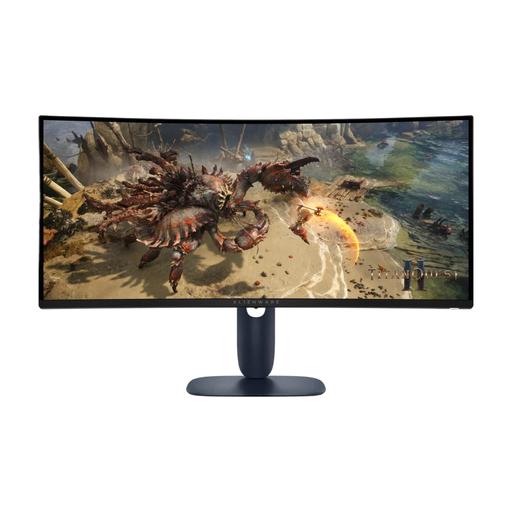
Why it fits this profile: For gamers and multitaskers looking for a wide VA monitor with a high refresh rate and an adjustable stand.
The connections, resolution and ergonomic options are clearly specified; just be sure to check the conflicting HDR information before buying.
3440 x 1440, 180Hz, 1500R curvature, VA panel and 110 mm height adjustment.
We've put together a complete, up-to-date list of products that fully meet these strict selection criteria and comply with current European safety regulations.
That depends on the console and your desired output. The monitor has two HDMI ports, but consoles don't automatically make use of the full 3440 x 1440 resolution or 180Hz refresh rate. Check your console's video output and the supported resolutions for the game you want to play.
For PC gaming, DisplayPort 1.4 is the obvious choice. According to the product specifications, HDMI 2.1 is present, but the actual available resolution and refresh rate may depend on the connected device. Use a suitable cable and then check the display settings in Windows or your graphics card's control panel.
The lifespan depends on usage, ventilation, brightness and how it's transported. The AW3425DWM comes with a three-year manufacturer's warranty, which excludes damage caused by the user and where repair is on a carry-in basis. Keep the packaging, place the screen on a stable surface, and only use suitable cables and accessories.
