
Vandaag of morgen in huis

Kwaliteit gegarandeerd

Welkomstaanbiedingen ontgrendelen: GRATIS bezorging | Tot 80% korting | Gratis 30 dagen JoyPlus-proefperiode
Download de app
Buying a fast monitor seems simple: choose 27 inches, OLED, a high refresh rate and a low response time. In practice, there are a few pitfalls that could leave you paying more for features your PC can’t fully use. The Alienware AW2725DF gaming monitor combines a QHD OLED panel with 360 Hz, making it particularly appealing to keen PC gamers and esports fans. But is this combination right for your hardware and playing style?
A 360 Hz gaming monitor can display up to 360 frames per second. You’ll only notice the benefit if your PC can produce a similar frame rate at your chosen resolution. That isn’t always possible in demanding single-player games with high graphics settings. 360 Hz is more realistic for competitive shooters and other less demanding esports games.
So, check the following first:
The AW2725DF is listed with a response time of 0.03 ms. This is a technical product specification, but motion clarity also depends on the measurement method, overdrive setting, picture mode and type of game. So don’t take 0.03 ms as a guarantee that every movement will be completely free of visual artefacts in all conditions.
OLED pixels can deliver deep blacks and high contrast. At the same time, an OLED monitor calls for sensible use. Leaving the same interface, taskbar or game overlay on screen for long periods can increase the risk of image retention. Use the available screen protection and pixel maintenance features as described in the manual, and avoid unnecessarily long periods with static images.
The Alienware AW2725DF is a 27-inch OLED monitor with a resolution of 2560 x 1440 pixels. It offers a practical middle ground between Full HD and 4K: QHD displays more detail than 1080p, while potentially putting less strain on your graphics card than 4K.
Key product specifications include:
The combination of QHD and 360 Hz makes this model a good fit for anyone who plays fast-paced PC games and has a graphics card capable of delivering high fps. A lower refresh rate may be enough for office work, films and consoles. If you mainly want a wide screen for multitasking, consider an ultrawide model instead. If 4K detail matters more to you than speed, there are other options too.
At 27 inches, QHD has a higher pixel density than Full HD. This can make text, HUD elements and in-game objects look sharper. Make sure you adjust Windows scaling and brightness to suit your viewing distance, though. A high resolution won’t automatically make up for poor seating position or interface elements that are too small.
FreeSync Premium is designed for AMD systems. The product specification also lists G-Sync Compatible. Check your NVIDIA or AMD graphics card settings to make sure variable refresh rate is recognised correctly. If you want to make full use of the PC features, we recommend using the DisplayPort connection.
A common mistake is to look only at the number of ports. Check which port supports your preferred resolution and refresh rate, too. The AW2725DF comes with several cables, including DisplayPort and USB-C-to-DisplayPort. Keep the original cables, and check the refresh rate settings in both Windows and your game after installation.
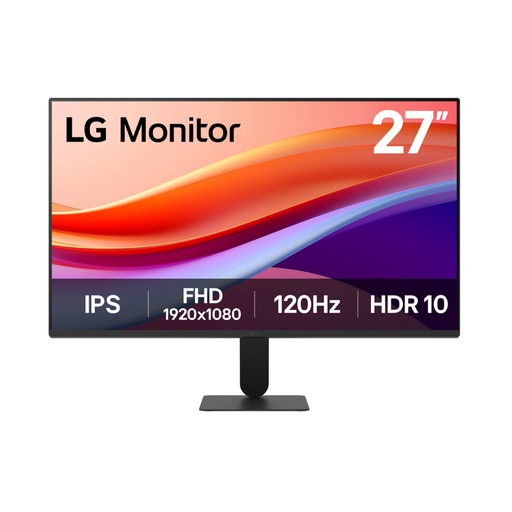
Why it suits this profile: An accessible option for casual gaming, streaming and everyday use, without the budget needed for OLED or 360 Hz.
The 120 Hz specification means you don’t pay for a refresh rate your system may not be able to use.
27 inches, IPS panel, Full HD, 120 Hz and HDMI plus VGA, according to the product specifications.
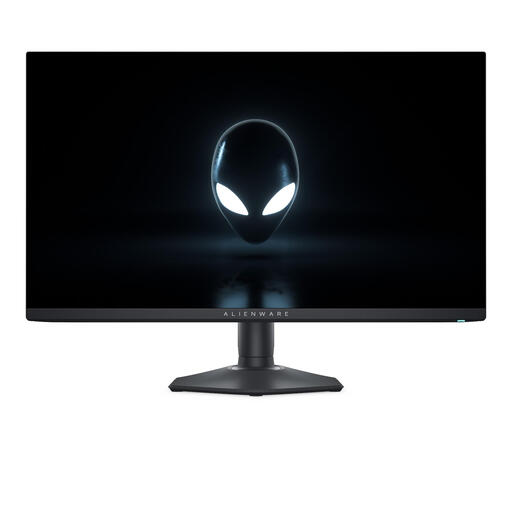
Why it suits this profile: Designed for PC gamers looking for QHD, OLED contrast and a high refresh rate in one 27-inch screen.
The QHD resolution and 360 Hz refresh rate are clearly specified; just make sure your PC can handle this combination.
27-inch OLED, 2560 x 1440, 360 Hz, 0.03 ms and FreeSync Premium plus G-Sync Compatible, according to the product listing.
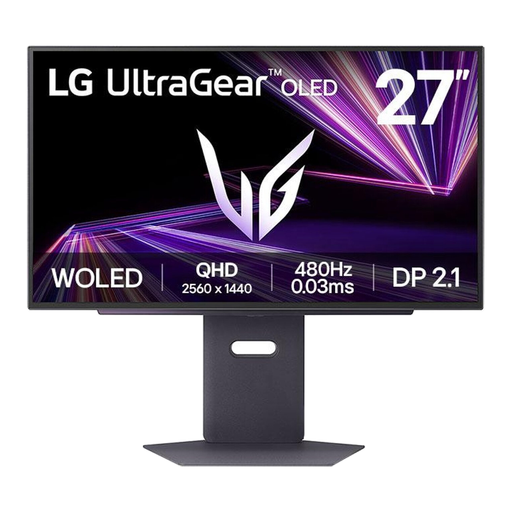
Why it suits this profile: For players looking for an even higher stated refresh rate in the same 27-inch QHD OLED category.
The specifications make it clear that 480 Hz is only worthwhile when your PC and game can deliver enough frames.
2560 x 1440, OLED, 480 Hz, DisplayPort 2.1 and 0.03 ms, according to the product details.
We’ve put together a complete, up-to-date list of products that meet these strict selection criteria and the applicable European safety regulations.
Connect the monitor to a stable, earthed power supply and use the included cables where possible. Then set the resolution to 2560 x 1440 in Windows and check whether 360 Hz is available. Enable variable synchronisation in the monitor menu and your graphics card driver. Place the screen on a flat surface, keep the ventilation openings clear and choose a comfortable brightness level.
When using OLED, it’s a good idea to enable automatic screen protection. Regularly switch between static windows and follow Alienware’s maintenance instructions. The product specification states a statutory minimum warranty of two years under European consumer rules; additional rights may apply under Dutch law.
Yes, but the difference is most relevant at high frame rates and in fast-paced competitive games. Your PC needs to produce enough fps for smooth visuals. In demanding games, a lower setting or refresh rate may be more practical.
According to the product description, the model has built-in speakers. Many players still use a headset for competitive gaming, as it can offer better positional audio and communication.
Lifespan depends on brightness, hours of use, static images and maintenance. OLED isn’t automatically unsuitable for everyday use, but static elements displayed for long periods increase the risk of image retention. Use screen protection, vary your content and follow the maintenance instructions in the manual.
