
Vandaag of morgen in huis

Kwaliteit gegarandeerd

Welkomstaanbiedingen ontgrendelen: GRATIS bezorging | Tot 80% korting | Gratis 30 dagen JoyPlus-proefperiode
Download de app
A high refresh rate and low response time sound appealing, but they’re not the only things that determine whether a 27-inch gaming monitor is right for you. If you’re a keen PC gamer, connectivity, resolution, panel technology and setup also matter. The Alienware AW2725DF combines QHD, OLED and 360 Hz in one screen. That makes it an interesting option for competitive gaming, but it won’t automatically be the right choice for everyone.
A 360Hz monitor can display motion very smoothly, but your PC also needs to produce enough frames per second to make the most of it. If a game runs at around 120 fps, you won’t be using the full refresh rate. So check how your graphics card performs in the games you actually play.
The quoted 0.03 ms response time is a product specification for the Alienware AW2725DF. In practice, the picture mode, overdrive settings, connection type and game settings can all affect what you see. Treat the figure as a technical indication, not a promise that every user will have exactly the same experience.
OLED panels are known for deep blacks and strong contrast. However, displaying static elements such as a taskbar or game interface for long periods may require extra care. Use the built-in protective features as described in the manual, vary the content on screen regularly and set the brightness to a comfortable level. Also check the panel warranty terms before ordering.
The AW2725DF has a resolution of 2560 × 1440 pixels, also known as QHD. This gives you more screen space and detail than Full HD, while requiring less graphics processing power than 4K. For a PC gaming monitor, it’s a practical combination if you want to maintain a high frame rate without moving to a larger screen.
A 27-inch screen with a 16:9 aspect ratio will also fit on many desks. Be sure to measure the available depth and width, including the stand. The stated product dimensions are approximately 60,91 cm wide, 51,62 cm high and 24,37 cm deep.
The product listing describes the monitor as OLED and includes QD-OLED in the product name. This panel technology is designed to deliver high-contrast images, vivid colours and fast pixel response. If you watch a lot of films or play dark games, you may appreciate the picture quality. If you mainly use static office software, make sure you take the maintenance and protective features into account.
According to the product specifications, the AW2725DF supports 360 Hz and has a quoted response time of 0,03 milliseconds. Support is also listed for FreeSync, FreeSync Premium and G-SYNC Compatible. Check which synchronisation feature is actually available with your graphics card and operating system.
According to the listing, the monitor has one HDMI 2.1 port, one USB-C port and three USB 3.0 ports. The box includes, among other things, a DisplayPort cable, a USB-C-to-DisplayPort cable and a USB upstream cable. Before buying, check which cable your PC needs and whether your chosen connection supports your preferred resolution and refresh rate.
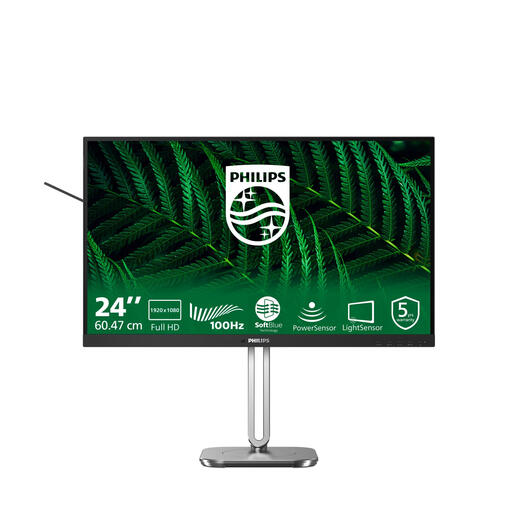
Why it suits this profile: If you’re looking to combine Full HD gaming with study and everyday computing, this 23.8-inch screen is a less demanding starting point than a QHD OLED model.
The 100Hz refresh rate means you won’t pay for a speed your PC may not be able to make use of. IPS technology and Full HD resolution make it a straightforward choice for general use.
23.8 inches, Full HD, 100 Hz, built-in speakers and a height-adjustable stand.
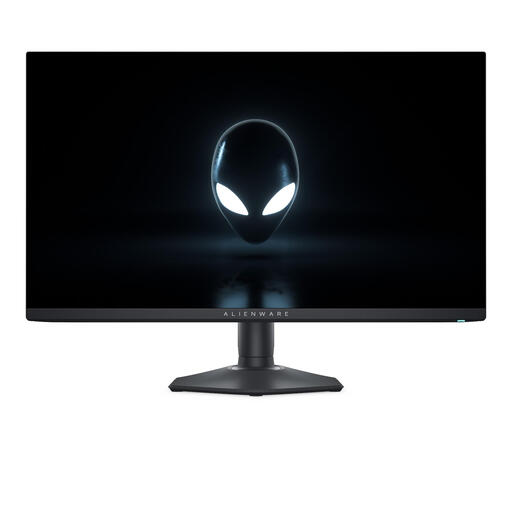
Why it suits this profile: This 27-inch QHD OLED monitor is designed for players who value high frame rates, fast-moving images and high-contrast visuals.
The combination of QHD and 360 Hz makes it clear what kind of use you’re paying for. Check that your PC can deliver this frame rate, and use the OLED protection features as described in the manual.
2560 × 1440 pixels, OLED/QD-OLED listing, 360 Hz, 0,03 ms, and FreeSync Premium and G-SYNC Compatible support.
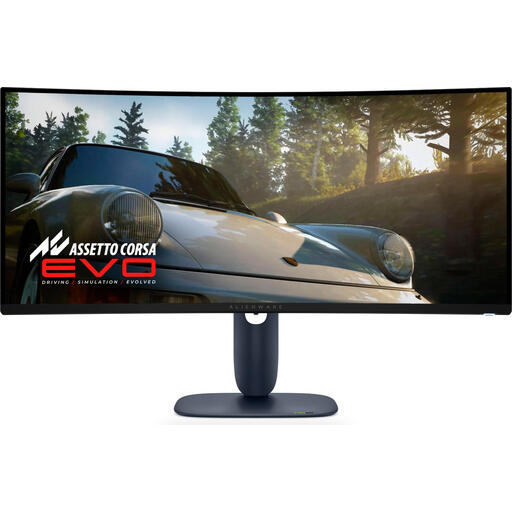
Why it suits this profile: If you enjoy films, simulations or multitasking as well as competitive gaming, you may prefer the wider 34-inch ultrawide format.
The 21:9 aspect ratio is a deliberate choice if you want extra horizontal space. Measure your desk first, and check whether your PC can drive 3440 × 1440 pixels at 240 Hz.
34 inches, 3440 × 1440 pixels, QD-OLED, 240 Hz, approximately 0,03 ms and an adjustable stand.
We’ve put together a complete, up-to-date list of products that meet these strict selection criteria and the applicable European safety regulations.
The combination of QHD, 360 Hz and a quoted response time of 0,03 ms is well suited to competitive PC gaming. The results also depend on your graphics card, processor, game settings and cable. So check the actual fps your system can achieve.
The product listing mentions HDMI 2.1 and USB-C, and lists DisplayPort and USB-C-to-DisplayPort cables as included. Use the connection that, according to the manual and your graphics card, supports the desired 2560 × 1440 resolution at 360 Hz. Then adjust the refresh rate in your PC’s display settings.
Keep the OLED protection features switched on, avoid displaying static images for long periods and use a comfortable brightness setting. Follow the manufacturer’s care instructions. According to the product information, the Alienware AW2725DF comes with at least the statutory two-year warranty; check the current terms before buying.
