
Vandaag of morgen in huis

Kwaliteit gegarandeerd

Welkomstaanbiedingen ontgrendelen: GRATIS bezorging | Tot 80% korting | Gratis 30 dagen JoyPlus-proefperiode
Download de app
A wireless gaming mouse needs to offer more than a high DPI figure on the product page. For competitive PC gamers, tracking, connectivity, weight and controls all matter. For homeworkers and students, comfort, battery management and easy switching between devices are often more important.
The AJAZZ AJ159 APEX wireless gaming mouse stands out for its PAW3950 sensor, 8K polling rate, RGB charging dock and tri-mode connectivity. However, there are several potential pitfalls you should check before buying.
A 42,000 DPI gaming mouse sounds impressive, but most players use a much lower sensitivity in practice. What matters more is whether the sensor tracks movement consistently and whether you can adjust the DPI precisely.
You should also check:
According to the product description, the AJAZZ AJ159 APEX uses a custom PAW3950 APEX optical sensor, with up to 42,000 DPI, 750 IPS and 50G acceleration. These are stated product specifications; your personal experience will also depend on the surface, settings and hand movements.
An 8K polling rate mouse theoretically reports its position up to 8,000 times per second. This can provide smoother cursor response, particularly during fast FPS movements. At the same time, a high polling rate can put more demand on your computer and drain the wireless battery faster.
Pay attention to the following points:
According to AJAZZ’s own product information, the AJ159 APEX supports up to 8,000 Hz in wireless mode, with a stated report interval of 0.125 ms. Treat this as a technical capability, not a guarantee of better gaming results.
A gaming mouse with charging dock is convenient if you always put the mouse back in the same place after use. However, check that the dock fits on your desk and that the receiver can be positioned correctly. A dock with an integrated receiver can reduce cable clutter, but you will still need a free USB port.
According to the product description, the AJ159 APEX comes with a magnetic RGB dock. The charging dock also contains an 8K receiver and a TFT colour display, which can show information such as DPI, battery status, polling rate and LOD settings. Before buying, check which display functions are supported by the software.
With a stated weight of 56 grams, the AJ159 APEX falls into the ultralight gaming mouse category. A low weight can be comfortable for fast arm and wrist movements, but not everyone prefers a very lightweight shell. Some users prefer additional weight for greater control.
According to the product details, the mouse has a symmetrical, ambidextrous shape. This makes it an interesting option for left- and right-handed use, but always check the positioning of the side buttons. An ergonomic ambidextrous mouse is not automatically suitable for every hand shape.
The AJ159 APEX is specifically offered for small and medium-sized hands. If you are unsure, measure the length and width of your hand and compare them with the mouse dimensions on the product page.
A tri-mode mouse generally offers three ways to connect:
According to the product description, the AJ159 APEX supports all three modes. This makes one mouse suitable for gaming, studying and everyday computer use. However, bear in mind that Bluetooth and 2.4GHz do not offer the same level of performance. For competitive games, use the connection that the manufacturer specifies for the highest polling rate.
The product information mentions Huano switches with a stated lifespan of more than 100 million clicks. This is a claim from AJAZZ’s product description and is not a guarantee that every mouse will reach this number under all usage conditions.
ETFE feet, grip tape and replacement feet are also included. This can be useful if you use different mouse mats. Check regularly that there is no dust or hair around the sensor and feet. Adjust the LOD, button layout and macros carefully in the official software, especially if you also use the mouse for work.
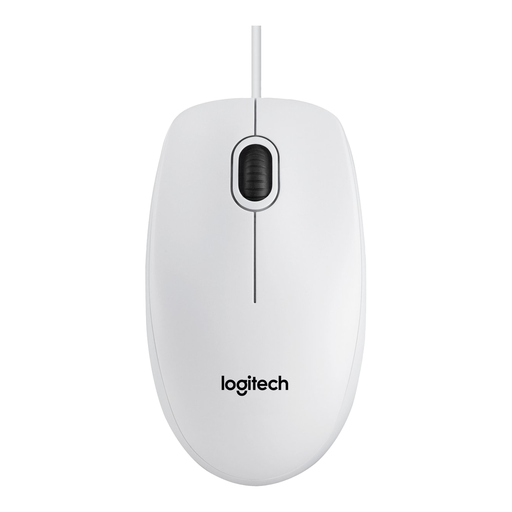
Why it suits this profile: A simple wired mouse for school, office work and basic use, with no software or charging required.
No exaggerated DPI or RGB claims: the product specification lists 800 DPI, USB plug-and-play and a wired connection.
Ambidextrous design, optical sensor, and no battery or charging dock required.

Why it suits this profile: Designed for players looking for extensive technical adjustment options, wireless freedom and a charging dock in one package.
The dock combines charging with the 8K receiver; the tri-mode connection also offers Bluetooth and USB-C as alternatives.
56 grams, PAW3950 sensor, up to 42,000 DPI and, according to the product information, a polling rate of up to 8,000 Hz.
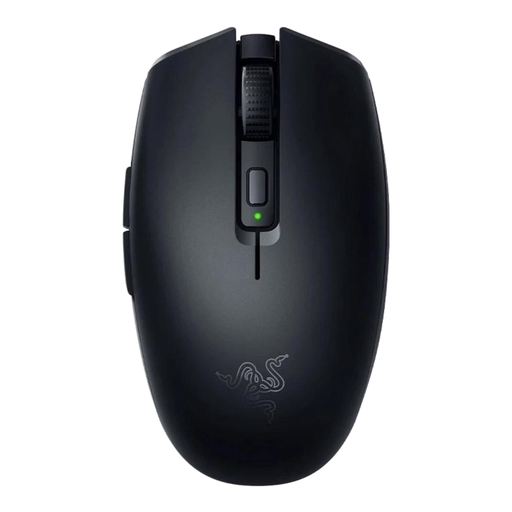
Why it suits this profile: A compact choice for gamers who take their mouse with them or want to combine Bluetooth and 2.4GHz.
The shape is symmetrical and the weight is 60 grams according to the product specification; there is no fixed charging dock taking up desk space.
18,000 DPI, six programmable buttons and Bluetooth alongside Razer HyperSpeed Wireless.
We have put together a complete, up-to-date list of products that fully meet these strict selection criteria and the applicable European safety regulations.
Not always. The difference is mainly relevant for fast on-screen movements and systems that can process the higher report rate effectively. For office work, browsing and many casual games, a lower polling rate is usually sufficient. Use the software to compare different settings.
For gaming, the product description recommends using the 2.4GHz receiver in the charging dock. For everyday use, you can choose Bluetooth. With the USB-C cable, the mouse works in wired mode and can charge at the same time. After installation, check the driver to make sure your preferred DPI, LOD and polling rate are active.
With a rechargeable mouse such as the AJ159 APEX, you do not need to buy disposable batteries. However, the charging dock uses electricity, and a higher polling rate may mean charging more frequently. Lower the RGB lighting and polling rate when maximum battery life matters more than using the highest settings.
