Start with the role-playing game you want to play: check whether it’s available for iPadOS or Android, install it in advance and test whether it works offline. Then choose a compact screen if portability matters, or a larger screen if having a better overview is more important. Stated battery life or video playback time doesn’t guarantee the same number of hours of gaming. Before you travel, also check the battery rules of the airline you’re flying with.
Who is this choice relevant to?
Traveller without reliable internet
Wants to carry on playing while waiting or in flight, so tests their game, sign-in and downloads offline in advance. Steam Support recommends updating and launching games you want to play offline before you travel.
Player short on luggage space
Often takes their tablet with them or plays in a cramped seat, and weighs up a compact design against having less room for game text and controls. The Consumers’ Association describes small tablets as handy for travelling.
Player who wants a better view of the screen
Prioritises maps, dialogue or touch controls and is happy to choose a larger tablet to get them. Check separately that your chosen role-playing game works with the operating system.
What should you look for when choosing?
First, check that your game works with the operating system and can be played offline. Then compare the size, storage required and how long you expect to use the tablet between charges.
| What to consider |
What should you check? |
Who is this important to? |
| Offline gaming |
Check your game’s requirements, install updates in advance and test a gaming session without an internet connection. |
If I don’t want to rely on internet access while waiting or flying, I want to know in advance whether my game will start offline. Around 25% of consumers prioritise being able to play offline. |
| Size and portability |
Compare the dimensions and weight of the exact model, and check that the game interface is still easy to read on screen. |
When I have limited space in my bag or by my seat, being able to carry my tablet easily matters more to me than having extra screen space. Around 25% of consumers prioritise portability. |
| Display and hardware |
Check the game’s requirements, operating system, screen size and storage capacity for the model you’re considering. |
If I want to see maps, dialogue and controls clearly, I want to compare my game’s requirements with the screen and hardware. Around 19% of consumers prioritise game display and suitable hardware. |
| Use without access to a charger |
Compare applicable EU energy label data on a like-for-like basis and test your game using the settings you’ll use when travelling. |
When I’ll be away from a power socket for a long time, I want to know how my game uses the battery and what charging options I have. Around 19% of consumers make use without access to a charger their top priority. |
| Total cost |
Check the exact storage model, included charging accessories and whether your existing paid games will still be available on the other operating system. |
If I already own paid games or still need a suitable charger, I want to factor in any extra purchases before I decide. Around 12% of consumers prioritise total cost. |
Avoid common purchasing mistakes
-
Confusing stated battery life with hours of gaming
Battery life also depends on the app and settings. The maximum video playback time stated by OnePlus doesn’t tell you how many hours a particular role-playing game will run for.
Compare applicable energy labels on a like-for-like basis and test your game using the settings you’ll use when travelling.
-
Assuming an installed game will automatically work offline
A game may still need an internet connection the first time you launch it or after an update.
Complete installation and updates before you travel, then test the game offline. Check the requirements for your specific game.
-
Comparing the tablet alone
The Xiaomi Pad 8 doesn’t come with a power adapter. The Consumers’ Association also points out that when switching between operating systems, you may need to buy some paid apps again.
Check what’s in the box and review your existing game purchases before choosing a model.
Depending on the tablet and the purchases you already own, you may need to buy a separate power adapter or repurchase paid apps.
-
Treating a power bank like ordinary hold luggage
Different luggage rules apply to spare lithium batteries and power banks than to tablets with built-in batteries.
Before you travel, check your airline’s rules on carrying and storing a power bank.
Brands worth comparing
Apple
The iPad mini (A17 Pro) is designed for portability, while the 11-inch iPad Air (M4) offers more screen space on iPadOS.
- For the Wi-Fi models, Apple states weights of 293 grams for the iPad mini and 464 grams for the iPad Air. Their screen sizes are 8.3 and 11 inches.
- These are model specifications, not independent gaming test results. Check that your role-playing game is available for iPadOS and find out what it requires for offline play.
Xiaomi
The Pad 8 is an Android option with an 11.2-inch screen and several storage configurations.
- Xiaomi states a maximum refresh rate of 144 Hz.
- According to Xiaomi, the actual refresh rate may vary depending on the app and game settings. A power adapter isn’t included.
OnePlus
The Pad 3 is an Android option for anyone who values a large screen for game text and a clear overview.
- OnePlus lists a 13.2-inch screen, a weight of 675 grams and models with either 256 GB or 512 GB of storage.
- The maximum video playback time stated by OnePlus isn’t a measured gaming time for a role-playing game.
Samsung
The Galaxy Tab S11 is an Android alternative with a screen of around 11 inches. The Dutch product page consulted was for the 512 GB 5G model, with model code SM-X736BZATEUB.
- Samsung lists an 11-inch screen and S Pen support for that model.
- This information applies to the model mentioned; don’t assume other Tab S11 models have the same specifications or features.
Tablets at Joybuy
These tablets at Joybuy suit different preferences for role-playing games on the go, from a more compact screen to mid-sized and larger Android tablets.
 No image available
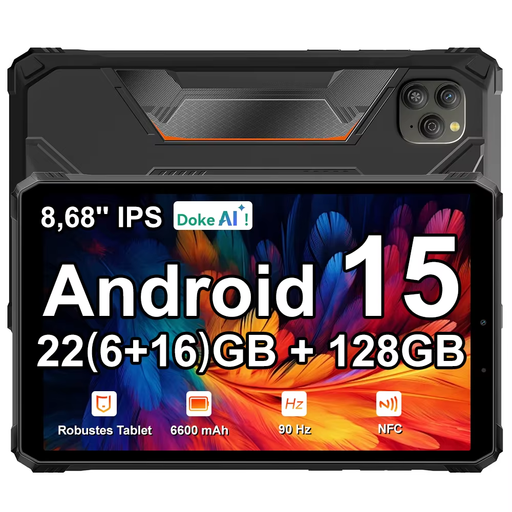
Blackview Active 5, 128 GB, 8.68-inch
The 8.68-inch size suits anyone looking for a more compact tablet to take with them; check that your game works on Android 15.
The title lists 22 GB expandable RAM (6 + 18), 128 GB storage, a 90 Hz IPS screen and a 6,600 mAh battery.
Joybuy
 No image available
Apple 11-inch iPad Air (M4), Wi-Fi, 128 GB, blue
This model is suited to anyone who wants more screen space than a compact tablet offers; check that your role-playing game is available for iPadOS.
Apple states that the Wi-Fi model weighs 464 grams. The product title lists 128 GB of storage.
Joybuy
 No image available
TECLAST P50, Android 16, 11-inch, 128 GB
This 11-inch Android tablet is an option if you’re looking for a mid-sized screen; check your game’s compatibility.
The title lists 32 GB RAM (6 GB + 26 GB virtual), 128 GB storage and a 90 Hz IPS screen.
Joybuy
 No image available
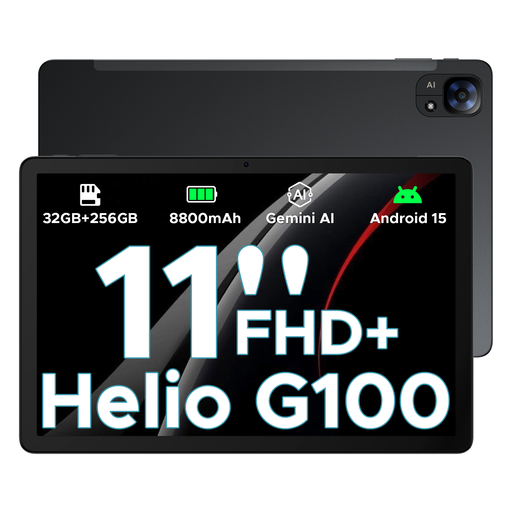
DOOGEE Tab E3, Android 15, 11-inch
The 11-inch size suits anyone looking for a mid-sized screen on the go; check the requirements of your Android game.
The title lists a 90 Hz FHD+ screen, a Helio G100, 8,800 mAh and the configuration description 32 GB + 256 GB/2 TB.
Joybuy
 No image available
TECLAST T70, 14-inch, 2.2K, 128 GB
The 14-inch screen gives you more room for text and a better overview, but takes up more space in a cramped seat.
The title lists Android 15, an MTK Helio G100, 128 GB storage and a 10,000 mAh battery.
Joybuy
Frequently asked questions
Can I play my role-playing game at the airport without Wi-Fi?
That depends on the game, sign-in requirements and any additional downloads. Install it in advance and test a gaming session offline before you travel; having a Wi-Fi tablet doesn’t make an online-only game playable offline.
How can I compare battery life for a long gaming session?
For models where it applies, use the standardised battery information on the EU energy label as a point of comparison. According to the European Commission, actual usage time can vary due to factors including apps, brightness and network conditions; the label doesn’t guarantee how long a role-playing game will run.
Can I take a power bank with me for my tablet?
Don’t pack a power bank in your hold luggage, and check the conditions set by your airline. Schiphol allows a maximum of two power banks; KLM also has rules on capacity and on using and storing them on board its flights. KLM’s conditions don’t automatically apply to every airline.
Do I need to take my tablet out of my bag at security?
According to Schiphol, electronic devices, including tablets, can stay in your bag at security. Follow any instructions from security staff at the airport.
Does every new tablet have an EU energy label?
No. According to the European Commission, EU rules apply to slate tablets placed on the EU market from 20 June 2025; the Commission says Windows-style tablet computers aren’t included in this category. For models covered by the label, you can also check the repairability and battery information.


