
Vandaag of morgen in huis

Kwaliteit gegarandeerd

Welkomstaanbiedingen ontgrendelen: GRATIS bezorging | Tot 80% korting | Gratis 30 dagen JoyPlus-proefperiode
Download de app
As a Joybuy Product Recommendation Officer, I see many questions about PC cooling. You've invested in a powerful processor, but you're noticing temperatures rising and fans getting loud during gaming or rendering. An All-in-One (AIO) water cooler, also known as a CPU water cooler, is a popular consideration.
This guide is designed to help you make an informed choice. We'll cut through the marketing jargon and focus on the specifications that truly matter, so you can find a processor cooler that fits your system and needs.
Before you choose a model, there are a few key points to consider. This ensures your purchase is compatible with your PC right out of the box.
The radiator is the component that dissipates heat from the liquid. Its size directly impacts cooling performance.
240mm AIO offers a significant upgrade over most stock air coolers and fits in most mid-tower cases. It's a solid choice for most gaming PCs and workstations.360mm AIO provides superior cooling capacity. This results in lower temperatures and potentially more headroom for overclocking. However, be sure to check if your PC case has enough space for such a large radiator.An AIO water cooler needs to fit in two places: on your motherboard and in your case.
PC water cooling is not just functional; it's also an aesthetic part of your build.
Corsair iCUE or MSI Center) for a cohesive look.Based on specifications and functionality, we have selected some compelling options for liquid cooling for CPU.
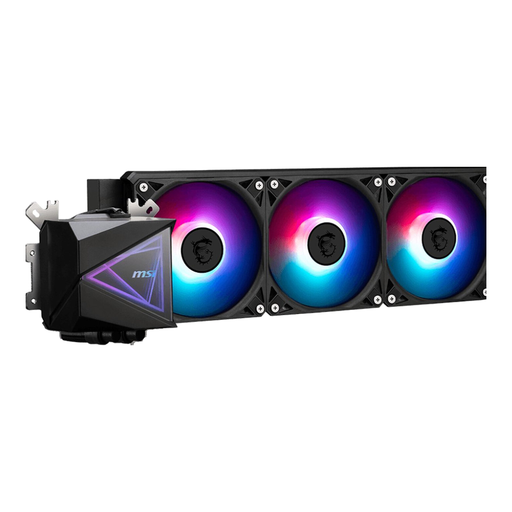
Why It Stands Out: This 360mm AIO is designed for maximum cooling performance. With three 120mm fans and a large radiator surface area, it's built to keep the most demanding processors cool and quiet under heavy load.
Specifications:
Who Is It For?: For the PC builder who uses a high-end processor for intensive tasks like 4K gaming, streaming, or video editing and has the space for a large radiator.
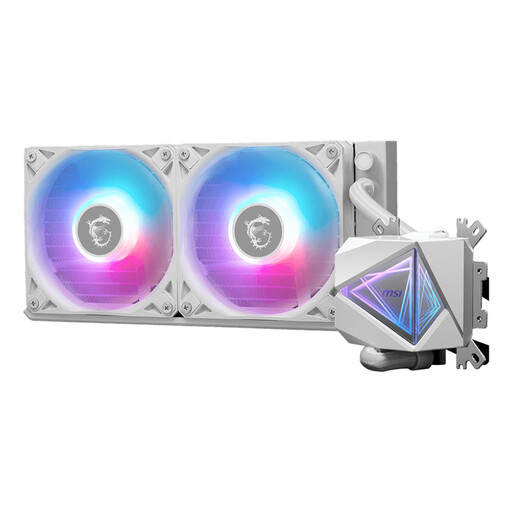
Why It Stands Out: The I240 offers an excellent balance between performance and broad compatibility. Its white finish makes it a popular choice for builds with a clean, light-themed aesthetic, while the 240mm AIO radiator provides ample cooling power for most modern processors.
Specifications:
Who Is It For?: For gamers and system builders looking for an efficient and stylish cooling solution that fits in most standard cases, with a preference for a white colour scheme.
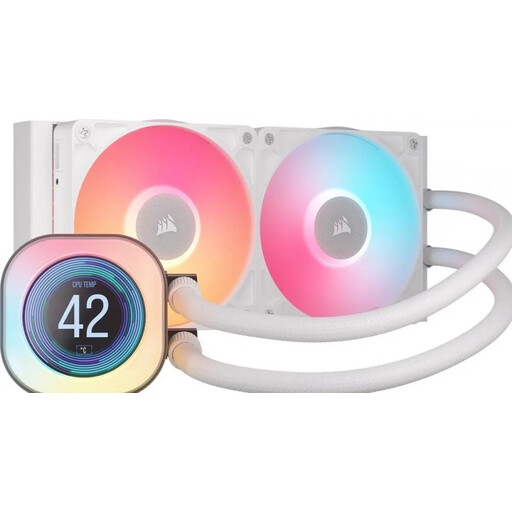
Why It Stands Out: This cooler combines strong performance with advanced customisation. The bright 2.1-inch LCD screen on the pump can display real-time data or animations. Furthermore, the Corsair iCUE LINK system simplifies cabling for a cleaner build.
Specifications:
Who Is It For?: For the tech enthusiast who not only wants excellent cooling but also values data visualisation, personalisation, and a tidy system with minimal cables.
The world of PC water cooling is vast. If the models above aren't exactly what you're looking for, or if you're curious about other sizes and brands, there's more to discover.
View our full range of cooler fans
An air cooler uses a metal heatsink and fans to dissipate heat directly from the processor. An AIO water cooler uses liquid to transport heat from the processor to a radiator, where it is cooled by fans. Generally, an AIO can handle higher thermal loads, and its pump often produces less direct noise than an air cooler under full load. Air coolers, on the other hand, are often simpler in design and have no risk of leakage.
The lifespan of an AIO primarily depends on the pump. Most manufacturers provide a warranty of 3 to 6 years, which is a good indicator of the expected lifespan. Over time, a small amount of liquid may evaporate (permeation), which can slightly reduce performance. Regular inspection is not necessary, but it's good to be alert for any unusual pump noises.
Installing an AIO is significantly simpler than building a custom water cooling loop. The systems are closed-loop and pre-filled. The steps involve mounting the pump onto the CPU, securing the radiator in the case, and connecting the cables for the pump and fans. Most AIOs come with clear instructions and the necessary mounting brackets for different sockets.
