
Vandaag of morgen in huis

Kwaliteit gegarandeerd

Welkomstaanbiedingen ontgrendelen: GRATIS bezorging | Tot 80% korting | Gratis 30 dagen JoyPlus-proefperiode
Download de app
An AIO CPU liquid cooler can be a practical solution for a powerful gaming PC or workstation. The pump, tubes, radiator and fans form one closed system. This means you do not need to fill a reservoir yourself or build a complete custom water-cooling loop.
However, not every all-in-one CPU cooler is automatically suitable for every PC. A radiator may not physically fit inside your case, a pump block may not support a particular socket, and an LCD screen may increase the price without offering much benefit during gaming. Below, you can find out which specifications to check first and which models suit different use cases.
A 240mm liquid cooler generally has two 120mm fans. A 360mm liquid cooler uses three 120mm fans and has a larger radiator surface area. However, this does not mean that a 360mm model will always fit or automatically run more quietly.
Check in advance:
Also pay attention to the radiator’s total thickness. A radiator measuring around 27 mm, combined with 25 mm fans, can take up a significant amount of the available space.
RGB lighting mainly changes the appearance of your PC. An RGB CPU cooler can complement a white or black build, but the lighting says little about heat dissipation or noise levels.
An LCD CPU cooler adds a screen that can display temperature data, images or animations, for example. This is useful if you like displaying system information on your PC, but check that the software is compatible with your current setup. With Corsair models, for example, the lighting and screen are managed through iCUE.
Socket support is a requirement, not a minor detail. Check that the supplied mounting hardware is suitable for your processor:
A product listing may mention several sockets, but always check whether your specific processor and motherboard combination is actually included in the manual.
For a mainstream gaming PC, 240 mm is often a sensible size, especially when the case is compact. A 360 mm radiator offers a larger surface area and may be more suitable for sustained heavy workloads, such as rendering, streaming or gaming with a processor that uses a lot of power.
Cooling capacity also depends on the fans, pump, installation and airflow inside the case. So do not look only at the number of millimetres. Also consider:
A quoted noise level is usually measured at a particular speed. In everyday use, fan curves, ambient temperature and case layout can affect the result. A model with PWM control can automatically adjust fan speed according to the CPU temperature.
For example, the MSI MAG Coreliquid I240 lists a noise level of 20 dB and maximum airflow of 70,7 cfm. The Corsair Nautilus 240 RS ARGB lists a maximum of 34 dB at high speed. Only compare figures like these when the measurement conditions are the same.
Check that your motherboard has enough connections for:
Install the radiator securely, connect the pump to a suitable CPU_FAN or AIO_PUMP connection, and follow the manufacturer’s installation sequence. Do not open a closed system yourself, as this could cause leaks and damage to components.
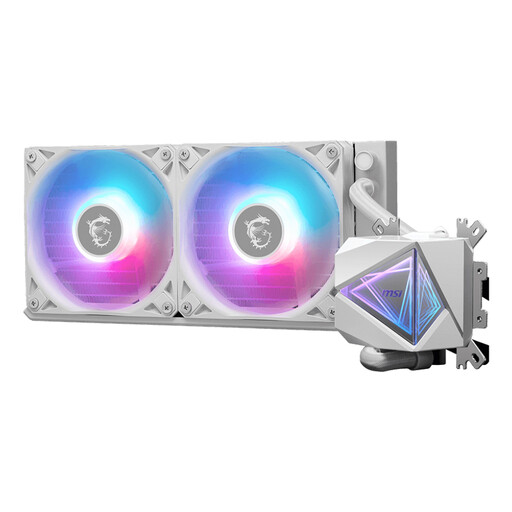
Why it suits this profile: This 240mm model is a straightforward choice for a first upgrade to CPU liquid cooling and, according to the specifications, supports AM4, AM5, LGA 1700 and LGA 1851, among others.
The radiator size, connections and compatible sockets are clearly stated. However, check that your case supports 240 mm before ordering.
Two 120mm fans, RGB support, a 4-pin pump connection and quoted maximum airflow of 70,7 cfm.
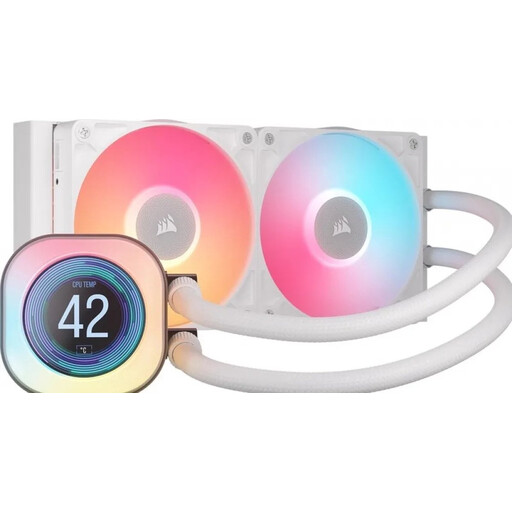
Why it suits this profile: This white 240mm liquid cooler combines an LCD screen with iCUE control, making it a good choice for users who want cooling and system monitoring in a single design.
The LCD screen is a clearly defined feature rather than a vague software promise: the product listing mentions temperature displays, images and animations on a 2.1-inch screen.
Two RX fans, PWM support, LCD functionality and compatibility with AM4, AM5, LGA 1700 and LGA 1851.
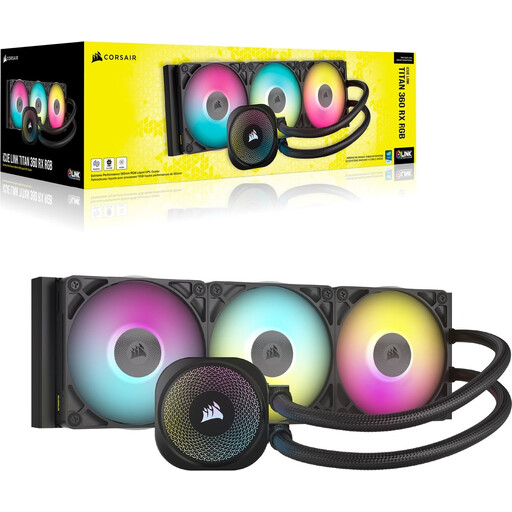
Why it suits this profile: The 360mm version is designed for larger cases and systems that produce a lot of heat over extended periods. The three fans and RGB control suit a fully equipped gaming PC.
The product information lists the radiator length, three fans and support for AM4, AM5, LGA 1700 and LGA 1851. This allows you to check the available installation space in advance.
Three 120mm fans, fan speed from 300 to 2100 rpm, RGB via iCUE and quoted maximum airflow of 73,5 cfm.
We have put together a complete, up-to-date list of products that fully meet these strict selection criteria and the applicable European safety regulations.
Install the radiator according to the manufacturer’s instructions and avoid sharply bending the tubes. Do not connect the pump unless the system has been installed correctly. Then set an appropriate fan curve in the BIOS or motherboard software. This allows you to adjust the balance between temperature and noise yourself.
Keep the radiator and fans free from dust. During maintenance, check for any visible damage or leaks. A closed CPU liquid cooler should not be opened, turned upside down or shaken vigorously.
That depends on the processor, case and your preferred noise settings. A 240mm model will fit in more cases than a 360mm model. For sustained heavy workloads, a larger radiator may be a good choice, provided that the case and mounting positions are suitable.
Its lifespan depends on usage, dust, installation and the quality of the components. Check the fans, pump operation and tubes regularly. Also take note of the statutory minimum two-year guarantee in the European Union; additional rights may arise under national law or the manufacturer’s terms.
The pump and fans generally use relatively little power compared with the processor and graphics card. Consumption varies by model and speed. RGB lighting and an LCD screen add a small amount of extra consumption. Consult the technical documentation when low energy consumption is important.
