
Vandaag of morgen in huis

Kwaliteit gegarandeerd

Welkomstaanbiedingen ontgrendelen: GRATIS bezorging | Tot 80% korting | Gratis 30 dagen JoyPlus-proefperiode
Download de app
An AIO CPU liquid cooler can be a practical choice for a gaming PC or desktop with a powerful Intel or AMD processor. However, an all-in-one liquid cooler won’t necessarily suit every computer. A radiator that won’t fit in your case, a missing mounting bracket or distracting pump and fan noise can make your purchase unnecessarily costly.
The product name doesn’t always tell the whole story, either. Focus on specifications you can check, rather than terms such as “high performance”, “silent” or “gaming”.
A 360mm AIO liquid cooler typically uses three 120mm fans. Its radiator is longer and needs more room than a 240mm model. Before you buy, check:
A 240mm radiator, such as the one in the Corsair iCUE LINK TITAN 240 RX LCD, may fit more easily in compact mid-tower cases. A 360mm model offers more fan surface area, but needs a case that can accommodate it.
Your CPU cooler needs to fit the motherboard socket. Check that the required mounting hardware is included for, for example:
A model may support several sockets, but always check the latest product listing and installation manual. This is especially important when upgrading an existing system or building a PC around a new motherboard.
An ARGB CPU cooler, RGB liquid cooling or a CPU cooler with an LCD display can give your PC a personal touch. However, the lighting and screen don’t directly determine how much heat the cooler can dissipate.
Start by checking the radiator size, number of fans, PWM control and physical fit. A display is mainly useful if you want to show temperatures, images or animations. According to Corsair’s product information, the iCUE LINK TITAN 240 RX LCD can display system temperatures and more on its 2.1-inch screen; it’s controlled using iCUE software.
A 240mm or 360mm radiator usually uses 120mm fans. More radiator surface area can help dissipate heat across a larger area, but the result also depends on the fan curve, installation and airflow inside the case.
Check the following specifications:
A stated maximum airflow doesn’t guarantee a particular CPU temperature. The processor, ambient temperature, thermal paste, case ventilation and settings all play a part.
An AIO consists of a pump, water block, tubes and radiator. Check that the pump is connected to the correct header, usually AIO_PUMP or a suitable motherboard header. Fans often use a 4-pin PWM connector.
A Zero RPM mode can temporarily stop the fans under light loads. According to Corsair’s own information, certain iCUE LINK TITAN RX models have PWM control and a Zero RPM mode. Check whether this feature is available in the software or BIOS, and how the fan curve is set.
A sealed liquid cooler generally needs less day-to-day maintenance than a system you fill with liquid yourself. Dust still needs attention, though. Clean the radiator and fans periodically, and check that the tubes aren’t sharply bent.
Fit the pump block evenly and only use the supplied mounting hardware. Incorrectly fitting the block can cause overheating. Shut down your PC immediately if you notice a leak or unusual traces of liquid.
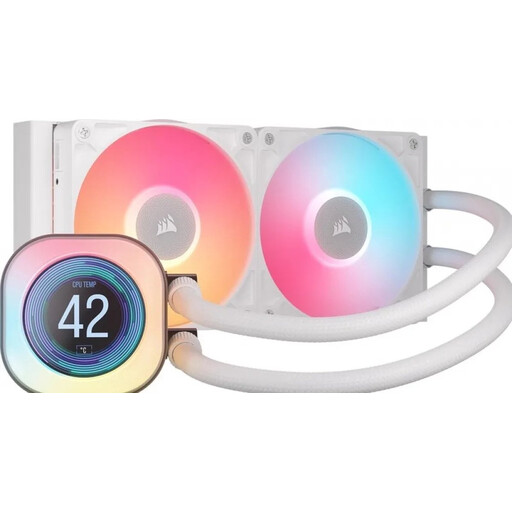
Why it suits this user: The 240mm size makes it a straightforward choice for a first AIO installation and takes up less space than a 360mm system. The cooler supports Intel LGA 1700 and LGA 1851, as well as AMD AM4 and AM5.
The smaller radiator reduces the risk of choosing one that’s too large for your case. Be sure to check that your case supports a 240mm radiator beforehand.
240mm radiator, two 120mm fans, PWM support and a 2.1-inch LCD display.
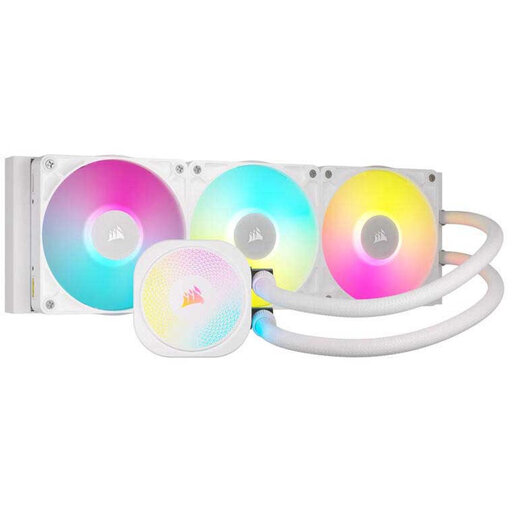
Why it suits this user: This model combines a 360mm radiator with RGB lighting, PWM control and support for recent Intel and AMD sockets.
The supported sockets are clearly listed: LGA 1700, LGA 1851, AM4 and AM5. This makes it easy to check compatibility against your motherboard.
Three fans, RGB lighting, PWM control and a stated maximum speed of 2100 rpm. According to Corsair’s own information, the pump has a six-year warranty; statutory consumer rights apply separately.
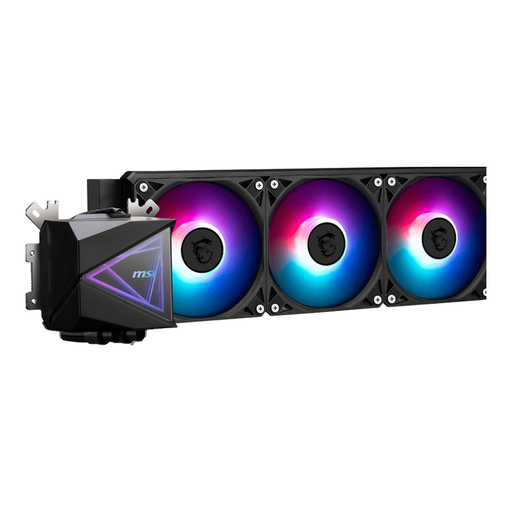
Why it suits this user: The 360mm radiator and three fans are well suited to systems under sustained heavy load, provided the case has enough space and airflow.
The product information lists the radiator size, socket support, connections and installation instructions. This makes it easier to check everything before fitting.
360mm radiator, three 120mm fans, PWM pump and support for LGA 1700, LGA 1851, AM4 and AM5. The stated maximum airflow is 120,119 m³/u.
We’ve put together a complete, up-to-date list of products that meet these strict selection criteria and current European safety requirements.
No. Check that the model includes the right mounting bracket for AMD AM5, AMD AM4, Intel LGA 1700 or Intel LGA 1851. Also check the space around the socket and where the radiator can be fitted in your case.
Lifespan depends on pump use, dust, temperature and installation. A sealed AIO doesn’t need topping up as part of normal use, unlike a custom-built liquid cooling system. Check the statutory warranty and any additional manufacturer’s warranty. In the EU, consumers are generally entitled to a minimum of two years’ statutory protection, with additional rights potentially available under national law.
The pump and fans use power continuously while your PC is switched on. Consumption varies by model and selected speed. PWM control and a suitable fan curve can help avoid unnecessarily high fan speeds. If you want a quiet PC, it’s worth checking not only the maximum speed, but also the controls and noise specifications.
