
Vandaag of morgen in huis

Kwaliteit gegarandeerd

Welkomstaanbiedingen ontgrendelen: GRATIS bezorging | Tot 80% korting | Gratis 30 dagen JoyPlus-proefperiode
Download de app
An AIO CPU cooler can keep a powerful processor cool while freeing up space around the socket. However, an all-in-one liquid cooler won’t automatically suit every PC. The radiator needs to fit inside your case, the pump must be compatible with your socket, and the fans can become audible under heavy load.
These are the three most common pitfalls to watch out for:
A 240mm liquid cooler typically uses two 120mm fans. This size fits more midi-tower cases and is often a practical choice for gaming PCs where space is limited.
A 360mm liquid cooler uses three 120mm fans. The larger radiator offers more surface area for heat dissipation, but you’ll need a suitable case. As well as the length, check the combined thickness of the radiator and fans. Memory modules, a tall motherboard heatsink or a long graphics card can affect how it fits.
Both airflow and static pressure matter for radiator fans. Airflow is often measured in CFM or m³/h. Static pressure, measured in mmH2O for example, indicates how well a fan can push air through a dense radiator.
Only compare figures measured under similar conditions. A stated noise level, such as 33,2 or 34 dB at high speed, doesn’t mean the cooler will be that loud during everyday use. PWM control and a custom fan curve can help keep noise levels down. Also check whether the pump and fans connect separately.
Check the official compatibility list before buying. Depending on the model, the products in this selection support:
Also check the connections. A 4-pin PWM connector enables automatic control via your motherboard. ARGB lighting often requires a 5V 3-pin connector. An LCD display may need additional software, so check in advance that your motherboard has enough connectors.
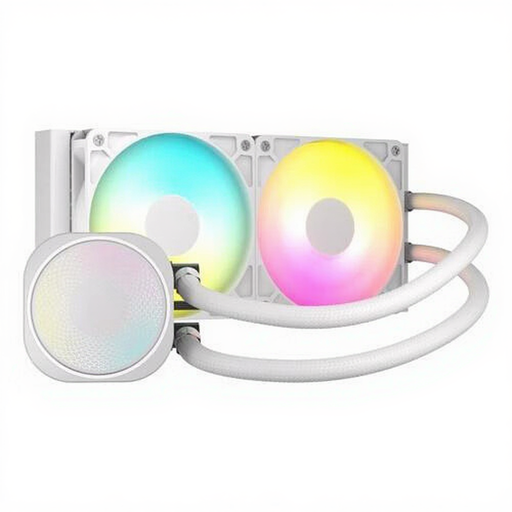
Why it suits this profile: The 240mm size is easy to install, and the white finish works well in compact gaming PCs with a glass side panel.
The product listing states that it supports Intel LGA 1700 and 1851, AMD AM4 and AM5, as well as PWM control. Be sure to check that there’s enough room in your case.
240mm radiator, two fans, airflow of up to 74,37 CFM, ARGB lighting and a stated noise level of 34 dB at high speed.
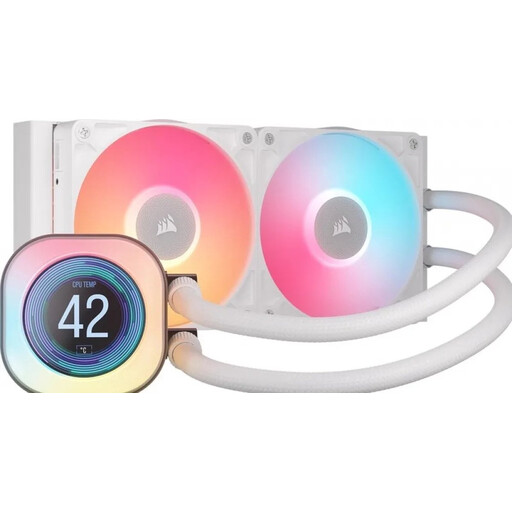
Why it suits this profile: This CPU liquid cooler is designed for users who want to combine temperature information and pump customisation with a white build.
The LCD display gives you a practical extra feature: according to the product description, it can show temperature data, images and animations using iCUE software.
240mm radiator, two 120mm RX fans, LCD screen and support for Intel LGA 1700/1851 and AMD AM4/AM5.
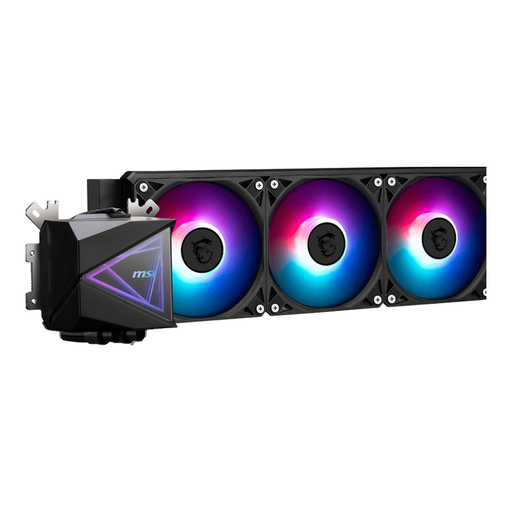
Why it suits this profile: If you have a powerful processor and a case that supports 360mm radiators, this model offers three fans and broad socket compatibility.
The product information lists a 360mm radiator, PWM support and mounting for LGA 1851/1700 and AM4/AM5. This lets you check the key fit requirements in advance.
Three 120mm fans, a 360mm radiator, LED lighting and a maximum airflow of 120,119 m³/h according to the listing.
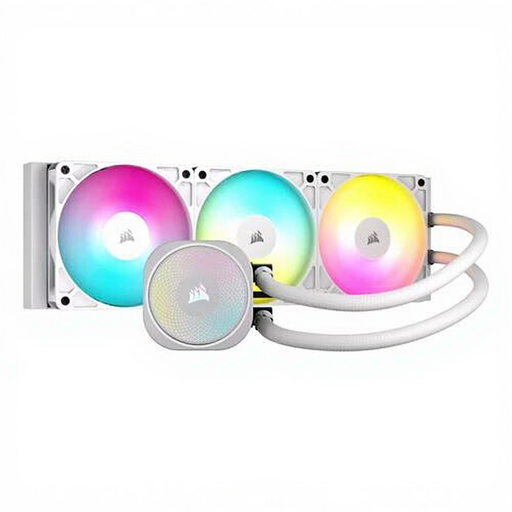
Why it suits this profile: This model combines a white casing, ARGB lighting and a larger radiator, making it a good fit for a spacious PC case where looks and cooling matter.
The listing mentions PWM control and provides mounting instructions for a suitable 360mm position. Measure your case and don’t connect the pump until it’s mounted correctly.
360mm radiator, three fans, ARGB lighting, airflow of up to 94,87 CFM and a stated noise level of 33,2 dB at high speed.
We’ve put together a complete, up-to-date list of products that meet these strict selection criteria and the applicable European safety regulations.
An AIO cooler is usually a sealed system. Don’t dismantle or open the cooling unit yourself, as this could cause leaks and damage your hardware. Keep these points in mind when installing it:
According to the product information, the models listed come with a minimum two-year statutory warranty. Additional rights may apply under the relevant Dutch legislation.
A 240mm radiator can be a practical choice for many gaming systems. The cooling capacity you need depends on the processor, power consumption, configured limits and airflow inside the case. So check not only the radiator, but also its dimensions and fan position.
Lifespan varies by model and conditions of use. Dust, high temperatures and incorrect installation can affect performance. You shouldn’t refill or open a sealed AIO cooler. Check regularly for unusual noises, loose cables or visible leaks.
The pump and fans typically use more power than the lighting alone. Exact consumption varies by model and fan speed. ARGB usually has only a limited impact on overall power use, but it does require a suitable 5V 3-pin connector or the included controller.
