
Vandaag of morgen in huis

Kwaliteit gegarandeerd

Welkomstaanbiedingen ontgrendelen: GRATIS bezorging | Tot 80% korting | Gratis 30 dagen JoyPlus-proefperiode
Download de app
An AIO CPU cooler can be a practical choice for a gaming PC, workstation or compact PC build. Its closed loop combines a pump, water block, tubing, radiator and fans in one system. That means you don’t have to fill a reservoir or put together a custom loop yourself.
However, not every liquid CPU cooler is automatically suitable for your case or processor. Marketing often focuses on RGB, high fan speeds and impressive airflow figures. For a good purchase, three things matter most: compatibility, radiator size and noise levels.
A 240mm liquid cooler, 280mm liquid cooler and 360mm liquid cooler all need different mounting positions. So don’t just check whether your PC case supports a radiator. Also check:
A 360mm model usually uses three 120mm fans. It may suit a large gaming case, but won’t necessarily fit a mid-tower.
A higher maximum speed can mean more airflow and static pressure, but it can also mean more noise. The figures given usually apply at a specific maximum setting. For everyday use, good PWM control and a suitable fan curve are just as important.
Also check how the noise level is reported. A figure of 33.2 or 34 dB at high speed doesn’t tell you how loud the cooler will be while browsing or doing light work. Look for PWM control, a low minimum fan speed or a zero-RPM mode.
Before buying, check that the mounting bracket for your processor is included. For modern systems, relevant options include an Intel LGA 1851 cooler, Intel LGA 1700 cooler, AMD AM5 cooler and AMD AM4 cooler.
The product listings below specify support for several of these sockets. Always check the current package contents at checkout and in the manual, especially if you’re upgrading an older PC.
A 240mm radiator is often a practical balance between cooling surface area and space inside your case. A 360mm radiator offers more fan surface area, but needs a larger case. A 280mm radiator uses two 140mm fans and can be a good option if your case has suitable mounting points.
Radiators are usually made from aluminium. The CPU contact plate and other components may be made from copper. Different metals in a closed-loop cooler are part of the design, but correct installation and sufficient airflow are still essential.
Airflow is often listed in CFM or m³/h. Static pressure, measured in mmH₂O, matters because radiator fins resist airflow. Treat these figures as technical points of comparison, not as a guarantee of a particular temperature.
For example, the Corsair Nautilus 240 RS ARGB is rated at up to 74.37 CFM, 4.91 mmH₂O and 2100 RPM. The Nautilus 360 RS ARGB is rated at 94.87 CFM, 3.91 mmH₂O and up to 1700 RPM. These figures show why radiator size, fan characteristics and speed should be considered together.
ARGB CPU cooler and RGB liquid cooler are often used interchangeably. ARGB can control individual LEDs, while standard RGB lighting is usually controlled as a group. Check that your motherboard has the right header.
An LCD pump display can show temperatures, images or animations. It’s mainly a visual extra and doesn’t replace good airflow. Software control can be useful if you want to set fan curves, lighting or data displays in Windows.
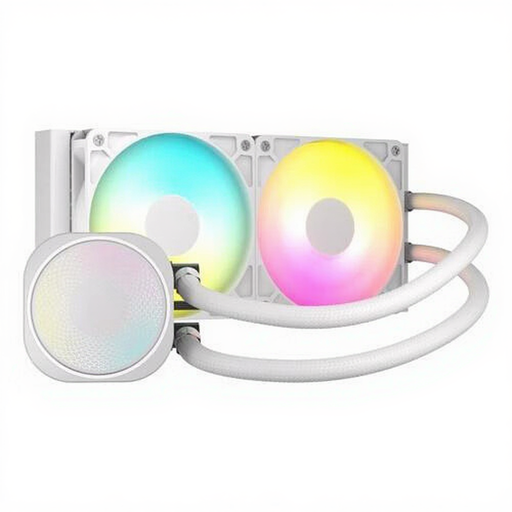
Why it suits this type of buyer: The 240mm size makes this a straightforward choice for a first AIO installation. It also offers ARGB lighting, PWM support and compatibility with LGA 1700, LGA 1851, AM4 and AM5, according to the product listing.
Its size means you don’t have to jump straight to a large 360mm radiator without first checking the space in your case. The stated noise level is 34 dB at high speed.
240mm radiator, up to 74.37 CFM, up to 4.91 mmH₂O, ARGB lighting and PWM support.
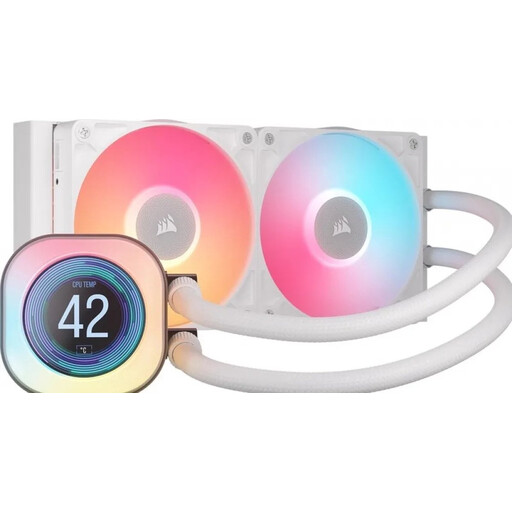
Why it suits this type of buyer: This model combines a 240mm radiator with a 2.1-inch LCD display and iCUE software for displaying information and controlling the lighting.
The specifications make it clear which extra features you’re paying for: an LCD screen, software control, PWM support and RGB lighting. This lets you compare features rather than judging by appearance alone.
2.1-inch LCD display, two 120mm fans, PWM support and compatibility with LGA 1851, LGA 1700, AM5 and AM4.
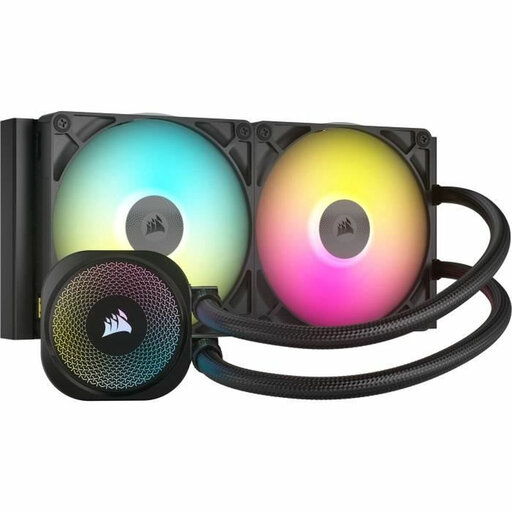
Why it suits this type of buyer: The 280mm radiator uses two 140mm fans and is designed for builders whose cases have specific mounting space for this radiator size.
The product information lists the radiator size, socket support and a minimum speed of 300 RPM. Be sure to check that your case has compatible mounting points first.
280mm radiator, two 140mm fans, PWM control, zero-RPM mode according to the product description, and iCUE lighting.
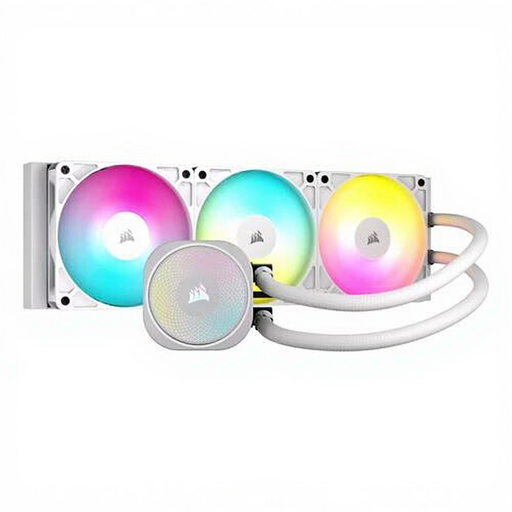
Why it suits this type of buyer: For a gaming PC with room for a 360mm radiator, this model offers three fans, ARGB lighting and a built-in fan controller.
The listed figures are specific: up to 94.87 CFM, 3.91 mmH₂O and 33.2 dB at high speed. This makes it easy to compare with 240mm models.
360mm radiator, three fans running at up to 1700 RPM, PWM support, fan controller and stated support for LGA 1851, LGA 1700, AM5 and AM4.
We’ve put together a complete, up-to-date list of products that meet these strict selection criteria and the applicable European safety regulations.
A closed-loop AIO cooler needs little day-to-day maintenance, but the fans, radiator and pump are still subject to wear. Check regularly for dust build-up and unusual noises. The statutory guarantee in the EU is at least two years; additional manufacturer warranties vary by brand and model.
It depends on the processor, settings and case. A 240mm model can suit many gaming PCs, as long as the socket and mounting position are right. For sustained heavy loads, a 280mm or 360mm radiator can provide more fan surface area.
Lifespan varies depending on the pump, fans, hours of use and environment. An AIO is a closed system and normally doesn’t need to be topped up. Look out for increased pump or fan noise, or unusual temperatures. Check the brand’s terms for warranty and replacement information.
The pump and fans use extra power, but consumption is generally low compared with the processor and graphics card. PWM control and a low fan speed can help limit power use and noise during light tasks. Check the connections and specifications of your chosen model before building your PC.
