
Vandaag of morgen in huis

Kwaliteit gegarandeerd

Welkomstaanbiedingen ontgrendelen: GRATIS bezorging | Tot 80% korting | Gratis 30 dagen JoyPlus-proefperiode
Download de app
An AIO CPU cooler can efficiently cool a powerful processor without you having to build an open-loop water-cooling system yourself. But choosing one involves more than radiator size or RGB lighting. The wrong radiator may not fit your case, the pump may not be compatible with your socket, and an LCD display may need extra software and cables.
This buying guide helps gamers, PC builders and hardware enthusiasts compare product specifications in practical terms. Our recommendations are based on verifiable information from product listings, including radiator size, fan speed, connections and socket support.
A 360mm AIO cooler usually uses three 120mm fans, so it needs more space than a 240mm model. Check not only whether your case supports a 360mm radiator, but also:
A 240mm CPU cooler is often easier to fit. A 280mm liquid cooler usually uses two 140mm fans. This size can be an appealing middle ground, but it won’t fit every PC case.
Check the exact socket support for the model you’re buying. For recent systems, relevant options include an Intel LGA 1851 CPU cooler, Intel LGA 1700 CPU cooler and AMD AM5 CPU cooler. For older or still widely used systems, check support for AMD AM4 CPU coolers.
The mounting bracket, backplate and fixing screws must match your socket. Also check that the product page explicitly lists your socket. “Suitable for modern processors” isn’t a technical specification on its own.
An ARGB water cooler, RGB CPU cooler or CPU cooler with an LCD display can give your PC a distinctive look. These features don’t automatically determine cooling performance, though. Start by checking radiator size, fan capacity, PWM control and noise levels.
ARGB lighting usually requires a compatible 5V ARGB header on the motherboard. An LCD model may also need an internal USB header and the manufacturer’s software. Check in advance that your motherboard has enough headers.
A larger radiator offers more surface area for heat dissipation, but performance also depends on the fans and airflow inside your case. For example, the Corsair Nautilus 240 RS ARGB product information lists two fans with a maximum speed of 2100 rpm, maximum airflow of 74.37 cfm and static pressure of up to 4.91 mmH2O.
The Corsair Nautilus 360 RS ARGB uses three fans. Its product information lists maximum airflow of 94.87 cfm and an aluminium radiator. These figures are useful for comparison, but they don’t tell you on their own how quiet or cool your whole PC will be. Case layout, ambient temperature and fan curves also play a part.
A quiet all-in-one water cooler doesn’t run at full speed all the time. PWM control lets you adjust fan speed to match CPU load. This helps keep noise down during light use and increase cooling during gaming or rendering.
Check how noise measurements are presented. The Nautilus 240 RS ARGB lists 34 dB at high speed. Your actual experience may differ when the pump, cooler fans and case fans are all running together.
Before buying, check the socket list and the mounting hardware included. Several models in this selection list support for:
Only apply thermal paste as instructed in the manual if it isn’t already on the cold plate. Don’t open the pump or tubing on a sealed system. Position the radiator and tubing according to the installation instructions to avoid putting unnecessary strain on the connections.
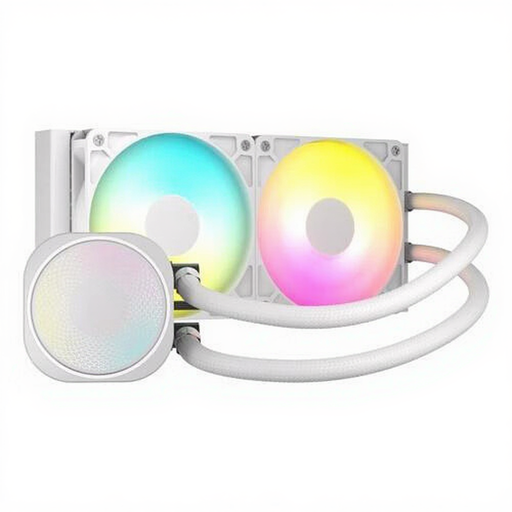
Why it suits this user: The 240mm radiator is easier to fit than a 360mm model. Its white finish and ARGB lighting make it a good choice for an accessible gaming build.
The product information specifies compatibility with LGA 1851, LGA 1700, AM5 and AM4. Just make sure your case supports a 240mm radiator.
Two fans running at up to 2100 rpm, PWM support, a built-in fan controller and a stated noise level of 34 dB at high speed.
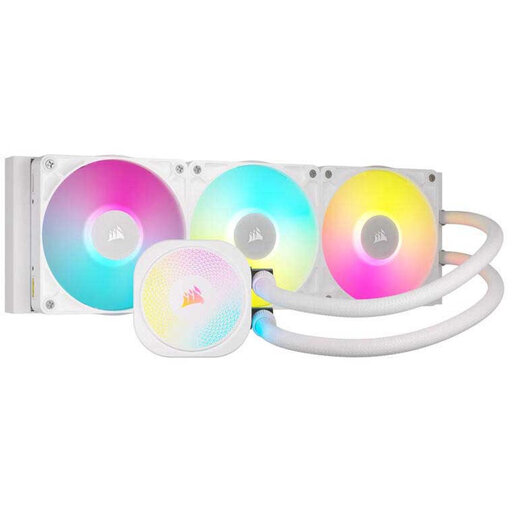
Why it suits this user: This model is designed for users who want to combine cooling, software control and a well-finished build.
The product description lists PWM control and a Zero RPM mode, so you can adjust the balance between cooling and fan noise.
Support for LGA 1851, LGA 1700, AM5 and AM4, dynamic RGB lighting via iCUE, and pre-applied XTM70 thermal paste according to the product information.
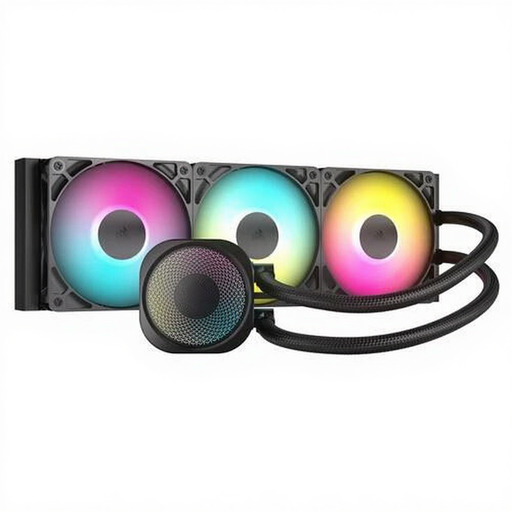
Why it suits this user: A 360mm setup suits powerful systems that handle sustained high CPU loads, provided your case supports this size.
The product details list the radiator dimensions, three fans and PWM control, so you can check the available space and controls in advance.
Aluminium radiator, three ARGB fans, stated maximum airflow of 94.87 cfm, and support for LGA 1851, LGA 1700, AM5 and AM4.
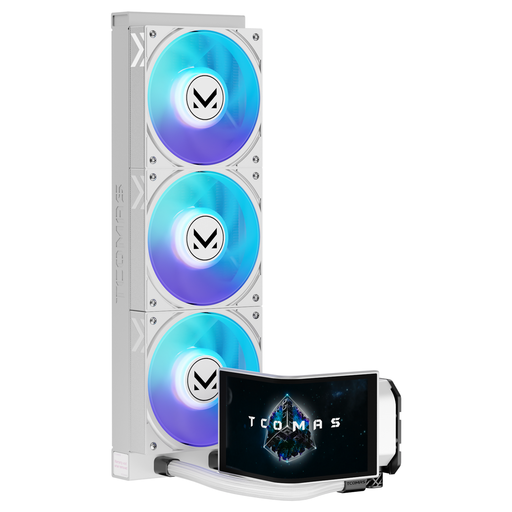
Why it suits this user: The white finish, ARGB lighting and large customisable display are designed for PC builders who want their hardware to take centre stage.
The product name clearly specifies the 360mm size and display feature. Check the radiator clearance and the connections needed for the screen and lighting beforehand.
6.67-inch curved AMOLED display, ARGB lighting and listed support for LGA 1851, LGA 1700, AM5 and AM4.
Before installation, check the manual, motherboard and available space inside the case. Connect the pump to the designated header and wire the fans according to the manufacturer’s diagram. Secure the cables so they can’t touch the fan blades.
A sealed AIO system needs little day-to-day maintenance. Keep dust off the radiator and fans, though. If you notice unusual noises, visible leaks or rapidly rising temperatures, check the installation straight away and switch off the PC if necessary. Don’t open the sealed cooler yourself.
We’ve put together a complete, up-to-date list of products that meet these strict selection criteria and current European safety regulations.
Lifespan depends on the pump, fans, hours of use, installation and ambient temperature. Check the manufacturer’s warranty and look out for symptoms such as rattling pump noises, leaks or rising CPU temperatures. The minimum legal guarantee in the EU is two years; additional manufacturer warranties vary by brand and model.
A 240mm model needs less space and fits in more cases. A 360mm model has a larger radiator and three fans, but requires a case that supports this size. So choose based on your case and processor workload first, not simply the bigger number.
The pump and fans draw power through the motherboard or a suitable connection. Consumption varies by model and speed. PWM control and a Zero RPM mode can reduce fan use under light loads. Check the manual for the correct connections and stated power consumption.
