
Vandaag of morgen in huis

Kwaliteit gegarandeerd

Welkomstaanbiedingen ontgrendelen: GRATIS bezorging | Tot 80% korting | Gratis 30 dagen JoyPlus-proefperiode
Download de app
An AIO CPU cooler combines a water block, pump, tubing, radiator and fans in one closed system. This makes an all-in-one liquid cooler an appealing choice for gaming PCs and computers with a powerful Intel or AMD processor. However, not every liquid CPU cooler is automatically suitable for your case or socket.
Most purchasing mistakes usually stem from three marketing pitfalls:
A good choice therefore starts not with appearance, but with the processor, the case and how you use the computer.
First, check your motherboard connection. The following sockets are among those currently available:
A radiator may physically fit inside your case while the mounting bracket is unsuitable for your socket. Always check the specifications for the exact product. The selected models below support multiple sockets, but the included mounting hardware and instructions remain decisive.
The radiator size determines how much room you need and how many fans will be installed:
Don’t just look at “240”, “280” or “360” in the product name. The total radiator length may be greater than the nominal size. For example, the MSI MAG CORELIQUID I360 has a radiator length of 394 mm and a thickness of 27 mm. Also check that the radiator does not obstruct the motherboard, system memory or graphics card.
Several components are important for quiet CPU cooling. Look at:
A low dB rating is only useful if you know the conditions under which it was measured. A model with a quiet mode or Zero RPM function may be less audible at idle, while the fans may run faster during long gaming sessions.
The materials used also matter. The models mentioned use aluminium radiators; some cooling blocks combine aluminium with copper. Do not use parts or liquids that are not intended for the closed system. Manufacturers also warn against opening, tilting or dismantling a sealed liquid cooler.
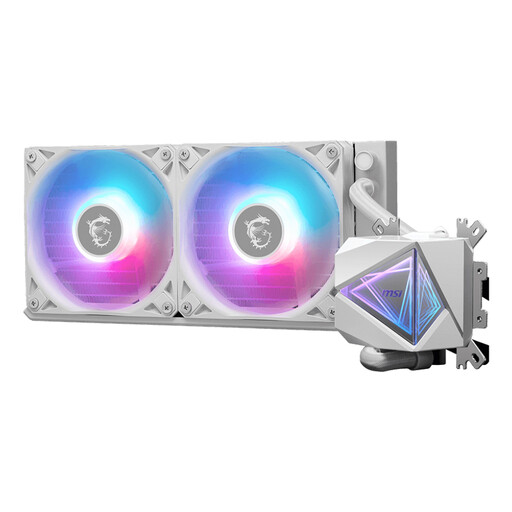
Why it suits this profile: The 240mm format is straightforward for a first PC build and supports Intel LGA 1700 and 1851, as well as AMD AM4 and AM5, according to the product specifications.
The compact radiator size reduces the risk of buying a 360mm model that is too large. However, check the exact case support.
240mm radiator, two 120mm fans, PWM connection and RGB lighting according to the product information.
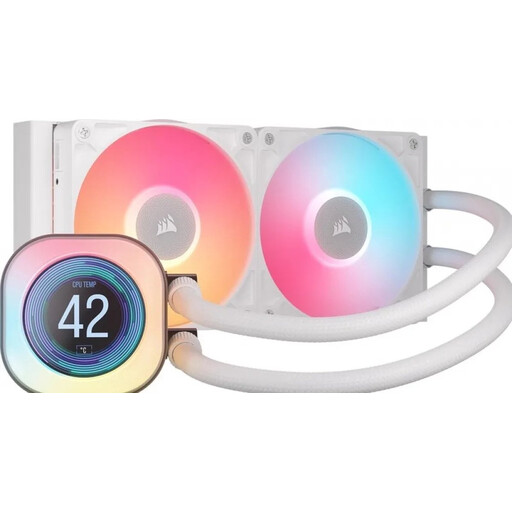
Why it suits this profile: Suitable for anyone looking for a 240mm CPU liquid cooler with a display showing temperature or other system information.
The specifications clearly state the radiator size and supported sockets. Also check that your case has enough room for the radiator.
2.1-inch LCD display, two fans, PWM support and compatibility with AM4, AM5, LGA 1700 and LGA 1851.
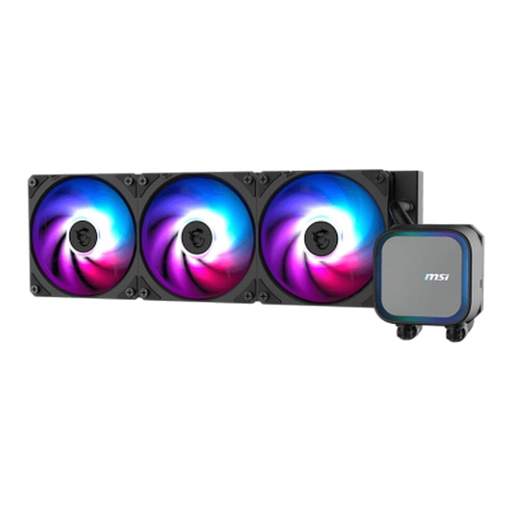
Why it suits this profile: A 360mm CPU cooler is suitable for users expecting sustained heavy processor loads and who have a large, well-ventilated case.
The product specifications list support for LGA 1700, LGA 1851, AM4 and AM5. Still, measure the mounting area: the radiator is 394 mm long.
Three 120mm fans, a copper base, ARGB lighting and a stated pump speed of up to 3,800 rpm.
We’ve put together a complete, up-to-date list of products that fully meet these strict selection criteria and the applicable European safety regulations.
Read the instructions before installation and use only the supplied brackets. The general order is:
After installation, check that the pump starts and that temperatures remain normal. Switch off the PC immediately if you notice visible leakage, unusual noises or a sudden rise in temperature.
Installation involves more steps because, in addition to the cooling block, you also fit a radiator and several cables. However, an AIO is supplied as one closed system. For beginners, the most important things are checking the case size, socket and connections.
Lifespan varies by model and usage conditions. A closed system does not require routine refilling, but the pump, fans and connections may wear over time. Keep the radiator free of dust and watch for leaks, pump noise and changes in cooling performance. According to the product information and EU consumer regulations, the statutory warranty for the products mentioned is at least two years.
Yes, an AIO uses a pump as well as fans. The additional power consumption is generally limited, but the exact amount depends on the pump, fans, lighting and speed. PWM control and a quiet mode can help reduce noise and consumption under light loads.
