
Vandaag of morgen in huis

Kwaliteit gegarandeerd

Welkomstaanbiedingen ontgrendelen: GRATIS bezorging | Tot 80% korting | Gratis 30 dagen JoyPlus-proefperiode
Download de app
An AI laptop might seem easy to choose at first: look for a Copilot+ logo, check the TOPS rating and compare storage. In practice, there are more differences to consider. A high NPU score, for example, doesn’t automatically mean all your programmes will run faster. A missing charger, an unusual keyboard layout or limited software compatibility can also come as a surprise.
This buying guide helps shoppers, students, people who work from home and business users choose a suitable laptop based on specifications they can check.
An NPU is a specialist processor for certain AI calculations. Performance is often measured in TOPS, or trillion operations per second. A laptop with 45 or 50 TOPS may be suitable for supported local AI features, but how well it actually works also depends on:
According to Microsoft, Copilot+ features are designed for compatible Windows experiences. Availability and functionality may change with updates and software requirements. So treat TOPS as one factor in your decision, not as a complete measure of performance.
A laptop with Snapdragon X uses an ARM platform. This can be beneficial for portability and power efficiency, but older x86 programmes, specialist business software, printer drivers and some peripherals may not work in the same way as they do on an Intel or AMD laptop.
Before buying, check the websites of software and accessory manufacturers if you rely on:
Several models in the range are listed as not including a charger as standard. This applies to certain HP, ASUS and Lenovo configurations, according to the product information. So always check what’s in the box. You may need a compatible USB-C Power Delivery charger, often rated at 45 W, 65 W or higher.
Check the keyboard, too. An international QWERTY layout isn’t the same as a Dutch or Belgian AZERTY layout. For example, the ASUS Zenbook A14 configuration below has a Dutch QWERTY keyboard.
A laptop with Intel Core Ultra may include an integrated NPU for supported AI features. The HP OmniBook 7 with Intel Core Ultra 7 256V lists NPU performance of up to 47 TOPS. The HP OmniBook X Flip with Intel Core Ultra 5 226V lists 40 TOPS.
A laptop with AMD Ryzen AI offers a similar combination of CPU, integrated graphics and NPU. The HP OmniBook X Flip 16 with Ryzen AI 7 350 lists up to 50 TOPS. This makes it an interesting option for multitasking and compatible AI applications, but always check whether your software actually uses the NPU.
For a laptop for work and study, 16 GB of memory is a practical choice if you often have browser windows, documents, video calls and cloud applications open at the same time. 8 GB may be enough for basic use, but leaves less room for extended multitasking.
Check whether the memory can be upgraded. In many slim laptops, LPDDR memory is soldered to the motherboard. So choose the right capacity from the outset. A 512 GB SSD is suitable for Windows, office software and documents. If you store lots of video files, photos or local projects, consider 1 TB or plan to use external storage.
An OLED laptop typically offers deep blacks and high contrast. Also check the resolution, brightness, colour coverage and refresh rate. A glossy OLED screen may reflect light near a window or under bright lighting.
A 2-in-1 laptop with a 360-degree hinge can be used in laptop, tent or tablet mode. A touchscreen is handy for navigation, presentations and media, but often adds weight. If you travel frequently, a lightweight laptop weighing around 1 to 1.3 kg may be more appealing than a large 16- or 17-inch model.
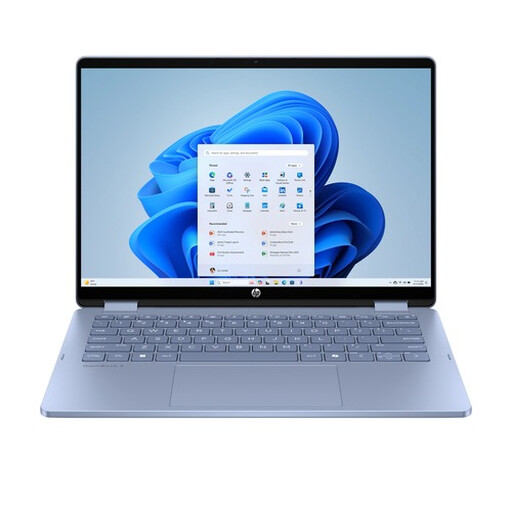
Why it suits this profile: This 14-inch convertible is designed for everyday work, study, video calls and streaming. Its 360-degree hinge lets you use it in laptop, tent or tablet mode.
The specifications clearly state that it has 8 GB of onboard memory, a 512 GB SSD and an international QWERTY layout. Be sure to check separately whether a charger is included with your version.
14-inch IPS touchscreen, 1920 × 1200 resolution, 68Wh battery and two USB-C ports plus two USB-A ports.
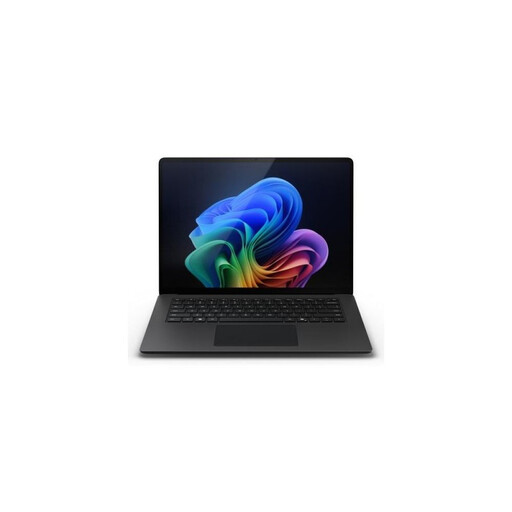
Why it suits this profile: A compact option for business users, professionals and students who want to combine a touchscreen, Windows 11 Pro and a high NPU specification.
The product details specify 45 TOPS, 16 GB LPDDR5X and a 512 GB SSD. Check software compatibility if you use older Windows programmes.
13.8-inch PixelSense Flow touchscreen with 2304 × 1536 resolution, up to 120 Hz, Wi-Fi 7 and a weight of 1.34 kg.
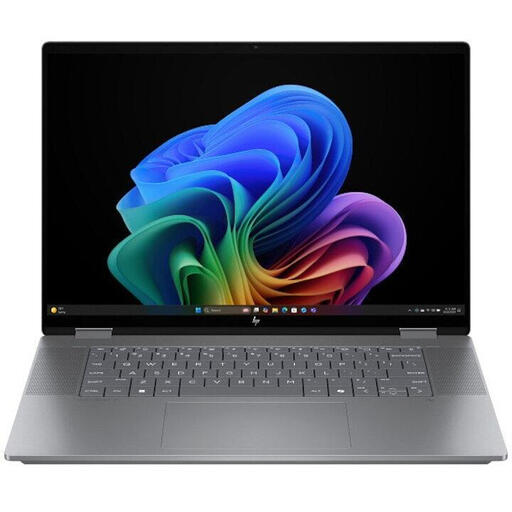
Why it suits this profile: The combination of a large 16-inch OLED touchscreen, 24 GB of memory and a 1 TB SSD suits users who need plenty of screen space and storage.
The specifications list NPU capacity, memory and storage separately. That means you don’t have to rely on the AI label alone.
AMD Ryzen AI 7 350, up to 50 TOPS, 24 GB LPDDR5X, 1 TB SSD and a 16-inch 3K OLED touchscreen with a 120 Hz refresh rate.
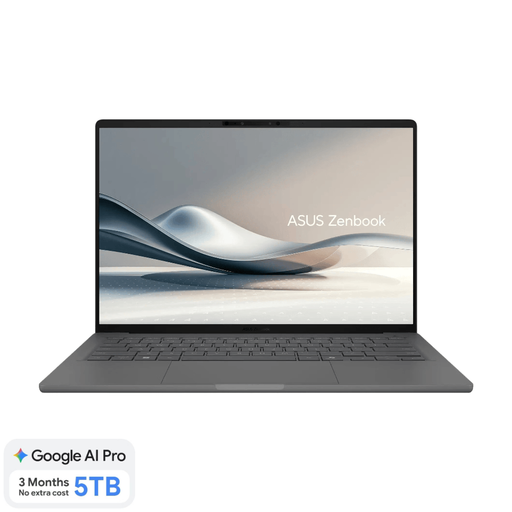
Why it suits this profile: With a stated weight of around 0.98 kg, this is a lightweight laptop for travelling between lectures, the office, home and the train.
The product information clearly states that the screen isn’t touch-sensitive and that a charger isn’t included. This means you can plan ahead and get a suitable USB-C charger.
14-inch OLED screen, 16 GB LPDDR5X, 512 GB SSD, 45 TOPS NPU and Dutch QWERTY keyboard.
We’ve put together a full, up-to-date list of products that meet these strict selection criteria and the applicable European safety regulations.
Not always. Copilot+ features require compatible hardware and software. On Snapdragon models, older x86 programmes and specific drivers may work differently than they do on Intel or AMD systems. Check that your essential applications are compatible before buying.
Its lifespan depends on updates, battery wear, storage capacity, software requirements and whether the memory can be upgraded. Ideally, choose enough memory from the outset, as LPDDR memory often can’t be replaced. A manufacturer may state how long it will provide updates, but the actual lifespan varies depending on how you use the laptop.
That depends on the processor, screen, brightness, software and power settings. An NPU can handle certain AI tasks locally, but a bright OLED screen, video editing or several external monitors will increase power consumption. So compare battery capacity and consider how you’ll use the laptop, rather than relying only on a claimed battery life.
