
Vandaag of morgen in huis

Kwaliteit gegarandeerd

Welkomstaanbiedingen ontgrendelen: GRATIS bezorging | Tot 80% korting | Gratis 30 dagen JoyPlus-proefperiode
Download de app
The term 'AI laptop' is everywhere, but what does it really mean? Manufacturers are heavily promoting smart features, but many of the promises are vague. This makes it easy to overpay for a laptop that, in practice, offers little more than your old model. Before you make a decision, it's crucial to see through the marketing hype and focus on what's technically under the hood.
As a Joybuy Product Recommendation Officer, I'm here to help you make the right choices. We'll look at the most common pitfalls and the specifications that will truly matter in 2026.
The 2 biggest pitfalls when buying an AI laptop:
To avoid buyer's remorse, there are a few technical specifications you need to check. These determine whether a laptop is genuinely optimised for AI tasks.
The NPU is the heart of a modern AI laptop. This chip is specifically designed to run AI algorithms efficiently and with low power consumption, without heavily taxing the main processor (CPU) or graphics card (GPU). This results in faster performance and longer battery life when using AI features.
Pay attention to the TOPS value. This number indicates how many trillion calculations per second the NPU can perform.
The NPU is directly integrated into the latest generation of processors. When you're looking for a laptop with an NPU, you'll come across the following series:
AI models and applications need sufficient memory to run smoothly. 16 GB RAM is the new standard for a good AI experience. This allows you to multitask without issues while AI processes are active in the background. Additionally, a fast SSD (Solid State Drive) of at least 512 GB ensures that the laptop and your programs boot up quickly.
Not everyone has the same needs. That's why we've selected a few models that suit different user profiles, from students to demanding professionals.
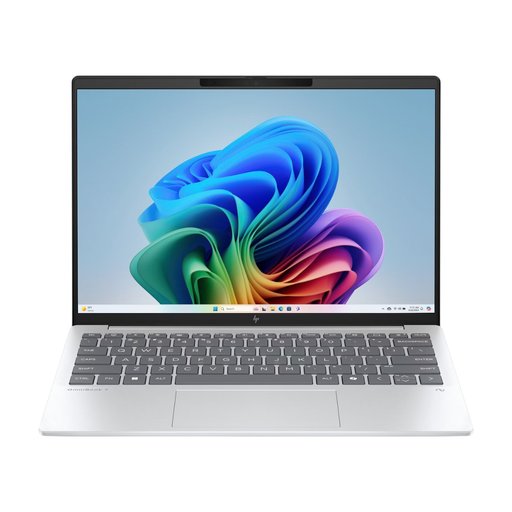
Why This Fits Their Persona: Perfect for students who need a light, portable, and powerful laptop. Weighing just 1.46 kg and with a strong battery, it's ideal for taking to lectures. The powerful NPU makes it a perfect laptop for study and AI, for tasks like generating summaries or analysing data.
This laptop features a powerful AMD Ryzen AI processor with a 50 TOPS NPU. This isn't a marketing sticker; it's hardware that sits well above the 40 TOPS threshold for Copilot+ PCs, guaranteeing performance for today and tomorrow.
Highly portable and lightweight (1.46 kg) with a future-proof 50 TOPS NPU. The aluminium chassis provides a durable and premium feel.
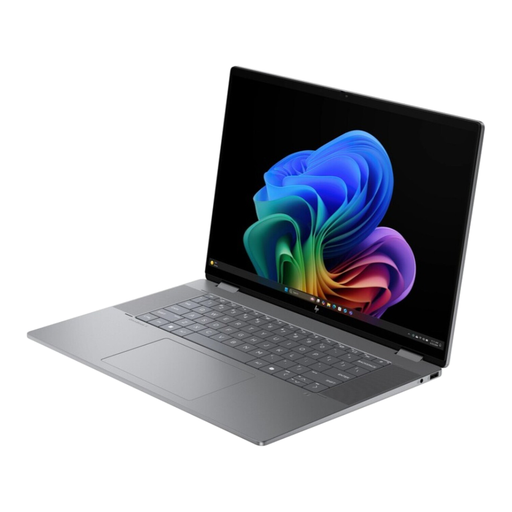
Why This Fits Their Persona: For professionals and creatives who demand the very best. The 3K OLED touchscreen is ideal for graphic design and video editing. With 24 GB of RAM, a 1 TB SSD, and a powerful NPU, demanding programs and local AI models run smoothly. The 2-in-1 flexibility is an added bonus.
This model offers a complete high-end package. The 50 TOPS NPU is perfectly balanced with the 24 GB RAM and the high-resolution OLED screen. You're not just paying for AI, but for a total package built for performance.
The 3K OLED screen with a 120 Hz refresh rate offers superior image quality. The combination of 24 GB RAM and a 1 TB SSD makes this laptop extremely fast and suitable for the most demanding tasks.
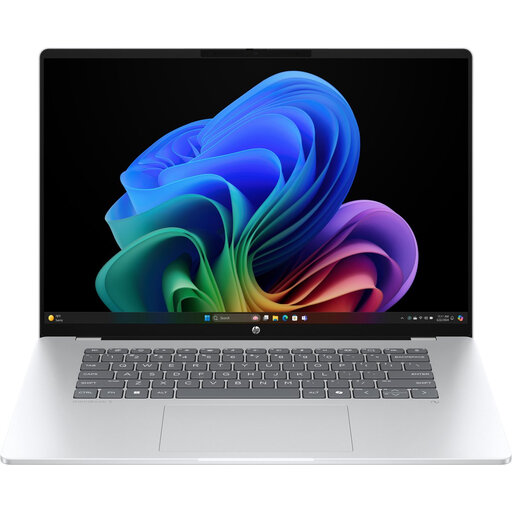
Why This Fits Their Persona: For the user seeking a modern, fast laptop for daily productivity, entertainment, and exploring new AI capabilities. The Snapdragon X processor is highly energy-efficient, resulting in long battery life. The OLED screen makes it a joy for media consumption.
This is a certified Copilot+ PC with a 45 TOPS NPU. This guarantees that the hardware is optimised for the latest Windows 11 AI features, ensuring you get an authentic AI experience, not an empty promise.
The combination of an energy-efficient Snapdragon X processor and an OLED screen offers an excellent balance of performance, battery life, and image quality for an all-round user.
We have compiled a complete, up-to-date list of products that fully meet these strict selection criteria and local regulations.
An NPU (Neural Processing Unit) is a specialised chip that executes AI tasks efficiently. If you plan to use AI features for study, work, or creativity—such as summarising texts, editing images with AI, or using the latest Windows Copilot+ features—then a laptop with an NPU is highly recommended. It makes these tasks faster and extends battery life. For general internet and office use, it's less essential, but it does make your laptop more future-proof.
A Copilot+ PC is a new category of Windows laptops certified by Microsoft. These laptops must meet specific hardware requirements, including an NPU with at least 40 TOPS of processing power, a minimum of 16 GB RAM, and 256 GB SSD storage. This guarantees that the laptop is powerful enough to run advanced AI features, like Recall and live translations, locally on the device itself. A regular laptop does not have this guarantee.
For a future-proof purchase and access to all the features of a Copilot+ PC, an NPU with 40 TOPS or more is the recommended baseline. Models with 45 to 50 TOPS, such as the recommended HP OmniBook and Acer Aspire AI models, offer even more headroom for future, more demanding AI applications. For lighter, occasional AI tasks, an NPU with a lower TOPS value may suffice, but for the full, fast, and local AI experience, 40+ TOPS is the standard.
