
Student with a small desk and lots of handouts
Regularly scans individual lecture sheets and has little room for an output tray while scanning. The paper path, automatic document feeder and duplex scanning are all important considerations.


If you regularly scan stacks of double-sided handouts, a scanner with an automatic document feeder (ADF) is better suited to the job. Just check how much room the paper path takes up while scanning. For a few sheets at different study spaces, a mobile scanner may be more practical, although feeding larger stacks one sheet at a time involves more handling. Also check whether the software offers OCR for searchable PDFs and works with your device.
Regularly scans individual lecture sheets and has little room for an output tray while scanning. The paper path, automatic document feeder and duplex scanning are all important considerations.
Wants to be able to carry or store a scanner, and is weighing up feeding sheets one at a time against a portable ADF with a document feeder.
Wants to search handouts by keyword. Check which OCR software is available and whether it works with your device. Epson describes OCR for creating searchable PDFs with ScanSmart; Canon lists OCR for CaptureOnTouch.
Choose this if: you regularly scan stacks of handouts at a fixed, compact workstation. Epson says the ES-C320W’s U-turn paper path does not increase its footprint during normal scanning.
The trade-off: this space-saving benefit does not apply to every paper type or paper path. In a review dated 10 February 2024, PCMag Middle East noted that the horizontal position requires more space for some documents.
Choose this if: you want to scan stacks of double-sided sheets and also need to store or carry the scanner. Brother lists a 20-sheet ADF for the ADS-1300; Canon gives the same capacity for the imageFORMULA R10, which scans both sides in a single pass.
The trade-off: a compact device does not always take up little space when in use. Canon lists a greater depth for the R10 when its tray is open.
Choose this if: you usually scan a few handouts at a time and value portability, battery power or Wi-Fi. Epson describes the WorkForce ES-60W as a mobile scanner with a battery and Wi-Fi.
The trade-off: an automatic feed mode is not the same as a stated ADF capacity for a stack of sheets. Brother and Canon explicitly list a 20-sheet capacity for the portable ADF models mentioned here.
| What to consider | What to look for | Relevant consumers |
|---|---|---|
| Desk space while scanning | Compare the dimensions with the tray open and the paper path you need for your handouts. | On my small desk, the scanner needs to fit while feeding and outputting sheets; the dimensions when closed are not enough. Around 36% of consumers put available desk space during scanning first. |
| Scanning stacks and double-sided sheets | Check the ADF capacity and whether the scanner processes double-sided sheets in a single pass. | If I regularly scan double-sided stacks, I want to spend less time feeding sheets by hand and turning them over. For around 29% of consumers, handling stacks is a top priority. |
| Portability and connectivity | Check whether you need a battery, Wi-Fi or USB power, and whether the connection is compatible with your device. | When I move between study spaces, how I carry and store the scanner, and how I power it, all matter. Portability is the main buying concern for around 21% of consumers. |
| Searchable files | Check that OCR for creating searchable PDFs works with your scanner and operating system. | I want to search for words in scanned handouts, rather than just save page images. Around 14% of consumers give searchability top priority. |
The space required can change when the input or output tray is open. Canon lists separate dimensions for the imageFORMULA R10 with the tray closed and open; the space needed for the Epson ES-C320W also depends on the paper path you use.
Measure the available space while you scan, allowing for the sheets going in and coming out.
The Epson ES-60W is listed with an automatic feed mode, while Brother and Canon specify a 20-sheet capacity for the ADF models mentioned here. These descriptions do not refer to the same stack capacity.
If you want to feed several handouts at once, check the model’s explicitly stated ADF capacity.
The Dutch government explains that the Netherlands does not have a fixed statutory warranty period; a manufacturer’s warranty is separate from this.
Keep your proof of purchase and contact the seller if something goes wrong.
Epson offers both compact A4 scanners with a U-turn paper path and mobile models for individual sheets, including the ES-C320W and WorkForce ES-60W.
According to Brother, the ADS-1300 combines USB-C power with a 20-sheet ADF and duplex scanning. The ADS-1800W is a separate wireless model.
Canon offers portable ADF models such as the imageFORMULA R10 and P-215II; check the specifications for each model and variant.
This Joybuy selection includes portable ADF scanners, an ADF with U-turn and straight-through paper paths, and mobile scanners for individual A4 sheets. Above all, compare the sheet feeder, paper path, power options and OCR features you need for your studies.
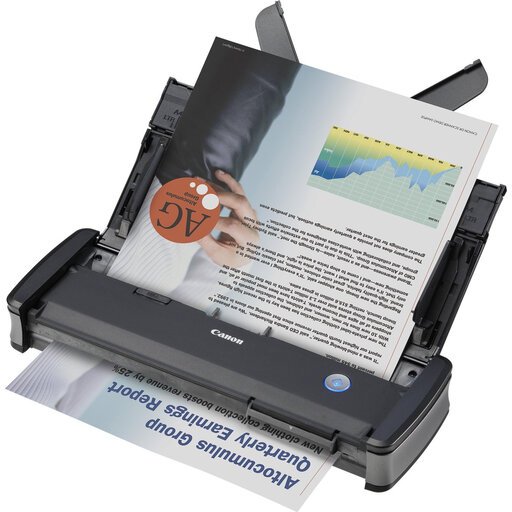 No image available
A portable ADF option for scanning smaller stacks of double-sided handouts.
The product information lists USB power, automatic duplex scanning and a 20-sheet ADF.
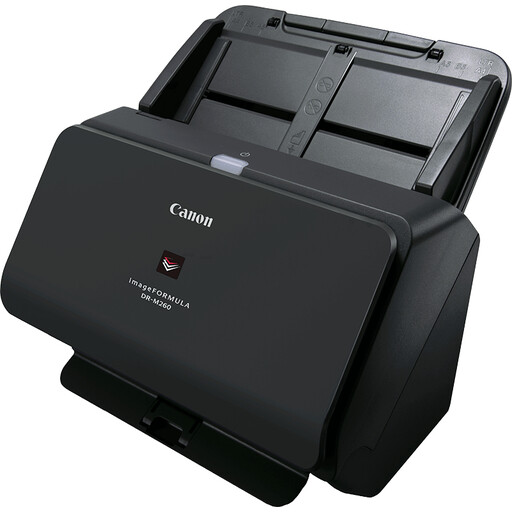 No image available
An A4 sheet-fed scanner to consider if a stated document scanning speed is important to you.
The product information lists support for different media and a speed of up to 60 ppm.
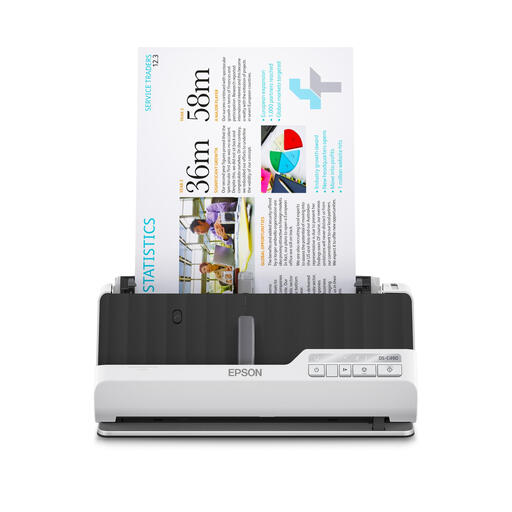 No image available
An option to consider if you want to scan double-sided handouts automatically and compare different paper paths.
The product information lists U-turn and straight-through paper paths, automatic duplex scanning and a standard capacity of 10 sheets.
 No image available
A handheld A4 scanner to consider if you want to compare a mobile option for use in different study spaces.
The product information lists a USB connection and OCR software for searchable PDFs.
 No image available
A mobile option to consider if battery power and wireless connectivity matter for your needs.
The product information lists built-in Wi-Fi and a battery, USB operation, and OCR software for searchable PDFs.
For regular stacks of loose, double-sided sheets, a duplex ADF means less manual feeding and turning. For a few sheets in different places, a mobile scanner may better suit the way you work; also check how much room the input and output trays need while scanning.
Use OCR software to convert text into a searchable PDF. Epson lists this feature for ScanSmart and notes compatibility with the ES-C320W; Canon describes OCR for CaptureOnTouch. Before buying, check which software version works with your scanner and operating system.
Check the connection and software support for the exact model before setting up your scanner. Refer to the manual for cleaning and troubleshooting; Canon lists a separation pad and feed roller as consumable parts for the R10.
According to the Dutch government, the Netherlands does not have a fixed statutory warranty period; the seller is your point of contact if a product is faulty. For many eligible online consumer purchases, a 14-day cooling-off period applies. Check the terms of the specific purchase.
The Dutch government distinguishes between making a private copy for personal use and distributing or making material available to the public. Buying a scanner does not give you the right to share protected scans with fellow students; check separately whether the material and your intended use comply with the rules.