
Regular sender
You often print full addresses from a computer and want a consistent setup with a compatible roll. Brother lists address labels for its QL models and sells specific DK rolls for them.


If you regularly print full addresses from a computer, a desktop roll printer with compatible address labels is a good fit for your routine. For occasional post, label sheets used in a suitable printer may be all you need. If you want to work on the go or enter labels directly on the device, check that the label is wide enough for the full address and that the labels are compatible with your printer.
You often print full addresses from a computer and want a consistent setup with a compatible roll. Brother lists address labels for its QL models and sells specific DK rolls for them.
You send post now and then and want to see whether label sheets will work in your existing printer. Avery offers address labels for laser printers, along with templates to help you lay them out.
You want to design labels on a mobile device or enter short messages directly on a label maker. The Phomemo M220 is available with mobile controls, while Brother says the PT-D210VP takes tape up to 12 mm wide.
Start by considering how much post you send and what equipment you already have. Then check the label size, printer compatibility and how you want to design your labels.
| What to consider | What should you check? | Who is this important for? |
|---|---|---|
| Printing full addresses regularly | Check the supported roll, address size, connection and software for your computer. | If I often print addresses from a computer, I want a repeatable layout and a compatible roll. Around 36% of consumers mainly want to streamline recurring address printing. |
| Using an existing printer | Check whether the label sheet is suitable for laser or inkjet printers, and use the template and recommended paper setting. | I only send post occasionally and would rather try my existing printer first. Around 29% of consumers want to print occasionally without buying another device. |
| Making labels without a dedicated computer | Check the app and connection for your device, the effective print width and whether the full address will fit legibly. | I want to design labels on my phone or enter text directly on the device. Around 21% of consumers want to work on a mobile device or without a computer. |
| Keeping to compatible labels | Check which rolls or tape your model accepts and whether you are limited to labels from one brand. | I want to know in advance which labels my device needs and how much choice I have. Around 14% of consumers base their choice mainly on the required consumables. |
The Brother PT-D210VP prints on tape up to 12 mm wide. PostNL recommends using a minimum of three and a maximum of six address lines; whether these will fit legibly on your label depends on the layout.
Before you buy, create a test layout using the longest address you expect to print and check that every line remains easy to read.
DYMO states that the LabelWriter 550 works exclusively with DYMO-branded labels. Brother lists specific DK rolls for its QL models.
Check the exact printer model and roll compatibility before ordering labels.
Avery L7160-250 is designed for laser printers. Make sure the label sheet, printer setting and relevant template are all compatible.
Choose a sheet for your printer type and test the alignment using the template for the exact label.
Brother offers desktop roll printers for address labels, as well as a separate tape label maker for narrower labels.
The LabelWriter 550 is a desktop roll printer for shipping and address labels, among other uses.
According to the manufacturer, the M220 is a mobile thermal label printer that works with Bluetooth and USB.
Avery offers address labels on sheets for use with existing printers, among other products.
This selection includes mobile label makers and sticker printers for designing and printing labels. Check each model to make sure your chosen labels have enough room for a full address.
 No image available
An option for anyone who wants to design labels on a mobile device or PC. Check that your chosen layout can accommodate a full address.
The product information lists Bluetooth, the Print Master app for phones, tablets or PCs, and one label refill.
 No image available
Suitable for anyone who wants to design address labels on a mobile device, provided the full address fits on the chosen label width.
The product information lists Bluetooth, the Print Master app and label widths of 20–50 mm.
 No image available
A mobile option for creating custom labels. Check that the stated label width leaves enough room for every line of the address.
The product name lists a label width of 0.59 inch. The product information lists Bluetooth and features for text, tables and Excel imports.
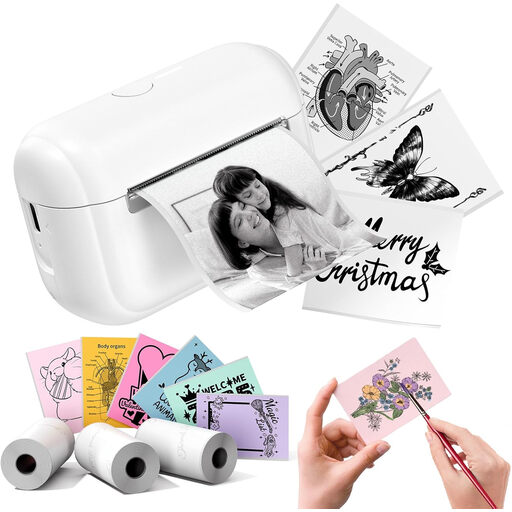 No image available
Worth considering for mobile labels or stickers. Check in advance that the size and layout will work for a full address.
The product information lists Bluetooth control via the Memo Label app.
 No image available
An option for printing text labels from a phone or tablet. Try a test layout to check whether the address lines fit legibly on the tape.
The product information lists Bluetooth, control via the LetraTag Connect app and multi-line text. The maximum label width is 1,2 cm; according to the product information, authentic DYMO LetraTag labels are required.
PostNL recommends including the name, street and house number or PO box, as well as the postcode and town, across a minimum of three and a maximum of six address lines. For printed addresses, PostNL recommends a sans-serif font in 10–12 point; these are the carrier’s guidelines.
First, check that the sheet is designed for your printer type and use the template for the exact label. For Avery L7160-250, Avery recommends the ‘Labels/Heavy’ paper setting.
Not necessarily. Brother lists a speed of up to 93 labels per minute for the QL-700, but that doesn’t tell you how long your own address layout, software and workflow will take. Choose based on label size and how you work, too.
Check which roll type is compatible with the exact printer model. DYMO states that the LabelWriter 550 uses only DYMO-branded labels; Brother lists specific DK rolls for its QL models.
According to the Dutch Data Protection Authority, an address list of family and friends kept solely for personal or household use falls outside the GDPR. If you use addresses for business purposes, the household exemption does not apply; you should then assess the relevant legal basis and security measures. The fact that you work from a home office does not, by itself, determine whether the exemption applies.