What should you look for when choosing?
Start with your device and game, then consider the cable route and connection mode. Finally, see whether extra buttons or particular power options would make a difference for you.
| What to consider |
What should you check? |
Who is this important for? |
| Device and game |
Check the full model name, supported devices, connection mode and whether the game supports controllers. |
I want to know before buying whether my device and action RPG support the controller. Around 33% of consumers put compatibility first. |
| Cable and room to move |
Think about where a cable would run and check whether your device supports the model’s wireless mode. |
A cable running across my small room could make my gaming setup awkward. Around 27% of consumers prioritise having room to move. |
| Customisable buttons |
Check which buttons can be remapped and whether the features work with your device and game. |
I want to control actions with a layout that suits my play style. Around 20% of consumers prioritise customisable controls. |
| Power |
Check the battery type, charging options and what’s included with the exact version. |
For longer gaming sessions, I want to know how the controller is powered. Around 20% of consumers prioritise power and ongoing running costs. |
Controllers at Joybuy
This selection includes controllers for the console and PC platforms listed, with a range of connection options. Check that your specific action RPG supports the controller and the features you want.
 No image available
Xbox Wireless Controller Robot White
An option if you play on a supported Xbox console or Windows PC and want to connect wirelessly.
The product description lists Xbox Wireless, Bluetooth and USB-C. It also mentions button mapping, custom profiles and a 3.5mm jack.
View at Joybuy
 No image available
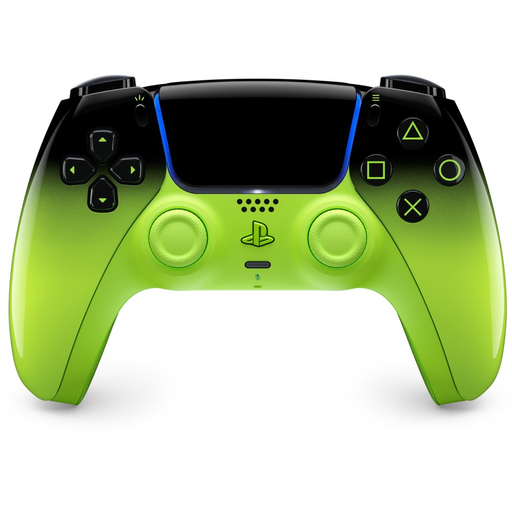
PlayStation DualSense Wireless Controller V3, Remix Green
An option for PS5 gaming. If you’re using a PC, check which features your game supports and how to connect the controller to use them.
The product description lists wireless use and USB-C charging, haptic feedback and adaptive triggers. According to PlayStation, haptic feedback on PC requires USB and game support.
View at Joybuy
 No image available
GameSir Cyclone 2 Black-Bundle Edition
An option if you use one of the platforms listed and want to choose between wired, 2.4GHz and Bluetooth connections. Check that your device is supported.
The product information lists PC, Switch, iOS and Android, TMR sticks, Hall effect and microswitch triggers, and a charging dock.
View at Joybuy
 No image available
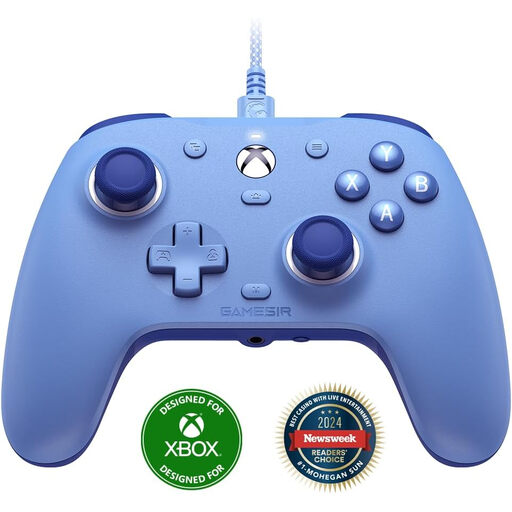
GameSir G7 SE Wired Xbox Game Controller Dynamic Blue
A wired option for supported Xbox systems and Windows, if the cable route works with your gaming setup.
The product information lists USB, Hall-effect sticks and triggers, and two programmable rear buttons. Windows 10 and Windows 11 are listed; the description also mentions Steam.
View at Joybuy
 No image available
Nintendo Switch 2 Official Pro Controller Black
An option if you play on Nintendo Switch 2. Check that the game supports the controller features you want.
The product description lists wireless Bluetooth connectivity, a rechargeable battery, HD Rumble, motion controls and a USB charging cable.
View at Joybuy
Frequently asked questions
Will every Bluetooth controller work with your PC or console?
No, it depends on the model, connection mode and device. For example, 8BitDo lists Bluetooth for Android and 2.4 GHz or USB for Windows for the Ultimate 2C Wireless. Also check whether your game supports controller input.
How do you connect a DualSense to a supported PC?
PlayStation describes connecting via USB-C or Bluetooth. Haptic feedback on PC requires both a game that supports the feature and a USB connection. Check which features you want to use.
What can you check if you have connection problems?
First, check the connection mode, cable or receiver, and power supply required for your model. Then follow the manufacturer’s pairing instructions; for the wired G7 SE, GameSir describes connecting to an Xbox or PC via USB-C.
Are you always entitled to just two years’ warranty in the Netherlands?
No. According to ACM ConsuWijzer, statutory warranty in the Netherlands has no fixed duration. What you can expect depends, among other things, on the product and normal use. The seller is your point of contact if a product develops a fault too soon.
Can you return a controller bought online?
According to ACM ConsuWijzer, online purchases generally come with a statutory 14-day cooling-off period from delivery. Check the applicable exceptions and the returns policy for your order.


