
Filming between short stops
You can recharge on the go or during breaks and mainly want a portable backup for your action camera.


Start by checking the charging requirements for your exact action camera model, then choose a power bank with a suitable output and cable. A 10,000 mAh model has a lower stated cell capacity than a 20,000 mAh model and may suit you if you want a compact backup. A 20,000 mAh model offers more stated capacity, but may take up more space and weigh more. Neither figure alone tells you how many times it can charge your camera or how quickly it will do so.
You can recharge on the go or during breaks and mainly want a portable backup for your action camera.
You want to take more power with you for a longer journey and weigh up the extra backup against the weight in your luggage.
You want to connect another USB device as well as your action camera, for example. So check the number of ports and the output power when using multiple devices at the same time.
First, check which charging set-up works with your camera. Then compare capacity and weight with the time between opportunities to recharge, and finally consider whether extra ports would be useful on your trip.
People may have different priorities when choosing a power bank; the percentages below reflect the road-trip needs mentioned.
| What to consider | What should you check? | Who should prioritise this? |
|---|---|---|
| Backup between charging stops | Compare the stated capacity and weight, and think about when you can recharge the power bank itself. | If I’m driving for long stretches without access to a charger, I want extra backup without carrying more weight than necessary. Around 36% of consumers say charging backup is their top priority. |
| Connector and charging output | Check the charging voltage and current recommended for your camera, as well as the cable and the output of the port you plan to use. | If I want to charge my camera on the go, I want to make sure the connector and charging output are suitable for my model. Around 29% of consumers prioritise camera compatibility. |
| Easy to carry | Check the dimensions and weight, and make sure the cable set-up works with your camera. | If I’m carrying the power bank during stops and activities, I don’t want an unnecessarily bulky extra item in my luggage. Around 21% of consumers say portability is their top priority. |
| Charging multiple devices | Check the number of suitable ports and the total output power when using them at the same time. | If I want to connect another device as well as my camera, I want to know whether I can charge both at once. Around 14% of consumers say charging multiple devices is their top priority. |
A power bank’s stated capacity doesn’t guarantee a specific number of charges or a set filming time. These also depend on the camera and how you use it.
Use mAh to compare the stated capacity of different models, but don’t plan for an exact number of camera charges based on that figure alone.
Charging requirements vary between camera models. The available power may also change when you connect multiple devices.
Compare the recommendation for your camera with the output of the port you plan to use. If charging multiple devices at once, also check the total output power stated by the manufacturer.
Xtorm gives the XR201 an IP65 rating. This doesn’t automatically mean that connected cables or an open USB port are protected in all wet conditions while charging.
Check the instructions for the exact model and keep connections dry while charging.
The Zolo model reviewed combines 20,000 mAh with a built-in USB-C cable.
The Fuel Series 5 FS5100 model reviewed has 10,000 mAh, two USB-C ports and one USB-A port.
The 10,000 mAh Primo Ultra-thin model reviewed is a compact option with USB-A and USB-C.
The 10,000 mAh BoostCharge BPB027hqBK model reviewed has two USB-C ports, a detachable USB-C cable and a display.
These products offer options with a stated capacity of 10,000 or 20,000 mAh if you want to take a power bank with you on the go. Before buying, check that the output and cable meet your action camera’s charging requirements.
 No image available
The stated capacity may suit you if you want to take more backup power with you, but it doesn’t tell you how many times it will charge your camera.
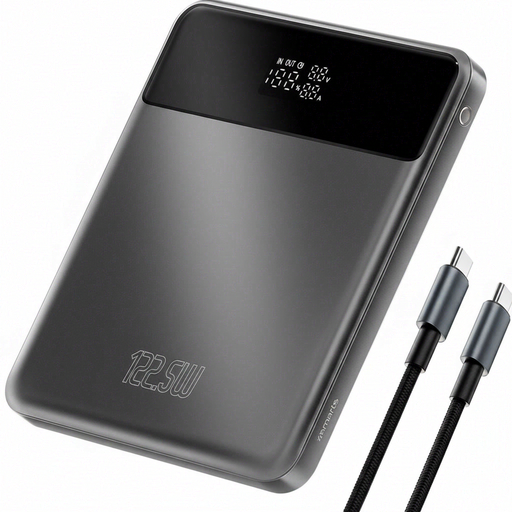
The product description lists an LCD display and pass-through charging.
The product name lists 122.5 W; this figure alone doesn’t tell you how quickly your camera will charge.
 No image available
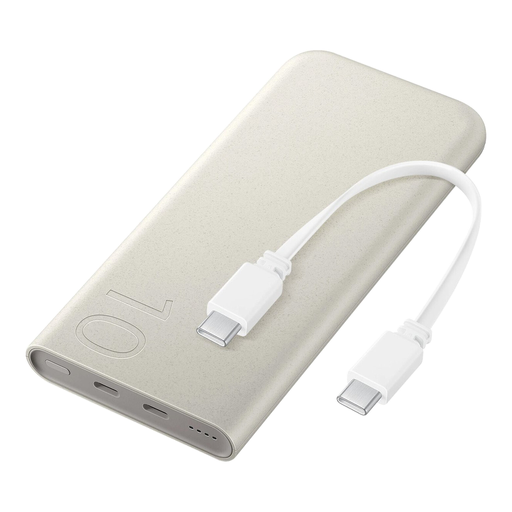
The built-in USB-C cable may be handy if you want to carry fewer separate cables, as long as the connection is suitable for your camera.
The product description states that wired charging is available at up to 25 W; this isn’t a measured charging speed for an action camera.
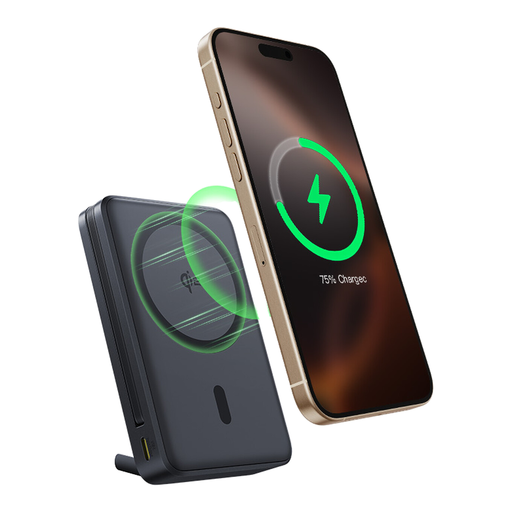
The title mentions inductive charging. Check that the charging method you want to use is suitable for your device.
 No image available
This model may suit you if you want a higher stated capacity and ports for multiple devices.
The product name lists three USB-C ports and 20,000 mAh. The description mentions Power Delivery 3.0 and up to 45 W, but this doesn’t guarantee a particular charging speed for your camera.
Check the available output power if you want to charge multiple devices at the same time.
 No image available
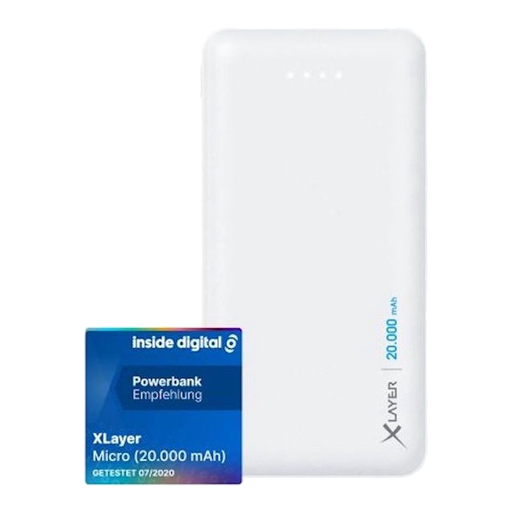
The stated capacity and two USB outputs may suit you if you want extra backup or a port for a second device.
The description lists USB outputs of 5 V/2,1 A and 5 V/1,0 A, plus one USB-C input.
The description warns against exposing the power bank to water or high humidity.
 No image available
The built-in USB-C cable may be handy if you’d rather not take a separate cable, as long as the connection is suitable for your camera.
The product name lists 10,000 mAh and 45 W. Check your camera’s charging requirements; wattage alone doesn’t predict charging speed.
No, not just because the plug fits. Check the recommendation for your camera model and the output of the port you plan to use. GoPro specifies 5 V/2 A for models including the HERO13 Black; for the handheld series mentioned, DJI recommends a 5 V/2 A USB-C charger if one isn’t included.
Don’t use damaged cables or charge devices under a pillow or duvet. The fire service advises placing chargers in a clear space so heat can escape. Follow the manufacturer’s instructions for your power bank too, and keep the connections dry while charging.
For online purchases by consumers, there is generally a statutory 14-day cooling-off period from delivery, subject to legal exceptions. The seller is also responsible for the statutory guarantee if the product doesn’t meet what you could reasonably expect from it under normal use. ACM ConsuWijzer explains the cooling-off period; the Netherlands Authority for Consumers and Markets describes the seller’s responsibility for the statutory guarantee. A manufacturer’s guarantee doesn’t replace these statutory rights.
Check the rules of the airline you’re flying with. KLM states that spare lithium batteries and power banks are only permitted in hand luggage; also check your carrier’s other conditions before you travel.