
Travellers with a short stopover
If you want to top up one action camera while you wait and have limited space in your bag, portability and a suitable wired connection are important considerations.


First, choose a power bank with a wired output and cable that are suitable for your camera model. Then decide whether you just want a quick top-up or need to charge other devices too. A smaller model is easier to carry, while a higher capacity gives you more charging reserve and usually weighs more. If you’re taking the power bank on a flight, check its Wh rating and your airline’s rules separately: charging at the airport is not the same as charging on board.
If you want to top up one action camera while you wait and have limited space in your bag, portability and a suitable wired connection are important considerations.
If you want to charge other devices as well as your camera, such as a phone, compare capacity, the number of ports and the output when charging multiple devices at once.
If you’re taking the power bank on board after charging it, check the airline’s rules and distinguish between charging at the airport and using it during the flight.
Choose this option: if you mainly want to give one camera a quick top-up and have limited space in your hand luggage.
The trade-off: a smaller model offers less charging reserve; its mAh capacity doesn’t guarantee a set number of camera charges.
Choose this option: if you also want to top up other devices during a longer trip.
The trade-off: check the weight and output when charging multiple devices at once. If you’re flying, check the Wh rating too.
Choose this option: if you’re travelling via Pier B and only need a quick top-up, borrowing one could be an alternative to buying one.
The trade-off: Schiphol lists power banks for loan after security on Pier B. Check that the available power bank and cable are suitable for your camera.
For shoppers considering a power bank to top up an action camera at the airport, the main choice depends on what matters most to you: portability, extra charging reserve or taking it on a flight.
| What to consider | What to look for | Who should prioritise this? |
|---|---|---|
| Portability for one charge | Compare the size, weight and capacity, and check that the wired output is suitable for your camera. | If I want to top up one camera during a short stopover, I want to keep my bag light. Around 40% of shoppers say portability is their main reason for buying. |
| Charging reserve for multiple devices | Compare capacity, weight, usable ports and the stated output when charging multiple devices at once. | If you want to charge a phone as well as your camera, for example, focus on charging reserve and connections. Around 30% of shoppers give this their highest priority. |
| Taking it on a flight | Check the Wh rating of the exact model and your airline’s instructions. Carry power banks in accordance with the hand-luggage rules. | If I’m flying after charging, I want to know in advance whether I can take my power bank and how I should carry it. Around 30% of shoppers prioritise these flight requirements. |
An mAh rating alone doesn’t confirm that a power bank meets your airline’s requirements. KLM warns that a power bank without a stated Wh rating may not be allowed on board.
Check the Wh rating on the exact power bank and the current rules of the airline you’re flying with.
The output may be shared. For the Belkin BoostCharge BPB027hqBK, Belkin states a maximum of 20 W through one port and 15 W in total when both ports are in use.
If you’re charging multiple devices at once, check the multi-port specification for the exact model.
A connector that plugs directly into a device must physically fit your camera’s port.
Check the port on your camera model. According to Anker, the Anker A1653 can also be used with a separate USB-C cable.
You may still need a separate compatible cable.
The BoostCharge BPB027hqBK is an example of a 10,000 mAh model with two USB-C ports.
The NextGen range includes the 10,000 mAh XNG101W35 and the 20,000 mAh XNG201W35.
The Nano A1653 is a 5,000 mAh model with an integrated USB-C connector.
This selection of Joybuy products includes 10,000 and 20,000 mAh models with different connections and output levels. Compare the connection on the exact model with your camera’s charging instructions; capacity alone doesn’t determine compatibility.
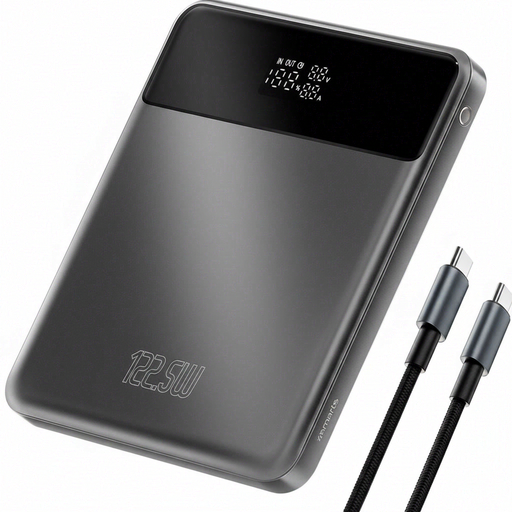 No image available
An option for anyone looking for extra stated capacity on a longer trip. Check in advance that the connection and cable are suitable for your camera.
The product name states 20,000 mAh and 122.5 W.
 No image available
A good fit for a trip when you want to connect other devices as well as your camera, provided those devices and the necessary cables support USB-C charging.
The product information states 20,000 mAh, three USB-C ports and up to 45 W for one device. The stated output depends on the conditions of use and the connected devices.
According to the product information, up to three devices can be charged at once.
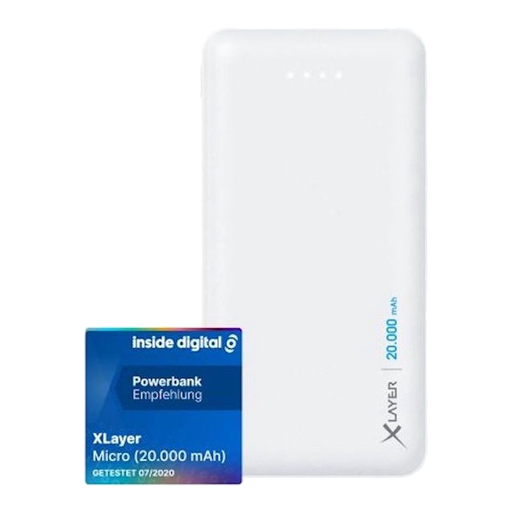 No image available
An option if your camera can charge using the supplied cable and a compatible USB output. Check your camera model’s connection before choosing.
The product information states 20,000 mAh, 74 Wh and two USB outputs: 5 V/2.1 A and 5 V/1.0 A. A USB-to-USB-C cable is listed.
Before flying, check your airline’s rules and bear the stated 74 Wh rating in mind.
 No image available
A possible choice for a quick charging stop if your camera can charge using a compatible USB-C cable; the product information lists cameras as an example of what you can charge.
The product information states 10,000 mAh, up to 25 W, a USB-C connection and a weight of 210 g. It also mentions charging two devices at once.
Check your own camera’s charging instructions; the example given doesn’t confirm performance for every model.
 No image available
An option to compare if you’re looking for a 10,000 mAh power bank. Check that the USB-C connection and cable match your camera’s charging instructions.
The product information states a USB-C interface, up to 30 W and a colour display.
Before you travel, check the hand-luggage rules and the conditions set by your airline. The Dutch government states that you can carry up to two power banks in your hand luggage; EASA says power banks must be in hand luggage and protected against short circuits. KLM sets a limit of 100 Wh for its flights without prior approval, with additional conditions for higher capacities.
That depends on your airline’s rules. KLM doesn’t allow power banks to be used or charged on board. EASA advises against connecting a power bank to a device or using one to power a device during a flight; these rules for use on board don’t mean that charging while waiting at the airport is prohibited.
Check the manual for your exact camera model and compare it with the power bank’s output and cable. GoPro describes charging the HERO13 Black with a USB-C cable; for applicable Osmo Action models, DJI specifies a 5 V/2 A USB-C charger if one isn’t included. Don’t assume these examples apply to a different camera.
Follow the charging instructions for your camera model. GoPro’s general charging procedure says to switch the camera off and notes that the battery doesn’t charge while recording; this isn’t a confirmed rule for all action cameras.
Not necessarily: Schiphol lists power banks for loan after security on Pier B, which, according to the airport’s website, can be borrowed free of charge for four hours. Schiphol’s listing was updated on 14 October 2026; check whether the service is available on your route and whether the power bank and cable are suitable for your camera.