
Sensor user checking compatibility
You want to find out first whether your weather sensor accepts rechargeable AA cells. Bresser’s manual for the WSC4009/WSH4009 advises against using them.


Before choosing a charger, check your weather sensor’s manual to see whether rechargeable AA cells are permitted: a charger can’t make an unsuitable cell suitable. If NiMH cells are allowed, choose a NiMH charger with enough charging channels for the number of cells you want to prepare at once and a clear charging indicator. Only consider rechargeable 1.5V lithium-ion cells if both the sensor and charger support the exact cell type. Bresser advises against rechargeable batteries for the WSC4009/WSH4009, but this model-specific warning does not automatically apply to other weather sensors.
You want to find out first whether your weather sensor accepts rechargeable AA cells. Bresser’s manual for the WSC4009/WSH4009 advises against using them.
You’re charging a few cells at a time for one sensor and don’t want to wait until you have a set of two or four. Individual charging channels can be useful in this situation, as found on the IKEA STENKOL and Panasonic BQ-CC55.
You may also want to charge AAA cells or another type of rechargeable AA cell. Check that the charger supports each cell type. Panasonic and XTAR describe support for several types, but not every cell available.
First, check your weather sensor’s manual. Then choose a charger that matches the permitted cell chemistry and the number of cells you want to charge at once.
| What to consider | What should you check? | Who is this important for? |
|---|---|---|
| Sensor compatibility | Look up the exact sensor model and check which type of AA battery the manual allows. | I want to find out first whether my sensor accepts rechargeable AA cells, so I don’t buy an unsuitable combination. Around 36% of consumers prioritise sensor compatibility. |
| Correct charging chemistry | Compare the chemistry stated on the cell with the types supported by the charger. For 1.5V lithium-ion cells, also check the manufacturer’s compatibility information. | I want to use my rechargeable AA cells without putting one in an unsuitable charger. Around 29% of consumers put the correct charging chemistry first. |
| Number of charging channels | Check whether the charger can charge a single cell independently and whether there are any specific placement requirements. | If I want to prepare just one or a few cells for my sensor, I don’t want to need a full set. Around 21% of consumers give flexible charging top priority. |
| Charging status and power supply | Check how the charger shows that cells are charging or fully charged, and what power adapter it requires. | I want to know when my cells are ready and which power supply to connect. Around 14% of consumers prioritise preparation time and the power supply required. |
Charging times are only useful to compare when the number and type of cells and the test conditions are the same. IKEA says that charging four AA cells in the STENKOL usually takes 6–8 hours. Panasonic quotes around 90 minutes for two eneloop AA cells in the BQ-CC55, depending on factors including temperature and battery condition. These figures are not a direct speed comparison between the chargers.
A charger can’t make rechargeable cells suitable for a sensor that advises against them. For example, Bresser advises against using them in the WSC4009/WSH4009 weather sensors.
First, check the exact sensor model and follow the recommendations for battery type and use.
AA describes a size, not a guarantee that the charging chemistry is supported. XTAR describes different charging conditions for rechargeable 1.5V lithium-ion cells and NiMH cells.
Compare the cell’s full specifications with the charger manufacturer’s compatibility information.
An unsuitable combination could damage the cell or charger.
The Energizer CHPRO is specified for two or four cells, so four slots do not automatically mean you can charge just one cell.
Check the minimum number of cells and the required placement in the charger’s manual.
The STENKOL is a NiMH charger for AA and AAA cells, with one to four individual charging channels.
The BQ-CC55 is designed for one to four eneloop or eneloop pro AA and AAA cells, which can be charged individually.
XTAR says the L4 is suitable for AA and AAA NiMH cells and many rechargeable 1.5V lithium-ion cells.
The LCD Smart Charger+ type 57684 is a NiMH AA/AAA charger with individual channels, USB-C power and a charging display.
The CHPRO is a NiMH charger for AA and AAA cells.
This selection includes a set of rechargeable 1.5V lithium-ion AA cells with a charger, and a charger for NiMH and NiCd cells. Before using any cells in a weather sensor, always check whether its manual allows that type.
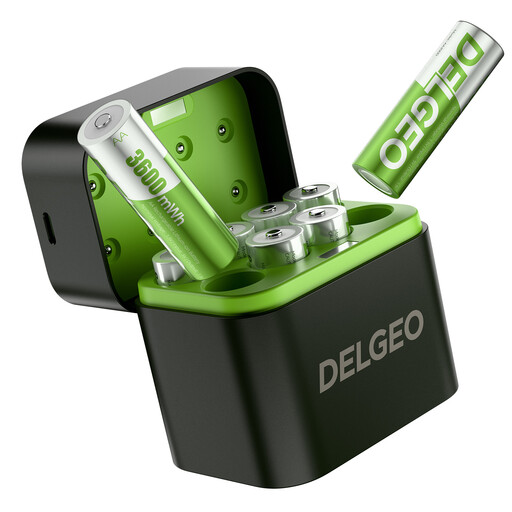 No image available
For anyone who wants to prepare rechargeable 1.5V lithium-ion AA cells. Only use them in a weather sensor if its manual allows this type.
The product name lists a set of eight AA cells, 1.5V output and a USB-C charger. The description specifies a 5V/3A power supply.
 No image available
For anyone who wants to charge compatible NiMH AA or AAA cells, either individually or in combination. Check that your sensor allows the type of cell you choose.
The product description lists support for NiMH and NiCd cells, four independent charging channels and LED indicators for charging, full and incorrect placement. It also lists a USB cable and a 5V/1A input.
No. Don’t assume that a cell is suitable just because it’s AA-sized. Check the manual for your exact sensor model. For example, Bresser advises against rechargeable batteries in the WSC4009/WSH4009.
Don’t assume that you can. XTAR describes different charging conditions for these cells, so check whether the charger manufacturer supports your specific cell.
Follow the manufacturer’s instructions. For the STENKOL, IKEA says to unplug the charger before cleaning and wipe it with a dry cloth.
Before buying, check which cable, cells and power adapter are included with that version, and what power supply the charger needs. For the LCD Smart Charger+ type 57684, VARTA specifies a 12 V/1.25 A USB-C PD power supply.
Don’t put used batteries in the bin. The Dutch government lists places that sell batteries, among others, as collection points. A discarded battery charger is an electrical appliance, so take it to a collection point for electrical appliances.