What should you look for when buying?
First check your controller model and battery chemistry. Then compare what’s included, the charging time and how convenient the charger will be in your room.
| What to consider |
What should you check? |
Who is this important for? |
| Controller and battery chemistry |
Check whether your controller uses removable rechargeable AA batteries and what chemistry is marked on the batteries. Never charge non-rechargeable batteries in a NiMH charger. |
If I want to make sure the charger suits my controller and batteries first, I check the exact model and the battery markings. Around 33% of consumers are most concerned about compatibility. |
| Complete starter set |
Compare the number of AA batteries included with how many you need, and check whether a power adapter is included if required. |
If I don’t already have a rechargeable AA set, I want to know what else I’ll need to buy alongside the charger. Around 27% of consumers focus mainly on getting a complete starter set. |
| Charging time |
Compare the stated charging time for two AA batteries, and check the capacity and conditions that the time is based on. |
If I’m charging just before a gaming session, I want to know whether two batteries will be ready in time. Around 20% of consumers prioritise charging time ahead of a gaming session. |
| Charging convenience and space |
Check the power connection, the space available, the charging status display and how many batteries need to go in the charger at once. |
If space is limited and I want to see easily what the charger is doing, I look at the connection and charging indicator. Around 20% of consumers prioritise convenient charging in their chosen spot. |
Joybuy products
These Joybuy picks are for AA batteries and compatible chargers. Before use, check that your controller accepts removable rechargeable AA batteries and that the charger suits the battery chemistry.
 No image available
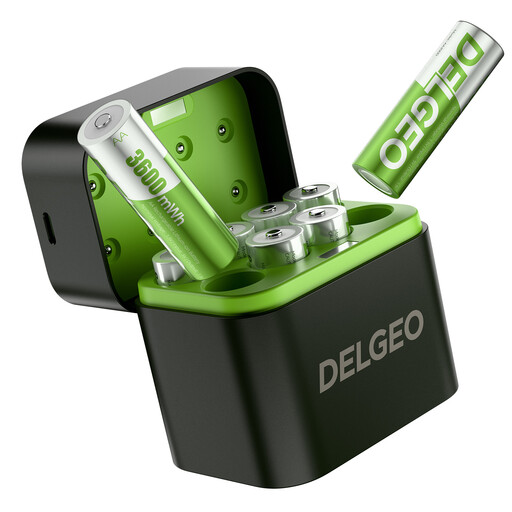
8-pack of rechargeable AA lithium batteries with USB-C charger, 1,5 V constant output
If you’re looking for a spare set, the product name lists eight rechargeable AA lithium batteries with a USB-C charger. Before use, check that your controller supports this type of rechargeable 1,5 V battery.
A 5 V/3 A power source is required for the stated charging time for eight batteries.
Joybuy
 No image available
Aigostar Quick charger for 4 AA or AAA batteries, black
If you’re looking for an AA battery charger, the product name states that it can hold four AA or AAA batteries. Before buying, check that the charger suits the chemistry of your rechargeable batteries.
Joybuy
Frequently asked questions
Can I charge removable rechargeable AA batteries through my Xbox controller’s USB port?
No, rechargeable AA batteries need to be charged outside the Xbox controller. Xbox Support recommends following the battery manufacturer’s instructions; a compatible Xbox battery pack is a different charging option.
Do I need an AA battery charger for every gaming controller?
No, it depends on the controller model. Xbox Support describes models that use removable AA batteries and models such as the Elite Wireless Controller Series 2, which has a built-in battery.
Can I put ordinary non-rechargeable AA batteries in a NiMH charger?
No, never charge non-rechargeable batteries in a NiMH charger. The IKEA STENKOL manual states that this model charges suitable rechargeable NiMH batteries only.
How can I tell if two AA batteries will be charged in time?
Check the stated charging time for two AA batteries and follow your charger’s completion indicator. IKEA says the time depends on capacity and the number of cells; Panasonic also lists temperature and battery condition as factors.
Where can I dispose of flat AA batteries and an old charger?
According to the Dutch government, flat batteries must not go in the rubbish bin and can be returned to shops that sell batteries, among other places. For a discarded electrical charger, the Dutch government lists shops and other collection points; check which ones accept the device.


