What should you look for when buying?
First check the sensor manual, then compare the charger’s power supply, charging bays and supported cell chemistry.
| What to consider |
What should you check? |
Who should weigh this more heavily? |
| Sensor and cell compatibility |
Check the manual for the battery size and permitted chemistry for the exact sensor model and module. |
When I’m preparing cells for my sensor, I want to be sure that the device accepts rechargeable AA cells. Around 31% of consumers prioritise compatibility. |
| Power supply when sockets are limited |
Check the required input type and power, whether the adapter is included, and whether you can use the USB power supply you have available. |
I want to charge without using an extra socket, so I need a suitable USB power supply. Around 31% of consumers say the power connection is a deciding factor. |
| Number of charging bays |
Count how many suitable AA cells you usually prepare at once and check whether you can charge a single cell on its own. |
If I don’t always need to charge the same number of cells, separate charging bays are useful. Around 19% of consumers mainly consider the number of cells and charging bays. |
| Charging monitoring and cell types |
Check which safety or status features the model has and which cell chemistries it can charge. |
I want to monitor charging status and avoid using an unsupported cell type. Around 19% of consumers prioritise charging monitoring and distinguishing between cell types. |
Joybuy products
This selection includes a USB-powered AA/AAA charger and a set of AA lithium batteries with a USB-C charger. Before use, check whether your weather sensor accepts the battery chemistry in question.
 No image available
Aigostar Quick Smart IC battery charger for 4 AA/AAA, black
A USB-powered option for preparing AA cells if you have a suitable USB power supply; first check whether your weather sensor accepts rechargeable cells.
The product name lists 4 AA/AAA and Smart IC.
Joybuy
 No image available
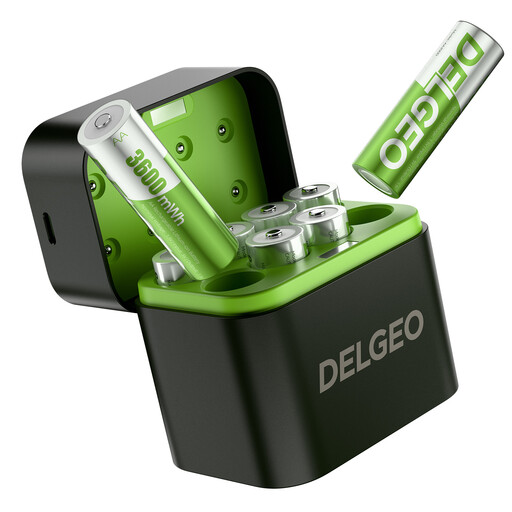
Set of 8 AA lithium batteries with USB-C charger
This set is only suitable if your weather sensor supports AA lithium batteries; check the manual for the exact model.
The product name lists eight AA lithium batteries and a USB-C charger.
Joybuy
Frequently asked questions
Can I use rechargeable AA batteries in any weather sensor?
No, you can’t tell from the AA size alone. Netatmo states that its weather station products do not support rechargeable batteries; AcuRite warns that some rechargeable cells may not power devices properly. Check the instructions for your exact sensor model and module.
Can I put ordinary AA batteries in a battery charger?
No, don’t charge non-rechargeable AA batteries. Panasonic explicitly states this for the BQ-CC87, while IKEA specifies NiMH cells for the STENKOL. Always check which chemistry your particular charger supports.
Does a USB-C battery charger mean I won’t need a mains socket?
No, you’ll still need a suitable power source. According to VARTA, the LCD Multi Charger+ type 57681 requires a USB-C Power Delivery adapter with the specified voltage and current; the adapter is not included. According to Panasonic, the BQ-CC87 can be powered via a suitable laptop port or power bank.
Where can I take used batteries?
Don’t put used batteries in your general rubbish. The Government of the Netherlands says batteries must be disposed of separately, for example at shops that collect batteries.


