What should you look for when buying?
Start by checking which battery type your sensor supports. Then consider whether you can charge cells individually, how visible the charging indicators are, and what power supply or accessories you’ll need.
| What to consider |
What should you check? |
Who is this important for? |
| Sensor compatibility |
Check the manual for your exact sensor model to confirm the permitted size and battery type. |
I don’t want to choose a battery or charger that my sensor can’t use; around 36% of consumers put compatibility first. |
| Individual charging |
Check whether you can charge a single cell on its own and whether the charger is suitable for the NiMH battery in question. |
If I only need to charge one or a few compatible cells, I don’t want to rely on having a complete pair; around 29% of consumers prioritise individual charging. |
| Indicators by the bed |
Check whether the model has LEDs or a backlit display, and consider where you’ll charge. |
I want to see the charging status without the indicators being distracting in my bedroom; for around 21% of consumers, charging by the bed is their main concern. |
| What’s included |
Check whether batteries and a suitable power adapter, if needed, are included. |
I want to know in advance which parts I’ll need for a complete charging setup; around 14% of consumers want to check this first. |
Products at Joybuy
These products include a set of lithium AA batteries with a USB-C charger, and a charger for AA and AAA cells. Only use them with your weather sensor if the manual for your exact model allows the relevant battery type.
 No image available
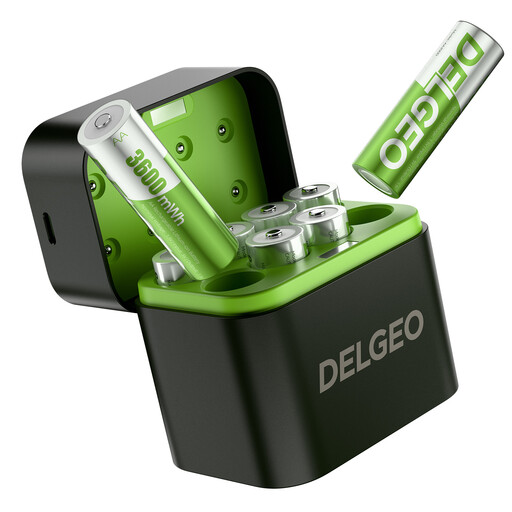
8-pack of AA lithium batteries with 2.5H fast USB-C charger
The product name lists eight AA lithium batteries and a USB-C charger. Choose this set for a sensor only if its manual allows lithium AA cells.
The product name specifies a constant output of 1.5 V and 3600 mWh. Check the stated values and the battery chemistry required by your sensor.
View at Joybuy
 No image available
Aigostar Quick Battery Charger with Smart IC, 4 AA/AAA, black
The product description says it supports NiMH AA cells and has individual charging channels. Check the charger instructions to see which battery types are suitable for your needs.
The product name specifies space for four AA or AAA cells; the product description mentions LED charging status indicators.
View at Joybuy
Frequently asked questions
Can I charge and use AA rechargeable batteries in any weather sensor?
No, the AA size alone doesn’t tell you that. Netatmo says the weather sensor modules in question don’t work with rechargeable batteries. Check the instructions for your exact sensor model.
Can I put a standard, non-rechargeable AA battery in a NiMH charger?
No, never charge a non-rechargeable battery. The STENKOL manual explicitly warns against this; for other chargers, follow the instructions for that model.
Is a power adapter included with the VARTA LCD Smart Charger+?
No, VARTA says a suitable USB-C PD adapter is required and is not included. VARTA specifies minimum power requirements of 9 V/2 A or 12 V/1.25 A.
What should I do if my charger stops working?
For a product bought in the Netherlands, the Dutch government says the retailer is your point of contact for a remedy under the legal guarantee. The product’s expected lifespan may be relevant.
Where can I recycle old batteries and a discarded charger?
The Dutch government says you can return household batteries to, among other places, shops and supermarkets that sell batteries. For an old charger, the take-back scheme applies when you buy a new, similar electrical appliance.


