
Gamer short on plug sockets
You use a controller with replaceable AA batteries and want to charge them from a suitable USB power source rather than use another plug socket.


If your controller uses replaceable rechargeable AA batteries and you have a suitable USB power source, look for a USB charger with independent charging channels. You may still need a plug socket for a USB charger if it requires a mains adapter. Also check the battery chemistry, included power supply and charging time for the number of cells you want to charge. This guide isn’t for controllers with a built-in battery only.
You use a controller with replaceable AA batteries and want to charge them from a suitable USB power source rather than use another plug socket.
You swap out flat controller batteries and want to see which individual cells are ready to use. Independent charging channels and a charge indicator may be useful; Panasonic Energy describes these features for specific charger models.
You don’t yet have suitable rechargeable AA batteries and want to check whether a separate charger will work with what you already own, or whether you’ll also need cells and power accessories.
For a controller with replaceable AA batteries, the main things to consider are the power source, when you charge, cell compatibility and what’s included in the pack.
A good fit if: you have suitable rechargeable AA cells and can use a compatible USB power source.
Bear in mind: a separate mains adapter may still use a plug socket; some models don’t include one.
A good fit if: you’d rather plug the charger straight into a spare socket or still need suitable AA cells.
Bear in mind: the charger occupies a plug socket while charging. If you’re buying a kit, check which batteries and accessories are included.
A good fit if: you want to charge cell types other than NiMH, provided they’re supported by the exact charger model.
Bear in mind: wider compatibility doesn’t mean every AA cell or battery chemistry is suitable for every charging mode.
| What to consider | What should you check? | Who is this important for? |
|---|---|---|
| Spare plug socket | Check the input, required power source and whether a cable and adapter are included. | If I’d rather keep a scarce plug socket free, I want to know whether my existing USB power supply is suitable. Around 36% of consumers mainly want to use fewer plug sockets. |
| Spare batteries ready in time | Compare the charging time for the number and capacity of your AA cells, and check the charge indicator. | I want a charged spare set ready before I play and to be able to see which cells are ready. Around 29% of consumers mainly have this need. |
| Compatibility | Check whether your controller uses replaceable AA cells and whether their chemistry is compatible with the charger. | When choosing batteries for my controller, I want to be sure the cell type and charger are compatible. Around 21% of consumers mainly focus on this compatibility. |
| Complete charging kit | Check whether the pack includes suitable AA cells, a cable and, if needed, the right adapter. | If I don’t yet have suitable batteries or a power supply, I want to know what I need to get charging in one go. Around 14% of consumers are mainly looking for a complete starter kit. |
Microsoft says that rechargeable cells aren’t charged inside the Xbox Wireless Controller when it uses replaceable AA batteries.
Check whether your controller uses replaceable AA cells, and charge them in a charger that’s suitable for their cell type.
A USB charger needs a suitable power source. If that’s a separate mains adapter, it may still take up a plug socket.
Check the required input and what’s included in the pack before choosing a charger.
Charging times apply to specific cells and conditions. Duracell states that its CEF27 charger takes around 45 minutes to reach about 85% charge for the specified 1300 mAh AA NiMH cells. That isn’t a general guide to a full charge.
Only compare charging times for similar cell types, numbers of cells and charge levels.
A charger on its own won’t be a complete solution if you still need suitable AA batteries or the required power supply.
Check how many cells are included and whether the cable and adapter you need come with it.
Panasonic lists the BQ-CC87 as a USB-powered option for specific eneloop AA and AAA cells; the BQ-CC55 runs on mains power.
According to VARTA, the LCD Smart Charger+ type 57684 is designed to charge up to four NiMH AA or AAA cells individually via USB-C.
According to XTAR, the VC4SL is a USB-C charger for supported NiMH cells and certain Li-ion cells.
The Hi-Speed Advanced Charger CEF27 is a mains-powered charger for suitable AA and AAA batteries.
These Joybuy options are designed for rechargeable AA cells and USB charging. Check that the cell type is suitable for your controller and the specific charger.
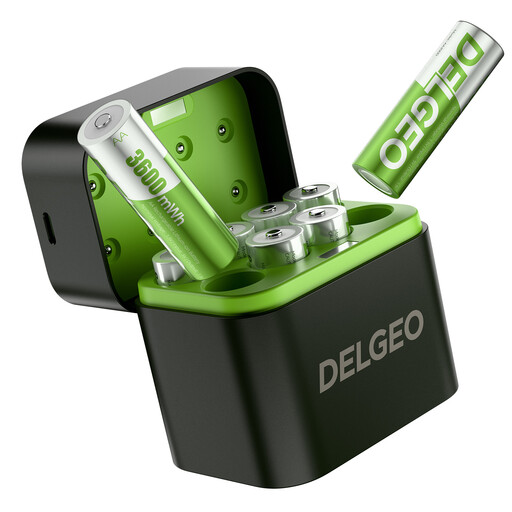 Image unavailable
This kit is for anyone looking for rechargeable AA cells and a USB-C charger together.
The product description lists eight AA lithium cells with a constant output of 1.5 V. It says that eight cells can be charged in 2.5 hours using a 5 V/3 A power source.
Check your controller’s manual to see whether rechargeable 1.5 V lithium AA cells are suitable, and only use the charger supplied with them and an approved power source.
 Image unavailable
This USB-powered charger may suit you if you want to charge compatible AA cells individually and check their charging status.
The product description lists NiMH and NiCd cells, independent charging channels, a DC 5 V USB input, LED indicators and an included USB cable.
Check that your controller’s manual allows the cell type you’re using, and find out what USB power source the charger requires.
No. For the Xbox Wireless Controller with replaceable AA batteries, Microsoft says the cells need to be charged separately, following the battery manufacturer’s instructions. If you have another controller, check the exact model.
No. Only use cells that the specific charger’s manual says are rechargeable and compatible. Panasonic explicitly warns that dry batteries must not be charged in the BQ-CC87.
It depends on the model. The Panasonic BQ-CC87 doesn’t come with a USB mains adapter. VARTA includes a USB-C cable with the LCD Smart Charger+ type 57684, but not the Power Delivery adapter required for the stated charging performance.
First, check whether your controller uses replaceable AA cells. Then consult the manual for the permitted battery chemistry and voltage. Also check that the charger supports that exact cell type; AA size alone doesn’t guarantee compatibility.