
Vandaag of morgen in huis

Kwaliteit gegarandeerd

Welkomstaanbiedingen ontgrendelen: GRATIS bezorging | Tot 80% korting | Gratis 30 dagen JoyPlus-proefperiode
Download de app
An A4 document scanner may seem straightforward to choose at first. However, a model that looks fast and versatile on paper may disappoint in everyday use. For invoices, contracts, receipts, passports and customer records, the paper feed, scanning speed and connectivity options are particularly important.
A scanner with 600 x 600 dpi may sound appealing, but a higher resolution does not automatically make a device better suited to office work. For text, invoices and administrative documents, 600 dpi is generally more than enough. Also check the actual scanning speed, colour mode and software.
A flatbed scanner with 1,200 x 1,200 dpi can be useful for photos, books or fragile originals. For a stack of A4 paper, a document scanner with an ADF is usually more practical.
An automatic document feeder with a capacity of 50 or 100 sheets does not mean every document will be processed without supervision. Crumpled paper, staples, different paper sizes and double feeds can interrupt the process.
So, as well as ADF capacity, check:
A wireless scanner is useful when several devices or colleagues need to connect. For a single fixed workstation, USB may be more stable and straightforward. Also check whether scanning to email, a network folder or the cloud is actually supported by the included software.
A sheet-fed scanner automatically feeds individual sheets past the sensor. This is efficient for invoices and records. A duplex scanner reads both sides in a single pass, so you do not have to turn double-sided documents over manually.
A flatbed scanner is still useful for books, bound documents, passports and delicate originals. Some models combine both technologies. The Canon imageFORMULA DR-F120, for example, has a flatbed and an ADF with a capacity of 50 sheets. According to the product specifications, this model scans both sides at 20 pages per minute.
For occasional home use, 12 to 26 ppm is often enough. An office scanner or business scanner for large volumes of documents will usually need to manage at least 35 ppm. If you scan heavily, look for models offering 45, 60 or 85 ppm.
Bear in mind that colour and black-and-white speeds may differ. Duplex figures are also presented differently: 35 ppm duplex, for example, may mean 70 ipm, as both sides of each page are processed.
USB is suitable for a direct connection to a PC. Wi-Fi is more flexible for people working from home, small offices and shared use. Check compatibility with Windows, macOS, Chromebook and mobile devices.
An OCR scanner can convert scanned text into searchable or editable files. How well it works depends on the included software and settings. Some Epson models include OCR software, according to their product descriptions. Always check that your preferred output format, such as searchable PDF, Word or Excel, is supported.
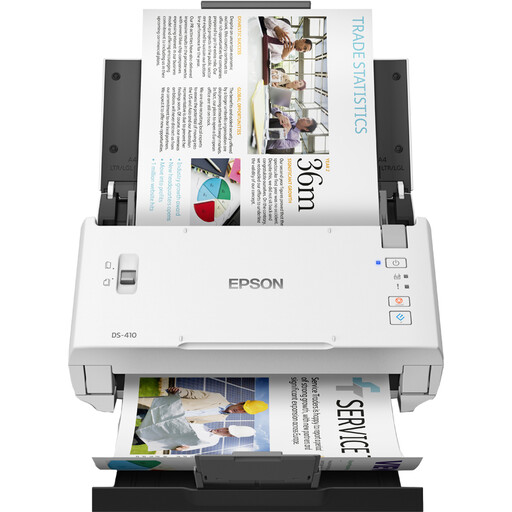
Why it suits this user: This model is designed for small offices and home workspaces that regularly digitise A4 documents but do not need additional networking features.
The product specifications list a 50-sheet ADF, 600 x 600 dpi and support for A4, A5, A6, B5 and B6. So you are not paying solely for a high dpi rating.
26 ppm, automatic duplex scanning, USB 2.0 and Epson software included, according to the product information.
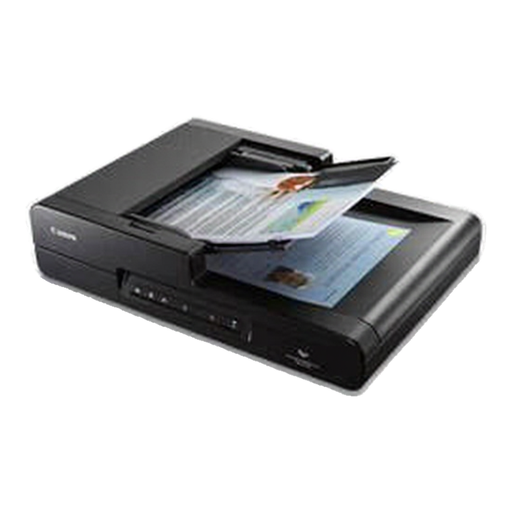
Why it suits this user: An office that handles loose stacks of A4 paper as well as books, magazines and delicate originals will benefit from the added flexibility of a combined ADF and flatbed.
You are not limited to a sheet-fed input. Use the flatbed glass for bound or delicate documents.
50-sheet ADF, automatic duplex scanning, 600 x 600 dpi and CaptureOnTouch software, according to the product description.
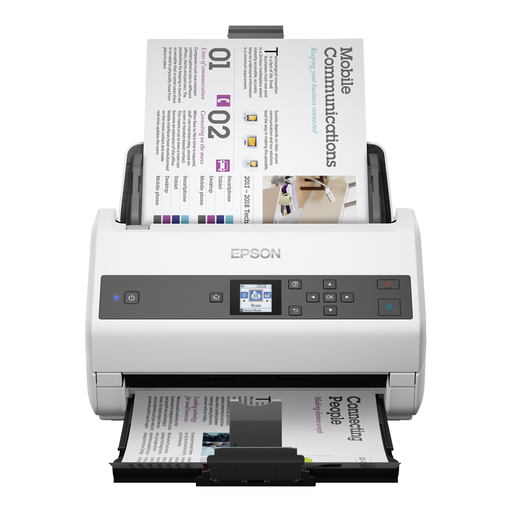
Why it suits this user: For departments handling large volumes of documents every day, high input capacity and speed matter more than a compact, portable design.
The choice is based on throughput and paper handling: a 100-sheet ADF, automatic duplex scanning and a stated speed of 85 ppm.
85 ppm, 170 ipm duplex, USB 3.2 and support for A3 and A4 sizes, among others, according to the product details.
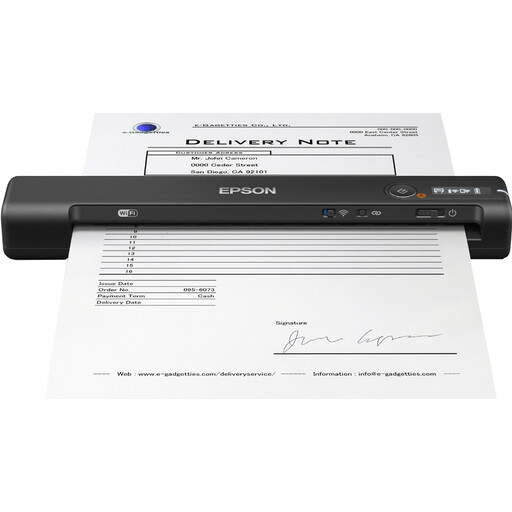
Why it suits this user: This compact model is designed for people working from home, field staff and anyone who does not always have a fixed workspace.
Here, you are choosing portability over a large ADF. The scanner works via USB or Wi-Fi and has a rechargeable battery, according to the product information.
600 x 600 dpi, Wi-Fi, USB power and a stated scan time of around four seconds per page.
We’ve put together a complete, up-to-date list of products that meet these strict selection criteria and the applicable European safety regulations.
Not always. A mobile scanner may be enough for a few receipts or individual forms. If you regularly scan several invoices, contracts or tax documents, an ADF will usually save you time. Duplex scanning is particularly useful for documents printed on both sides.
Its lifespan depends on usage, paper quality and maintenance. Remove staples and paper clips, do not feed in damp or badly damaged sheets, and clean the rollers as instructed in the manual. If you use the scanner heavily, replaceable roller parts and a stated daily processing capacity are worth considering.
As well as the purchase price, power consumption, maintenance and any software costs are important. A USB model typically only uses power while in use; a network or Wi-Fi model may take extra time to set up. Check in advance whether OCR, cloud storage and updates are included or sold separately.
