
Vandaag of morgen in huis

Kwaliteit gegarandeerd

Welkomstaanbiedingen ontgrendelen: GRATIS bezorging | Tot 80% korting | Gratis 30 dagen JoyPlus-proefperiode
Download de app
The search for a new mechanical keyboard can be overwhelming. The market is saturated with technical jargon and marketing promises. Especially when you're looking for something specific, like a 75% hot-swappable mechanical keyboard, it's easy to fall into common pitfalls. Many keyboards promise customisation and a premium feel but fail to deliver. Let's cut through the noise and focus on what truly matters.
Before you invest, it's crucial to recognise three common issues that are often hidden behind glossy product pages.
custom mechanical keyboard.aluminium keyboard.To avoid buyer's remorse, focus on a few objective specifications. These determine the actual quality and flexibility of your keyboard.
The 75% layout is a popular choice for programmers and gamers alike. It's the perfect middle ground: more compact than a traditional Tenkeyless (TKL) model, while retaining the crucial function keys (F1-F12) and arrow keys that are often missing on 60% or 65% boards. This makes it an ideal compact gaming keyboard that is also well-suited for productivity.
A truly custom mechanical keyboard gives you the freedom to change switches without soldering. Pay attention to the following:
The case and mounting style have a huge impact on the typing experience and sound profile.
A modern keyboard needs to be flexible. A wireless mechanical keyboard with tri-mode connectivity (2.4GHz, Bluetooth, and wired via USB-C) offers the most freedom. For software, a VIA compatible keyboard is an excellent choice. VIA is powerful, open-source software that allows you to customise the layout, macros, and lighting directly on the keyboard, without needing software constantly running in the background.
For the tech enthusiast, serious gamer, or programmer looking for a model that meets all the above criteria, there is a clear candidate.
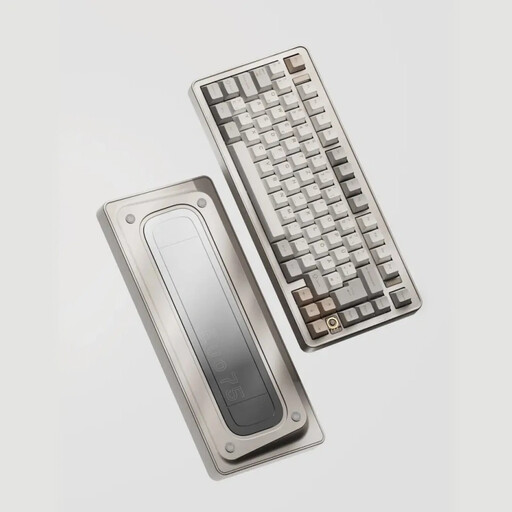
Why This Fits Their Persona: This model is designed for users who refuse to compromise. The 75% layout is ideal for programming and gaming, while the tri-mode wireless functionality ensures a clutter-free desk. Its premium build and customisability make it a durable investment for intensive daily use.
The Ticktype EVO75 features universal 3/5-pin hot-swap sockets, a fully anodised aluminium case, and is VIA compatible. This directly addresses all the previously mentioned pitfalls.
The Leaf Spring Mount provides a uniquely flexible and comfortable typing experience. The 8000mAh battery offers excellent battery life in wireless mode.
We have compiled a complete, real-time list of products that fully satisfy these strict selection criteria and UK safety regulations.
What is the advantage of a 75% layout compared to a TKL or 60%? A 75% layout is more compact than a TKL (Tenkeyless) because the navigation cluster (like Home, End, Page Up/Down) is arranged more compactly with less wasted space. Compared to a 60% layout, a 75% model retains the physical function key row (F1-F12) and the arrow keys, which are essential for many users for productivity and gaming.
How long does a wireless mechanical keyboard last on a full charge? Battery life varies greatly between models and depends on battery capacity, use of RGB lighting, and the connection method (2.4GHz typically consumes more power than Bluetooth). Models with a large battery, like the 8000mAh in the Ticktype EVO75, can last for weeks or even months on a single charge, especially if the lighting is dimmed or turned off.
Is it difficult to replace switches on a hot-swappable keyboard? No, it's designed to be simple. You only need a switch puller, which is often included. Make sure the keyboard is turned off and disconnected. Place the puller under the switch, squeeze, and pull the switch straight up. To insert a new switch, simply press it straight down into the socket until it clicks into place. It's a process that takes just a few minutes.
