
Vandaag of morgen in huis

Kwaliteit gegarandeerd

Welkomstaanbiedingen ontgrendelen: GRATIS bezorging | Tot 80% korting | Gratis 30 dagen JoyPlus-proefperiode
Download de app
A 65-inch professional display is a significant investment for your business, school, or retail store. The right screen can capture attention, convey information effectively, or enhance collaboration in a meeting room. But with the vast array of specifications and models, the choice can be complex. How do you know which model is right for your specific application?
This article serves as a practical guide. We will discuss the key considerations and highlight some popular choices for a 65-inch digital signage display, based on their specifications and intended use.
By the Joybuy Product Recommendation Officer, July 14, 2026
Before making a choice, it's helpful to consider a few technical specifications. These will determine whether a display is suitable for your situation.
A standard consumer television isn't built to be on all day. A 65-inch professional display often is. These screens are designed for prolonged use, such as 16 hours a day (16/7) or even continuously (24/7). A 24/7 display is equipped with components that can withstand long-term heat generation and continuous operation, which is essential for digital signage in retail stores, lobbies, or transportation hubs.
Consider how the screen will be used. Is it purely for displaying information, like advertisements or menus? In that case, a standard digital signage display will suffice. Do you need a corporate presentation screen for collaboration, note-taking, or operating applications? Then opt for a 4K interactive display with touchscreen functionality. A business touchscreen transforms a meeting or classroom into a dynamic, collaborative environment.
A 4K Ultra HD resolution (3840x2160 pixels) is now the standard for a sharp and detailed image, even up close. Just as important is the brightness, measured in candelas per square meter (cd/m?). A display for a meeting room typically only needs 350-400 cd/m?. For a storefront window or another brightly lit environment, a model with a brightness of 500 cd/m? or more is a better choice to remain visible.
Based on the criteria above, we have selected a few iiyama models that meet various business needs.
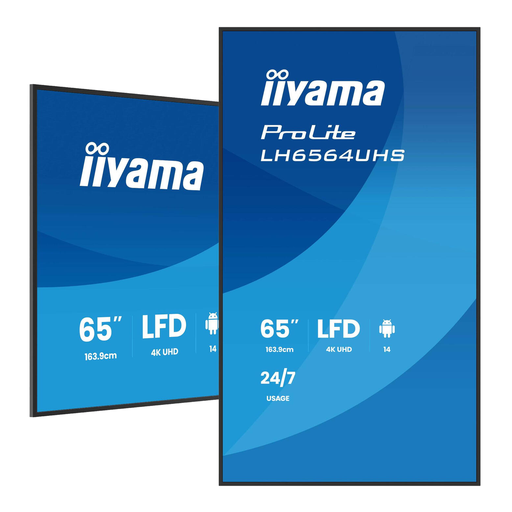
Why It Stands Out This model is a workhorse for digital signage. It is designed for 24/7 operation and has a high brightness of 500 cd/m?, ensuring content is clearly visible even in well-lit spaces. The built-in Android operating system allows you to install apps and play content directly without an external media player.
Pros
Who Is It For? This display is a solid choice for retail, hospitality, and corporate environments that need a reliable and bright digital signage display for continuously showing information, menus, or advertisements.
View the iiyama LH6564UHS-B1AG
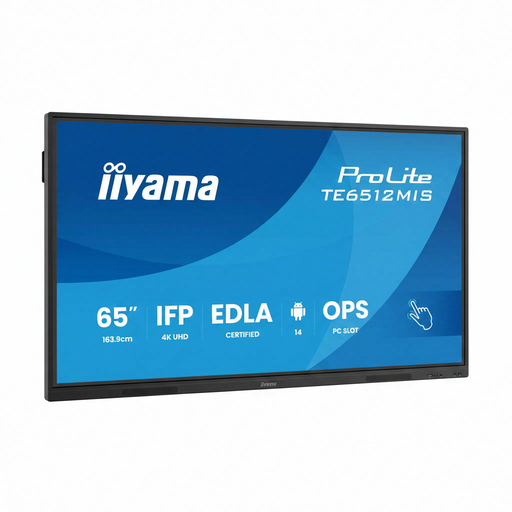
Why It Stands Out This model is a 4K interactive display that focuses on collaboration. Its PureTouch-IR technology ensures a precise and smooth touch experience. With built-in Wi-Fi 6, Android OS, and a USB-C port that delivers up to 65W Power Delivery, it's an all-in-one solution for modern meeting rooms and classrooms.
Pros
Who Is It For? Ideal for educational institutions and businesses looking for an interactive corporate presentation screen. It facilitates brainstorming sessions, interactive lessons, and video conferences.
View the iiyama TE6512MIS-B4AG
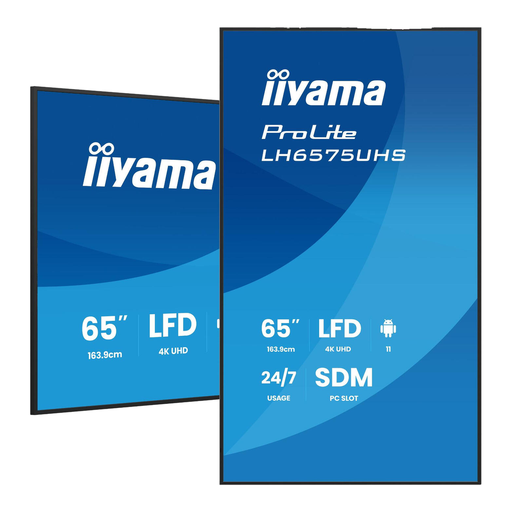
Why It Stands Out This iiyama 65-inch 4K display is built for maximum reliability in demanding environments. The FailOver function is a key feature: if the primary input source fails, the display automatically switches to the next available source. This minimises downtime. The Intel SDM slot allows for the integration of a PC module, ensuring a powerful and clean installation.
Pros
Who Is It For? This display is aimed at AV integrators and businesses with mission-critical applications, such as control rooms, airports, or large retail chains, where continuous and reliable display is a requirement.
View the iiyama LH6575UHS-B2AG
If a 65-inch screen isn't exactly what you're looking for, or if you want to compare other specifications, there are displays available in various sizes and with different functionalities, from compact screens for checkout counters to video walls for high impact.
View our full range of digital displays and find the right solution for your project.
A digital signage display is specifically built for business use. The main differences are the more robust construction for longer operating hours (often 16/7 or 24/7), higher brightness to stand out in commercial spaces, and a warranty that covers commercial use. They also often lack a TV tuner but feature advanced connectivity and management options.
Professional displays are designed for a longer lifespan than consumer TVs. The backlight's lifespan is often specified in tens of thousands of hours. A model rated for 24/7 use can function continuously for years under the right conditions.
Yes, most modern displays make this easy. Many models, like the iiyama screens mentioned above, run on an operating system such as Android. This allows you to install apps directly. According to iiyama, their iiSignage software lets you remotely create, schedule, and manage content on multiple screens simultaneously.
