
Vandaag of morgen in huis

Kwaliteit gegarandeerd

Welkomstaanbiedingen ontgrendelen: GRATIS bezorging | Tot 80% korting | Gratis 30 dagen JoyPlus-proefperiode
Download de app
Whether it's a presentation for work, your academic papers, or a collection of holiday photos you want to store and carry safely, a reliable 64GB USB stick is often the simplest solution. But the market is vast, and with different connectors, speeds, and materials, making the right choice isn't always easy.
As a Joybuy Product Recommendation Officer, I'm here to guide you. In this article, I'll provide practical tips and specific recommendations to help you find a memory stick 64GB that perfectly suits your needs.
Before you make a decision, there are a few specifications that make all the difference.
The most important question is: on which device will you be using the USB stick?
So, always check the ports on your devices. Some sticks even feature both connectors, making them extra versatile.
Speed determines how quickly you can transfer files. A USB 3.2 stick (full name: USB 3.2 Gen 1) is the current standard for high-speed data transfer. It's significantly faster than the older USB 2.0 standard. If you often transfer large files, like videos or entire photo albums, then a flash drive 64GB with USB 3.2 speed is a wise choice.
USB sticks come in all sorts of shapes and materials.
Based on specifications and use cases, we've highlighted a few popular choices for you.
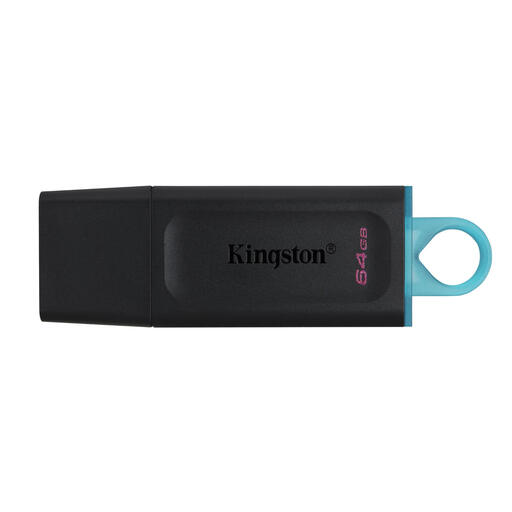
Why It Stands Out The Kingston Datatraveler Exodia is a practical all-rounder. It combines the speed of USB 3.2 Gen 1 with a simple, functional design, including a protective cap and a convenient loop for your keychain.
Advantages
Who Is It For? Ideal for students and home users looking for a reliable and affordable Kingston USB stick for everyday tasks like storing documents, music, and photos.
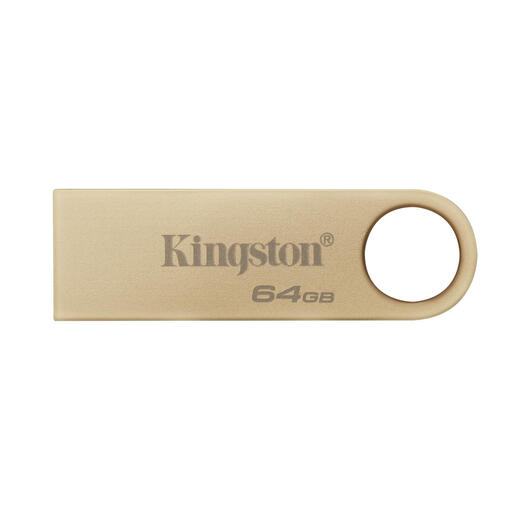
Why It Stands Out This metal USB stick combines a stylish, capless design with durability. According to Kingston, it delivers high speeds for those who frequently move large files.
Advantages
Who Is It For? A great choice for professionals and users who value both speed and a sturdy design that can withstand daily use. Perfect for a keychain.
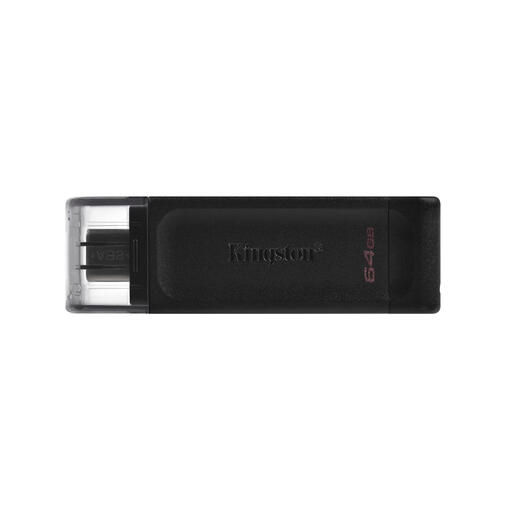
Why It Stands Out The DataTraveler 70 is specifically designed for the modern world of USB-C. It's lightweight, compact, and instantly compatible with the latest generation of laptops, tablets, and smartphones.
Advantages
Who Is It For? The perfect USB-C stick for anyone with a recent MacBook, ultrabook, tablet, or Android phone looking for a simple way to transfer files.
These three recommendations cover the most common scenarios, but perhaps you're looking for something a little different. Another capacity, a specific design, or a dual connector?
Check out our full range of USB drives for more options.
1. How much can a 64GB USB stick hold? A storage capacity of 64GB is quite spacious for everyday use. As a rough guide, you can store approximately:
2. What is the difference between USB 3.1 and USB 3.2? Technically, there's no difference between USB 3.2 Gen 1 and its older name, USB 3.1 Gen 1. It's primarily a name change. Both offer the same theoretical speed of 5 Gbps. If you see either of these terms, you know you're getting a stick with a modern, high-speed interface.
3. Is Kingston a good brand for USB sticks? Kingston is an established name in the memory storage market. The company is known for its wide range of products, from basic Kingston USB sticks for everyday use to high-speed models for professional applications. They offer options for various budgets and use cases.
