
Vandaag of morgen in huis

Kwaliteit gegarandeerd

Welkomstaanbiedingen ontgrendelen: GRATIS bezorging | Tot 80% korting | Gratis 30 dagen JoyPlus-proefperiode
Download de app
When you're looking for a professional digital signage screen, you want a display that communicates your message clearly, is reliable, and is worth the investment. However, the market is flooded with options that look good on paper but fall short in practice. Many businesses make costly mistakes by falling for marketing fluff or choosing the wrong specifications. This leads to screens that fail after a few months, are unreadable in your business space, or simply don't do what they promise.
As your Product Recommendation Officer at Joybuy, I'm here to help you make the right choices. We'll look at the most common pitfalls and the specifications that truly matter.
Before you make a decision, it's crucial to avoid the following common mistakes:
To avoid a bad purchase, focus on the following objective specifications. These determine the reliability and performance of your 55-inch business display.
A professional display always specifies its recommended duty cycle, for example, 16/7 (16 hours a day, 7 days a week) or 24/7. A 24/7 display is built with higher-grade components, superior cooling, and a more robust power supply to guarantee continuous operation. The warranty covers this type of use, giving you peace of mind and business continuity. Always choose a screen that matches your planned operational hours.
Brightness, measured in candelas per square meter (cd/m?), is crucial for visibility.
Additionally, look for an IPS panel for wide viewing angles, ensuring that colours and contrast remain consistent even when viewed from the side. A matte or anti-glare (AG) coating is indispensable for minimising distracting reflections.
A good 4K digital signage display offers more than just a beautiful resolution. Essential features include:
Based on these objective criteria, we have selected a few models that suit different business profiles.
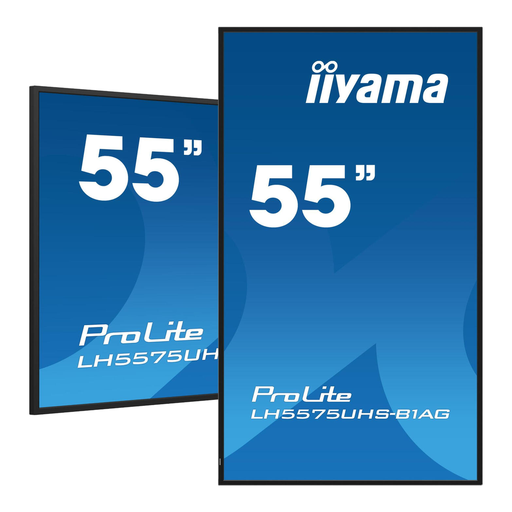
Why This Fits Their Persona: This 55-inch advertising screen is ideal for shops, restaurants, or offices that need a reliable and sharp display for menus, promotions, or corporate information. The size is perfect for most spaces, and its specifications are geared towards continuous performance.
This model is a true 24/7 display, not a consumer TV. Its 500 cd/m? brightness and anti-glare coating make it suitable for bright environments, and the Android OS is built for professional management.
The FailOver function ensures maximum uptime. The Intel SDM slot offers flexibility for future upgrades, protecting the investment.
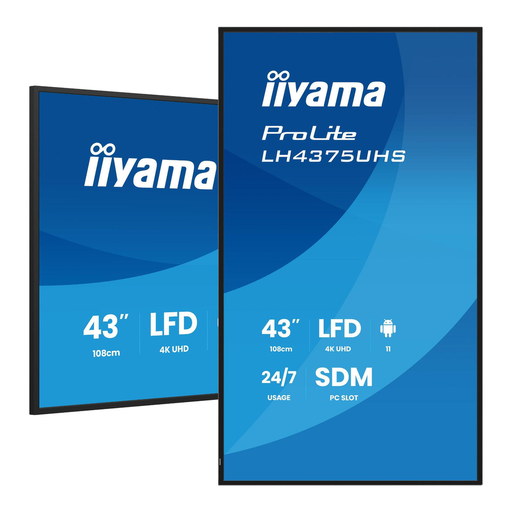
Why This Fits Their Persona: Perfect for smaller spaces like meeting rooms, lifts, or reception desks where a 55-inch screen would be too dominant. It offers the same professional look and reliability in a more compact size.
This model avoids the temptation to buy a cheap 43-inch consumer TV. It delivers 24/7 reliability, 4K resolution, and professional management features that are essential in a business environment.
Delivers all professional specifications, including 500 cd/m? brightness and an IPS panel, in a size that integrates seamlessly into smaller business spaces.
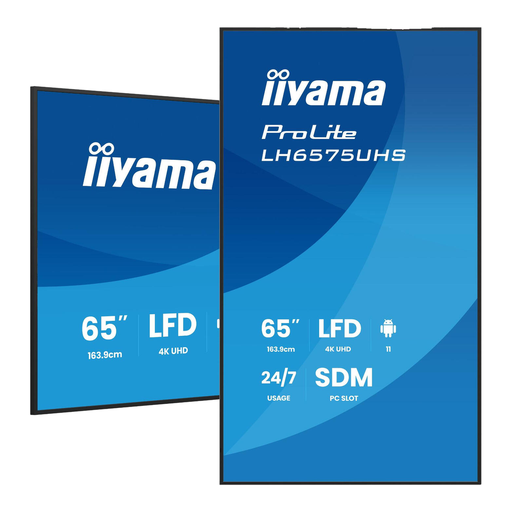
Why This Fits Their Persona: For businesses that want maximum visual impact in large lobbies, event spaces, or as a powerful window display. This large 65-inch display is guaranteed to attract attention.
Where a large consumer TV would suffer from reflections and overheating, this model provides the required 500 cd/m? brightness, an anti-glare coating, and 24/7-rated components needed for reliable performance in demanding environments.
Combines an impressively large size with professional reliability, including FailOver and a built-in Android OS for flexible content management.
Don't forget to secure your investment. For professional displays in public spaces, a solid lock is essential to prevent theft.
We have compiled a complete, up-to-date list of products that fully meet these strict selection criteria and relevant regulations.
A professional screen is designed for a lifespan of 50,000 hours or more under continuous 24/7 use, thanks to better cooling and more robust components. A consumer TV is built for only a few hours of use per day and will fail much more quickly under constant operation, often voiding the manufacturer's warranty.
Many modern displays, such as the iiyama LH5575UHS-B1AG, come with a built-in digital signage with Android operating system. This allows you to install content management apps directly. For more advanced management across a network of multiple screens, specialised digital signage software can be used, which is typically compatible with these professional displays.
For an indoor space without direct sunlight, 350-500 cd/m? is usually sufficient. For a brightly lit retail environment or a south-facing shop window, you should look for screens with 700 cd/m? or even higher. This is necessary to counteract reflections and ensure your content remains clearly visible.
