
Vandaag of morgen in huis

Kwaliteit gegarandeerd

Welkomstaanbiedingen ontgrendelen: GRATIS bezorging | Tot 80% korting | Gratis 30 dagen JoyPlus-proefperiode
Download de app
Buying a 512GB SSD might seem straightforward, but the options vary considerably. Internal SSDs, laptops, mini PCs and memory cards all use different connections and aren’t necessarily interchangeable. Marketing terms such as “super-fast” or “gaming-ready” can also give a misleading impression.
Look out for these three common pitfalls:
For a desktop PC or upgradeable laptop, an M.2 512GB SSD is often a practical choice. As well as checking the size, make sure you check the interface:
A PCIe 4.0 SSD won’t automatically run at full speed in a PCIe 3.0 system. So, check your laptop, desktop PC or motherboard manual before you order.
Manufacturers usually list maximum sequential speeds. These are measured under specific conditions and don’t tell you everything about everyday performance. For office work, start-up time, reliability and having enough memory are often more important than the difference between two high speed claims.
For gaming, loading times, thermal performance and the graphics card can matter more. A gaming laptop with a 512GB SSD may start quickly, but modern games can take up a lot of space. Check whether there’s a second SSD slot or whether you can expand the storage with an external drive.
512GB of storage is suitable for documents, photos, office software and a modest games library. If you store lots of 4K videos, large media files or several sizeable games, you may run out of space sooner.
When choosing a laptop or mini PC, check:
If you’re buying a standalone SSD, you’ll also need to consider installation, data migration and backing up your files. Always shut down your desktop PC or laptop completely before fitting internal components.
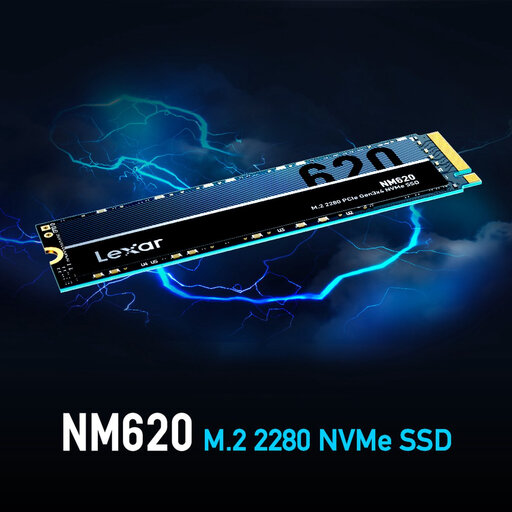
Why it suits this type of user: This internal NVMe SSD is designed for desktop PCs and laptops with a PCIe 3.0 x4 M.2 connection. Its specifications are clearly listed, making it easier to check compatibility with your device.
The interface, M.2 size and NVMe version are all specified. This reduces the risk of buying an SSD that isn’t compatible with your system.
512GB capacity, M.2 2280 form factor, PCIe Gen3x4 and quoted read and write speeds of up to 3.300 and 2.400 MB/s respectively.
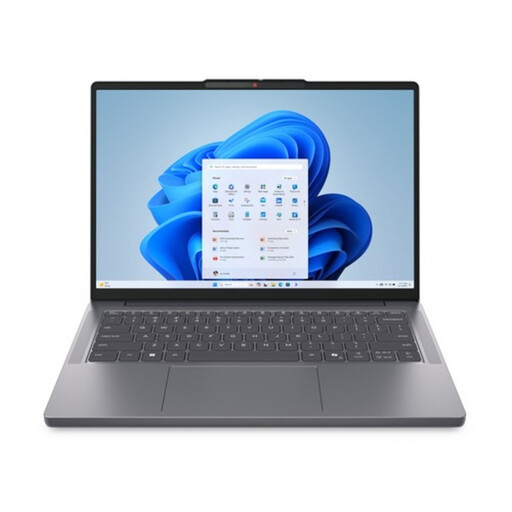
Why it suits this type of user: This business laptop combines 16GB DDR5 memory with a 512GB PCIe 4.0 NVMe SSD, a 16-inch WUXGA IPS screen and Windows 11 Pro. It’s well suited to working from home, business applications and multitasking.
The laptop has two M.2 2280 slots and supports up to 64GB DDR5. That gives you more room to upgrade than systems with fixed memory and just one storage slot.
PCIe 4.0 NVMe storage, upgradeable memory, Thunderbolt 4, HDMI 2.1 and a built-in SD card reader.
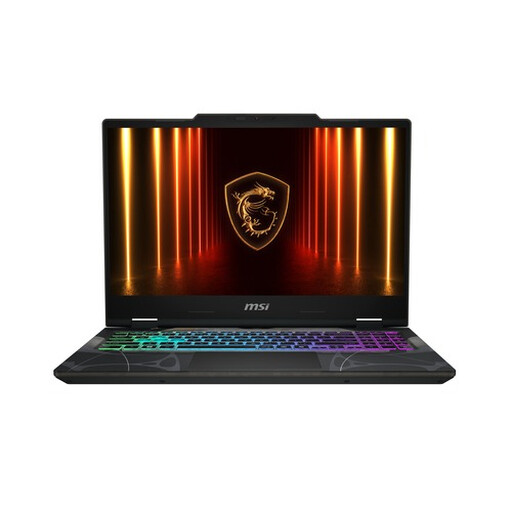
Why it suits this type of user: This gaming laptop combines 16GB DDR5, a 512GB PCIe Gen4 NVMe SSD and a GeForce RTX 5050 Laptop GPU with 8GB GDDR7 memory. Its 144Hz screen is designed for fast-paced games.
The storage interface, amount of RAM, screen refresh rate and graphics card are listed separately. This lets you assess the whole configuration, rather than focusing only on SSD speed.
144Hz Full HD screen, RTX 5050 with 8GB GDDR7, two RAM slots and PCIe Gen4 NVMe storage.
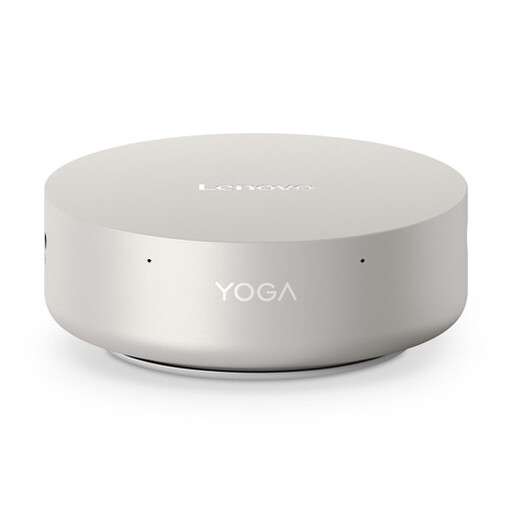
Why it suits this type of user: This mini PC has a chassis of around 0,65 litres, 16GB LPDDR5X memory and a 512GB PCIe 4.0 NVMe SSD. It’s a good fit for a compact home office with multiple screens.
The compact design comes with clear information about connections and screen support. Be sure to check in advance how much storage your work files will need.
0,65-litre form factor, Wi-Fi 7, 2,5Gb Ethernet, two Thunderbolt 4 ports and support for up to four screens.
We’ve put together a complete, up-to-date list of products that meet these strict selection criteria and current European safety regulations.
For office work, browsing the internet, studying and everyday use, 512GB is often enough. Bear in mind that less space will be available after installing Windows, macOS, programmes and updates. If you have lots of games, edit videos or keep a large photo library, it’s worth adding storage with a second SSD, external drive or memory card.
An internal 512GB SSD is a standalone component that you install in a compatible computer. A laptop with a 512GB SSD is already configured and also includes a processor, memory, screen, battery and operating system. A standalone SSD is a good option if you want to upgrade an existing computer; a complete laptop is more convenient if you want to get started straight away.
Its lifespan depends on the type of memory, how much data is written, temperature and usage conditions. Manufacturers may quote a TBW rating, which indicates how much data can be written to the drive according to their specifications. Always back up important files. An SSD is no substitute for a backup, whatever its capacity or quoted speed.
