
Vandaag of morgen in huis

Kwaliteit gegarandeerd

Welkomstaanbiedingen ontgrendelen: GRATIS bezorging | Tot 80% korting | Gratis 30 dagen JoyPlus-proefperiode
Download de app
A 4TB SSD gives you plenty of space for games, video projects, photo archives and demanding software. But a high storage capacity doesn’t automatically make it the right choice. An M.2 drive may physically fit without delivering the speed you need. And a modern PCIe 5.0 SSD could be an unnecessary expense if your motherboard only supports PCIe 4.0.
The main pitfalls are clear:
According to product specifications, a 4TB internal SSD with SATA III typically offers maximum speeds of around 560 MB/s for reading and 530 MB/s for writing. It’s a practical upgrade for older desktops and laptops with a 2.5-inch drive bay.
A 4TB NVMe SSD uses an M.2 connector and PCIe bus. Depending on the model, PCIe 4.0 drives can reach around 6,000 to 7,450 MB/s. A PCIe 5.0 SSD can offer read speeds of around 14,000 MB/s according to its quoted specifications, but it needs a compatible motherboard and often extra cooling.
A PCIe 5.0 drive won’t automatically run at PCIe 5.0 speeds in a PCIe 4.0 slot. It will usually work at a lower generation, but its final performance depends on your system.
M.2 2280 is a common form factor for desktops, many laptops and a 4TB PS5 SSD: it’s 22 millimetres wide and 80 millimetres long. Check the following before you buy:
A 2.5-inch SATA SSD, such as the Samsung 870 EVO 4TB, needs a SATA data cable and power connector. This model won’t fit in an M.2 slot.
As well as speed, look at TBW, which indicates the quoted number of terabytes that can be written to the SSD. It’s not a guarantee of a specific lifespan, but it is a useful comparison point for intensive use.
TLC NAND is widely used in SSDs for gaming, video editing and everyday professional use. Some models use QLC NAND. This can offer better value per gigabyte, but for large, sustained write operations, check the quoted performance and TBW.
A heatsink helps dissipate heat. For a PS5, a suitable M.2 heatsink is generally required if the SSD doesn’t already have one. If you’re using a PCIe 5.0 SSD with active cooling, make sure your PC case has enough space and airflow.
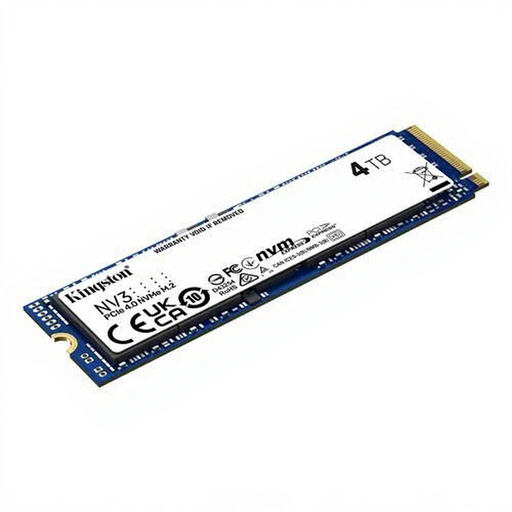
Why it suits this profile: This M.2 PCIe 4.0 SSD combines 4TB of storage with quoted speeds of up to 6,000 MB/s for reading and 5,000 MB/s for writing. It’s a good fit for an affordable upgrade to a compatible PC or laptop.
The interface, M.2 2280 form factor and NVMe support are clearly specified. Just check whether your system supports PCIe 4.0.
4TB capacity, PCIe 4.0 x4, 3D NAND and a compact height of 2.3 mm.
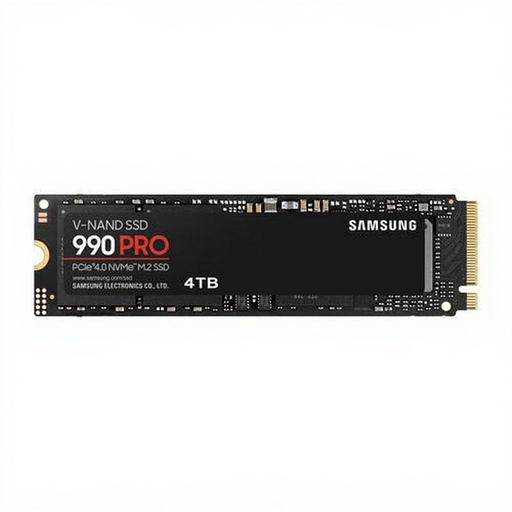
Why it suits this profile: This model is designed for users looking for generous PCIe 4.0 storage for gaming, video editing and demanding PC tasks.
The product specifications list PCIe 4.0 x4, NVMe, 4GB cache and 2.4PB TBW. Integrated temperature control helps manage heat, but good ventilation is still important.
Quoted read speeds of up to 7,450 MB/s, write speeds of up to 6,900 MB/s and hardware-based AES-256 encryption.
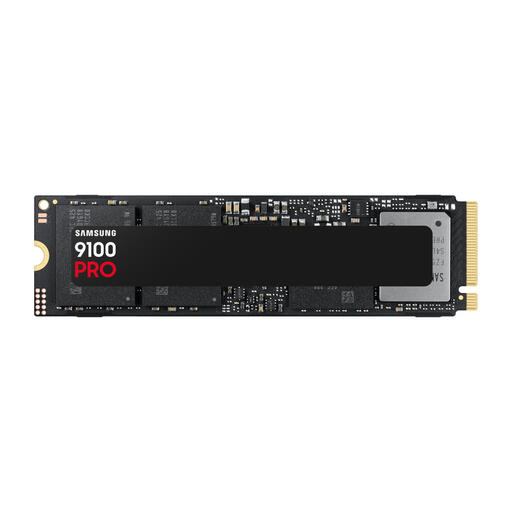
Why it suits this profile: This PCIe 5.0 SSD is designed for systems that support high transfer speeds and demanding workflows involving large files.
The quoted performance comes with higher power consumption and the need for a suitable PCIe 5.0 slot. Check your motherboard, BIOS and cooling before you buy.
According to the product specifications, speeds of up to 14,800 MB/s for reading, 13,400 MB/s for writing and 2,200K/2,600K IOPS.
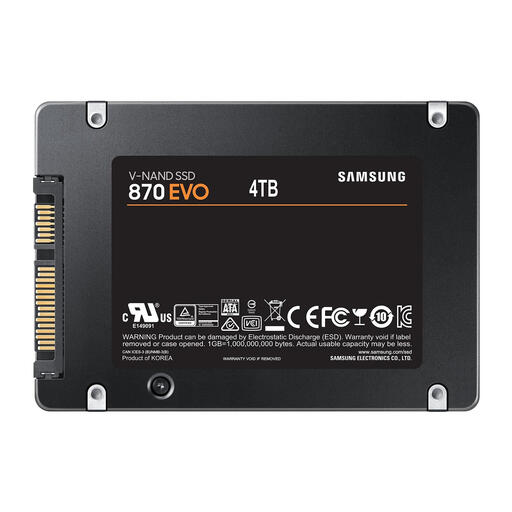
Why it suits this profile: This 2.5-inch SSD is suitable for systems without a spare M.2 slot but with a standard SATA connector.
The SATA III connector and 2.5-inch form factor make compatibility straightforward. Don’t expect NVMe drive speeds.
4TB of storage, quoted speeds of up to 560/530 MB/s and a TBW rating of 2,400 TB.
We’ve put together a complete, up-to-date list of products that meet these strict selection criteria and the applicable European safety regulations.
It can be, but check that the model is PS5-compatible, uses M.2 2280 and stays within the maximum dimensions when fitted with its heatsink. Some models, such as the Samsung 990 PRO with heatsink, are listed as PS5-compatible in their product specifications. Also check that your console has the required system software.
Lifespan depends on write workload, temperature, operating conditions and the type of NAND memory. Use the TBW rating as a point of comparison, but don’t treat it as an exact expiry date. Always back up important files; an SSD isn’t a substitute for a backup.
An NVMe SSD typically uses little power compared with other PC components. PCIe 5.0 models can produce more heat and use more energy than SATA or PCIe 4.0 models during sustained read and write operations. Good airflow and a suitable heatsink help keep performance stable.
