
Vandaag of morgen in huis

Kwaliteit gegarandeerd

Welkomstaanbiedingen ontgrendelen: GRATIS bezorging | Tot 80% korting | Gratis 30 dagen JoyPlus-proefperiode
Download de app
Buying a 4TB SSD may seem straightforward: choose a capacity, compare read speeds and install the drive in your PC. In practice, problems often arise because of the wrong connection, inadequate cooling or a product that won’t fit in your laptop or console. A fast 4TB SSD only offers an advantage if your system can make use of its speed.
For gamers, video editors, content creators and IT users, there are three main pitfalls to watch out for:
A 4TB NVMe SSD usually uses the M.2 2280 form factor and connects via PCIe. The generation partly determines the maximum transfer speed:
A PCIe 5.0 model can offer benefits in a compatible system when working with large video files, virtual machines and other lengthy transfers. For everyday gaming, the difference compared with a good PCIe 4.0 SSD won’t always be noticeable.
When choosing an internal 4TB SSD, check:
A PS5 SSD has additional requirements for size and cooling. A compatible M.2 model must be secured correctly and will generally need a suitable heatsink. The Samsung 990 PRO with heatsink and the Lexar NM790 4TB are listed as PS5-compatible in their product information. Also check Sony’s current requirements and the available space in your console.
Read speed matters when starting games and opening projects. Write speed is especially important for video editing, backups and moving large files. Also consider:
An external 4TB SSD is more practical if you want to take files between several devices. The Samsung T9 4TB lists USB 3.2 Gen 2x2 and transfer speeds of up to 2.000 MB/s. Check that your computer supports USB 3.2 Gen 2x2, though; otherwise, speeds will be lower.
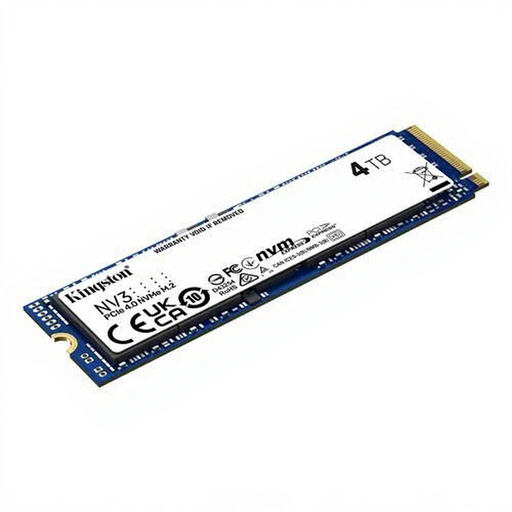
Why it suits this profile: This M.2 model combines 4TB of storage with PCIe 4.0 and is designed for PCs and laptops. It’s a practical choice if you need plenty of space without stepping down to a SATA drive.
The product information clearly states the M.2 2280 form factor, PCIe 4.0 and NVMe. Before buying, check that your device supports this slot.
4TB capacity, with read speeds of up to 6.000 MB/s and write speeds of up to 5.000 MB/s according to the product details.
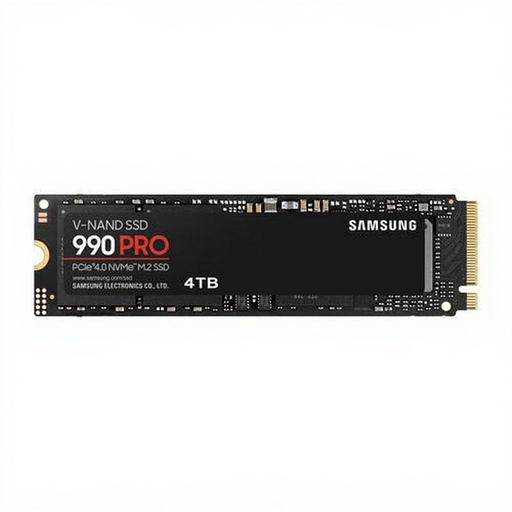
Why it suits this profile: This internal PCIe 4.0 SSD is designed for users who want to store large projects, games and applications on a single fast drive.
The version without a heatsink leaves room for your motherboard’s cooling solution; choose the heatsink version if your system requires one.
Read speeds of up to 7.450 MB/s, write speeds of up to 6.900 MB/s and 2.400 TBW according to the listed specifications.
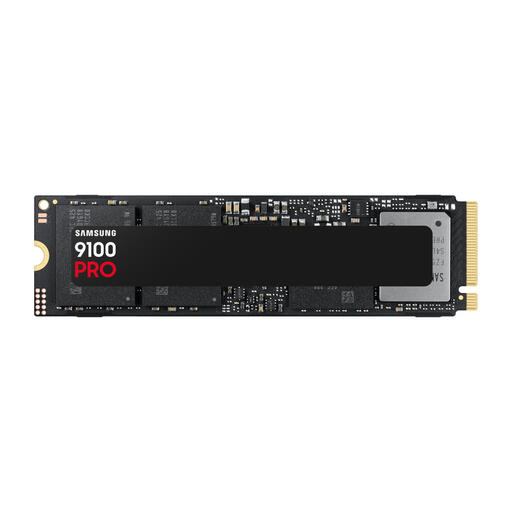
Why it suits this profile: This model is designed for systems with a PCIe 5.0 slot and users who regularly work with large files, such as 4K or 8K video projects.
The PCIe 5.0 connection is clearly stated, so you can check in advance whether your motherboard supports the required interface and cooling.
Read speeds of up to 14.800 MB/s and write speeds of up to 13.400 MB/s; check heat dissipation during extended use.
We’ve put together a complete, up-to-date list of products that meet these strict selection criteria and the applicable European safety regulations.
For many users, 4TB is enough for a mix of games, photos, video projects and programmes. Video editors with lots of source footage may need a second drive or a NAS. Always leave some capacity free to support system performance and manage your files.
No. Check the M.2 form factor, PCIe generation, dimensions and required heatsink. A product listing may state that an SSD is PS5-compatible, but you should also check the console’s official requirements and the physical space available in your model.
An internal SSD is installed directly in a PC, laptop or console and can offer higher transfer speeds via PCIe. An external 4TB SSD connects via USB and is easier to take with you. For both types, the actual speed depends on the device’s connection.
