
Vandaag of morgen in huis

Kwaliteit gegarandeerd

Welkomstaanbiedingen ontgrendelen: GRATIS bezorging | Tot 80% korting | Gratis 30 dagen JoyPlus-proefperiode
Download de app
A 4TB NVMe SSD gives you plenty of room for large games, video projects, photo libraries and work files. But storage capacity alone isn’t a reason to order straight away. The wrong interface, inadequate cooling or an unsuitable M.2 length could mean the SSD won’t fit or won’t perform as expected.
As a Joybuy Product Recommendation Officer, I check product information against verifiable specifications. So, keep an eye out for these three common pitfalls.
Manufacturers often list maximum sequential read and write speeds. According to the product specifications, these figures are measured under specific conditions. For everyday gaming, multitasking or opening small files, the difference between two SSDs may be smaller than the packaging suggests.
A PCIe 5.0 SSD is most useful if your PC has a compatible PCIe 5.0 M.2 slot and you regularly work with large files. In a PCIe 4.0 slot, a Gen5 model will generally be limited by that connection.
M.2 describes the form factor, not the speed. Check:
An M.2 SATA slot isn’t the same as a PCIe NVMe slot. Check your PC, laptop or motherboard manual.
A fast SSD can get hot during extended transfers. Some models have an integrated heatsink or active cooling, while others are designed to be slim enough for laptops. Check the TBW rating, firmware support and warranty terms too. The stated MTBF figure is a technical reliability indicator, not a guaranteed lifespan.
For many users, a PCIe 4.0 SSD offers a good balance of speed, compatibility and power consumption. According to their product specifications, models in this category can reach read speeds of around 6,000 to 7,450 MB/s.
A PCIe 5.0 SSD can reach considerably higher speeds according to its stated specifications, such as read speeds of 14,000 MB/s. However, you’ll need a compatible motherboard, up-to-date firmware and adequate cooling. In an older system, this type of SSD won’t automatically deliver a proportional performance boost.
A usable 4TB capacity is ideal for:
TLC and QLC memory have different characteristics when it comes to write endurance and price. So, don’t look at capacity alone. If you use the SSD intensively for video editing or daily data processing, check the stated TBW rating too.
An SSD with a heatsink can help dissipate heat, but it needs to fit physically. In a desktop PC, the heatsink may sit beneath a motherboard cover. In a laptop, a slim model is usually essential. For a 4TB PS5 SSD, the drive must meet the required dimensions, and its total height with the heatsink must fit within the available space. Check the official PS5 installation instructions and product specifications before buying.
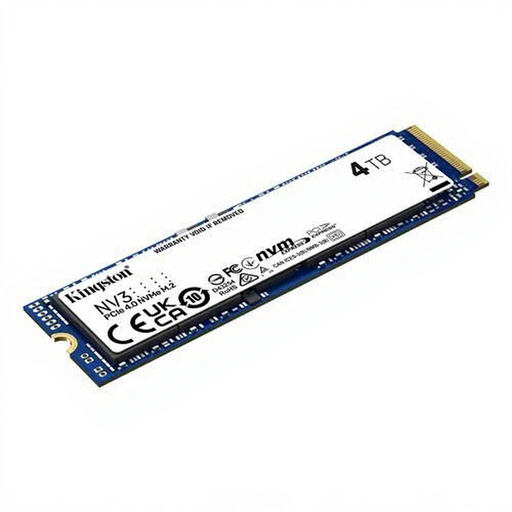
Why it suits this profile: This model combines 4TB of storage with PCIe 4.0 in a slim M.2 2280 form factor. Kingston states that the SSD reaches read speeds of up to 6,000 MB/s and write speeds of up to 5,000 MB/s.
The interface, dimensions and maximum speeds are clearly stated. Just check that your system supports PCIe 4.0.
4TB, M.2 2280, PCIe 4.0, 3D NAND and a stated MTBF of 2,000,000 hours.
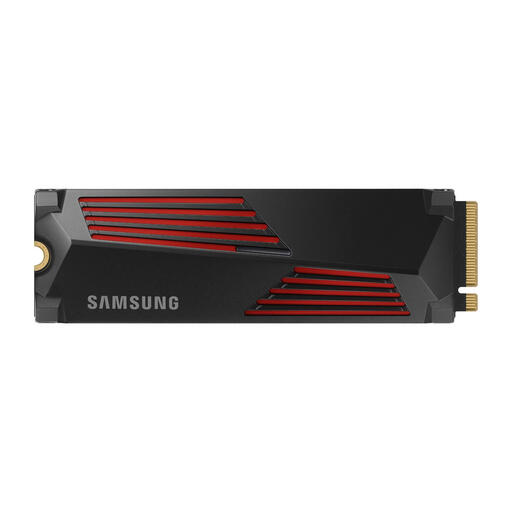
Why it suits this profile: This internal 4TB SSD combines PCIe 4.0 with an integrated heatsink. Samsung states that it reaches read speeds of up to 7,450 MB/s and write speeds of up to 6,900 MB/s, and lists it as compatible with the PS5 and systems that meet the required PCI-SIG D8 dimensions.
The heatsink means you don’t need to choose a separate cooling solution. Check the available space in your PC, laptop or console first.
4TB capacity, integrated heatsink, PCIe 4.0 and Samsung Magician software for firmware updates and drive management.
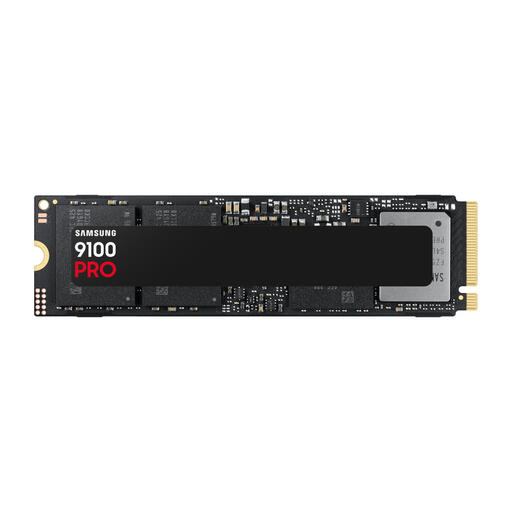
Why it suits this profile: This model is designed for PCIe 5.0 systems and users who work with large files, video projects or demanding applications. Samsung states that it reaches read speeds of up to 14,800 MB/s and write speeds of up to 13,400 MB/s.
The high Gen5 specifications make the interface clear, so you can check in advance whether your motherboard supports this bandwidth.
PCIe 5.0 x4, 4TB of storage, 4GB cache and stated random performance of up to 2,200K/2,600K IOPS.
We’ve put together a complete, up-to-date list of products that meet these strict selection criteria and the applicable European safety regulations.
It depends on the available connection and space. Check whether your laptop supports an M.2 2280 NVMe slot. A model with a large heatsink won’t always fit in a slim laptop. Also check its power consumption and the maximum length specified by the manufacturer.
No. Check the dimensions, PCIe interface and recommended read speed. A 4TB PS5 SSD will generally need a suitable heatsink. If your SSD doesn’t have one, you’ll need to fit a compatible model separately. Also check that the total height is within the PS5 specifications.
Its lifespan depends on write load, temperature and conditions of use. Check the stated TBW rating, MTBF and warranty terms. Back up your data regularly: an SSD is ideal for fast storage, but it isn’t a replacement for a backup strategy.
