
Vandaag of morgen in huis

Kwaliteit gegarandeerd

Welkomstaanbiedingen ontgrendelen: GRATIS bezorging | Tot 80% korting | Gratis 30 dagen JoyPlus-proefperiode
Download de app
A 4TB NVMe SSD gives you space for large games, video projects, photo archives and professional files. But more storage doesn’t automatically make it the right choice. An M.2 drive may physically fit, yet still run too hot, fail to reach its advertised speeds or prove unsuitable for your laptop or PlayStation 5.
So watch out for these three common pitfalls:
An NVMe SSD for a PC or NVMe SSD for a laptop uses the PCI Express protocol for fast data transfer. Advertised sequential speeds for a PCIe 4.0 SSD are often around 5,000 to 7,500 MB/s. According to their product specifications, PCIe 5.0 models can quote considerably higher figures.
However, your motherboard or laptop connection determines the practical upper limit. A PCIe 5.0 SSD will still work in a PCIe 4.0 slot, but it won’t run at the maximum Gen5 speed. Also check that the slot supports four PCIe lanes: PCIe 4.0 x4 or PCIe 5.0 x4.
M.2 2280 means the SSD is around 22 millimetres wide and 80 millimetres long. This is a common size for desktops and many laptops, but not every device has the same clearance or mounting points.
A built-in heatsink can help during lengthy transfers, gaming and video editing. In a laptop, however, a heatsink may be too thick. For a PlayStation 5, you should also check the maximum thickness of the SSD, including its heatsink, against the current requirements from Sony and the SSD manufacturer.
In practice, an internal 4TB SSD offers slightly less usable space than its stated capacity, as some space is used for formatting and system management. Also check TBW, which is the stated number of terabytes that can be written to the drive. This is a product specification, not a guarantee that an SSD will fail as soon as it reaches that figure.
4TB is plenty for everyday gaming and office work. For a video editing SSD, 3D rendering or large datasets, write speeds, cache and heat dissipation also matter. A high maximum speed on the packaging doesn’t always tell you how the drive will perform during sustained transfers once the cache is full.
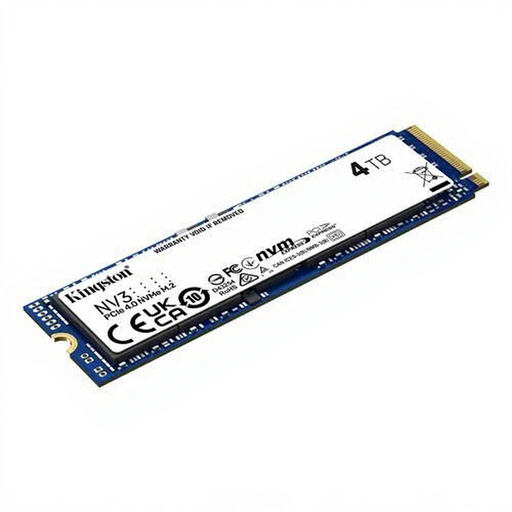
Why it suits this user: This 4TB M.2 SSD is designed for PC and laptop users who want plenty of storage without switching to an older SATA drive. According to the product information, it uses PCIe 4.0 and offers maximum read speeds of 6,000 MB/s and write speeds of 5,000 MB/s.
The product clearly states its M.2 2280 size, PCIe 4.0 interface and maximum speeds. Just check first that your device supports this connection.
4TB capacity, PCIe 4.0, 3D NAND and a stated MTBF of 2,000,000 hours.
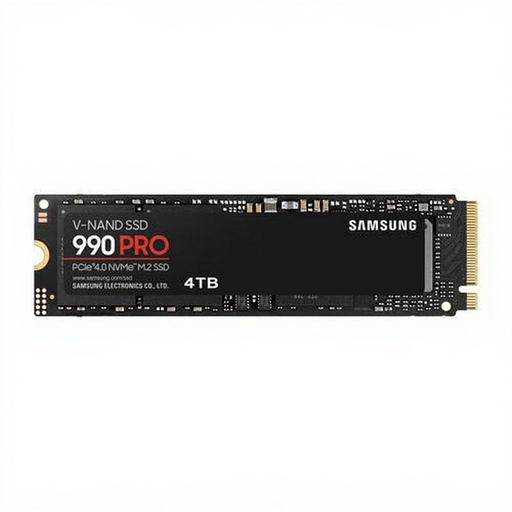
Why it suits this user: This Samsung 990 PRO 4TB is designed for users seeking high PCIe 4.0 performance for gaming, video editing and other demanding applications.
The product information mentions temperature control and support for Samsung Magician. This helps you check the firmware, temperature and drive status.
Maximum read speeds of 7.450 MB/s, write speeds of 6.900 MB/s and a stated TBW of 2,4 PB.
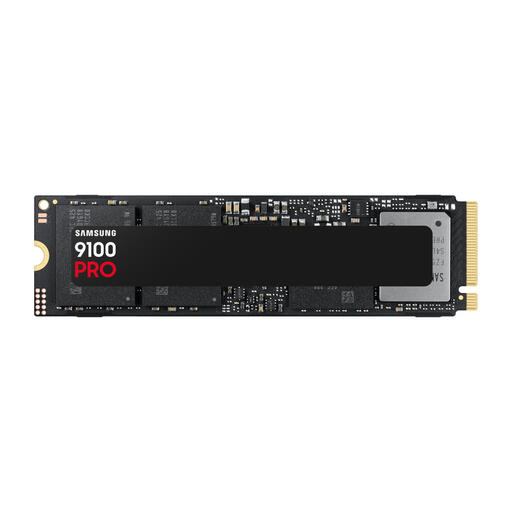
Why it suits this user: This model is designed for systems with a PCIe 5.0 x4 slot and demanding tasks such as large video projects, 3D files and intensive gaming.
Choosing PCIe 5.0 only makes sense if your motherboard, cooling and processor support it. That way, you won’t pay for speed your system can’t make use of.
According to the product information, maximum read speeds of 14.800 MB/s, write speeds of 13.400 MB/s and 2,4 PB TBW.
We’ve put together a full, up-to-date list of products that meet these strict selection criteria and current European safety requirements.
That depends on the available connection and space. Check whether your laptop has a spare M.2 2280 slot with NVMe support. On slim laptops, the thickness of the SSD or an included heatsink may be a problem. Check your laptop’s manual before ordering.
According to the product information, some models are suitable for the PS5, but always check the required read speed, dimensions and heatsink. A standalone M.2 SSD without suitable heat dissipation may be less practical for extended gaming sessions. Follow Sony’s official instructions when installing it.
Its lifespan depends on write activity, temperature, firmware and usage conditions. Check the stated TBW rating, but treat it as a technical classification rather than an exact prediction. Regularly back up important files, even when your SSD is new.
