
Vandaag of morgen in huis

Kwaliteit gegarandeerd

Welkomstaanbiedingen ontgrendelen: GRATIS bezorging | Tot 80% korting | Gratis 30 dagen JoyPlus-proefperiode
Download de app
A 4TB NVMe SSD gives you room for large game libraries, 4K video projects, 3D files and backups. But capacity is only one part of the buying decision. An SSD rated at 14,000 MB/s on paper won’t necessarily run at that speed in every PC or laptop.
Look out for these three common pitfalls:
A PCIe 4.0 SSD is a practical choice for many gaming PCs, laptops and workstations. According to the product information, models such as the Samsung 990 PRO 4TB and Crucial T500 4TB offer sequential read and write speeds of around 7,000 MB/s.
A PCIe 5.0 SSD can achieve considerably higher transfer speeds according to its stated specifications. The Lexar NM990 4TB is listed with read speeds of up to 14,000 MB/s and write speeds of 11,000 MB/s. The Samsung 9100 PRO 4TB is rated for read speeds of up to 14,800 MB/s and write speeds of 13,400 MB/s. You’ll need a compatible PCIe 5.0 x4 slot and adequate cooling to make the most of it.
If you use the SSD in a PCIe 3.0 or PCIe 4.0 system, you may be paying for speed your computer can’t fully use.
Most internal SSDs in this category are M.2 2280 SSDs: 22 millimetres wide and 80 millimetres long. Check that this size is supported in your motherboard, laptop or console manual.
A built-in heatsink can be useful under sustained workloads, but it takes up extra space. For a PS5, the total height must stay within Sony’s specifications. An SSD without a heatsink may therefore offer more flexibility, as long as you can fit a suitable heatsink.
High speeds can generate more heat. With a fast NVMe SSD, a motherboard heatsink or separate M.2 cooler is often a good idea, especially for PCIe 5.0 models. According to the product information, the Lexar NM1090 PRO uses an active cooling system. This requires enough airflow and space inside the case.
Also check the TBW, or Total Bytes Written. This is an estimated write endurance figure, not a guarantee that an SSD will stop working once it reaches that value. TBW is more relevant for video editing, virtual machines and large project files than for everyday gaming.
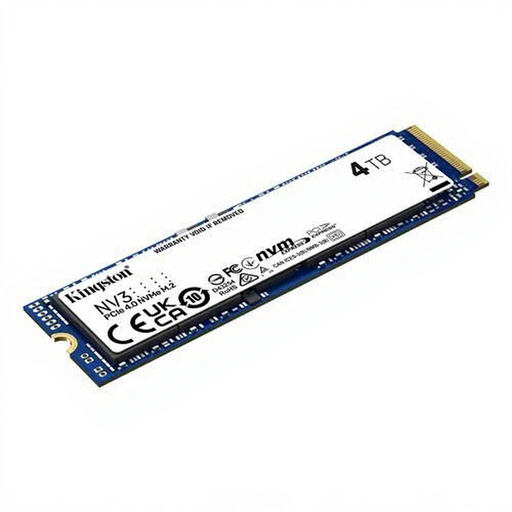
Why it suits this profile: A straightforward choice if you want plenty of storage for a PC or laptop without moving straight to PCIe 5.0. According to the product information, this model offers PCIe 4.0, read speeds of 6,000 MB/s and write speeds of 5,000 MB/s.
The M.2 2280 form factor and PCIe 4.0 interface are clearly listed. Check that your motherboard supports a 4TB NVMe drive.
4TB capacity, compact size and a stated MTBF of 2,000,000 hours.
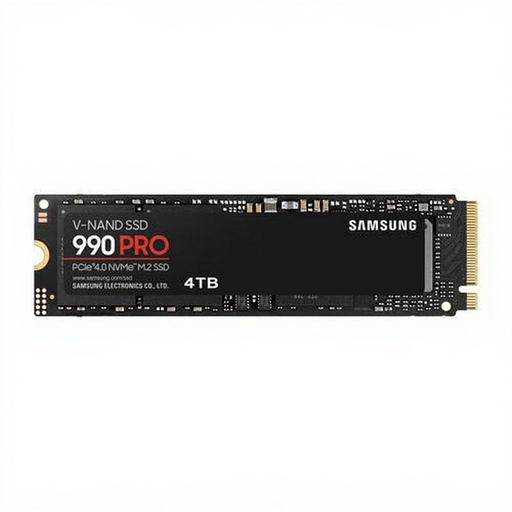
Why it suits this profile: A good fit for gaming, video editing and everyday professional use. The product information lists PCIe 4.0 x4, read speeds of 7,450 MB/s and write speeds of 6,900 MB/s.
Its built-in temperature control and stated TBW of 2.4 PB tell you more than a speed claim alone.
4TB of storage, TLC memory and support for Samsung Magician, according to the product description.
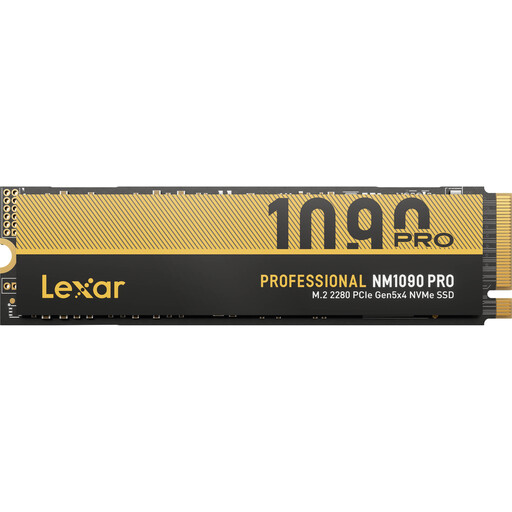
Why it suits this profile: Designed for users who write large files, such as video editors, content creators and 3D artists. The specifications list PCIe 5.0 x4, read speeds of 14,000 MB/s and write speeds of 13,000 MB/s.
The active cooling system is clearly stated. Make sure there’s enough room and ventilation: high speed doesn’t replace effective heat dissipation.
2GB cache, 2.8 PB TBW and high stated random performance, according to the specifications.
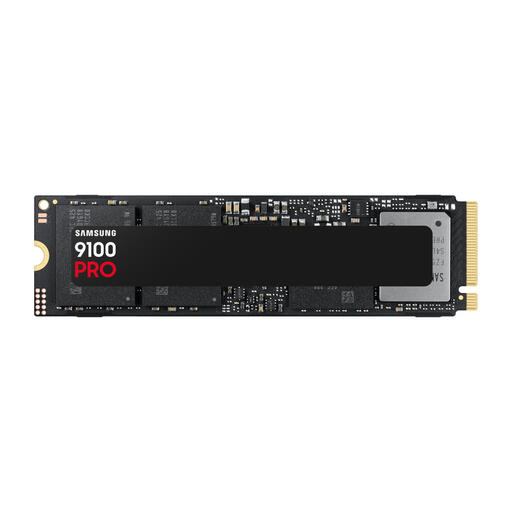
Why it suits this profile: A PCIe 5.0 SSD for a modern desktop handling demanding gaming, rendering or data workloads. Its stated speeds are 14,800 MB/s for reading and 13,400 MB/s for writing.
The interface and speed are clearly specified. Check in advance that your motherboard supports PCIe 5.0 x4 and the drive’s physical dimensions.
4GB cache, PCIe 5.0 x4 and a stated TBW of 2.4 PB.
We’ve put together a complete, up-to-date list of products that meet these strict selection criteria and the current European safety regulations.
That depends on the available connection, the drive’s size and what the laptop supports. Check that the laptop has an M.2 2280 NVMe slot and that the SSD’s thickness will fit. PCIe 4.0 models are often more practical for laptops than active PCIe 5.0 models, which can require more cooling and power.
A 4TB PS5 SSD must meet the requirements for M.2 NVMe storage, including suitable dimensions and heat dissipation. Some models are listed as PS5-compatible in the product information, but always check Sony’s current requirements. A heatsink is generally necessary. If your SSD doesn’t have one, you’ll need to fit a suitable model separately.
Lifespan depends on the amount of data written, temperature, model and usage. As well as the warranty, check the stated TBW rating and leave enough free space. Keep important files backed up externally or in the cloud: no internal SSD can replace a backup.
