A colour-focused 4K screen is a better fit if you assess tulip colours for print. A 21:9 ultrawide gives you more horizontal space for your panorama and tool panels. For a shared workstation, you’ll also need to check the video, USB and power connections for each computer: extra screen width won’t handle switching between them.
Who will find this monitor comparison useful?
Illustrator preparing work for print
You assess subtle differences between tulip colours before the panorama is printed. Colour space, calibration and your print workflow all help determine which monitor is right for your work. Adobe highlights how calibration, ambient light and paper can all affect printed colours.
Panorama illustrator
You want to see the wide composition and your tool panels at the same time. So look at horizontal resolution, screen aspect ratio and the space available on your desk.
Shared workstation user
You switch between computers or users and want to connect your display, USB peripherals and, if needed, laptop power conveniently. Check the connections for each computer separately.
What should you look for when choosing?
First decide whether print work or the wide composition is your priority. Then check that the monitor and its connections will work with the computers at your shared workstation.
| Key consideration |
What should you check? |
Who should prioritise this? |
| Colour for the intended output |
Match the required colour space to your print workflow and check the calibration process offered by the exact model. |
If you assess tulip colours for print, colour space and calibration matter more than extra screen width. Around 31% of consumers give colour accuracy the highest priority. |
| Horizontal workspace |
Compare 16:9 with 21:9, measure the width of your desk and check that your computer can handle the chosen resolution through the connection you plan to use. |
If you want to keep the panorama composition alongside your tool panels, horizontal space is crucial. Also measure up to make sure a larger, possibly curved screen will fit. Around 25% of consumers prioritise space for panoramas. |
| Switching between computers |
Check the video and USB connections for each computer. If you’re using a laptop, make sure the available power through the chosen connection is sufficient. |
If you switch between computers at one workstation and want to use the same peripherals, also check the monitor’s switching mode. Around 31% of consumers give switching between computers the highest priority. |
| Position and desk space |
Check how adjustable the monitor is and measure the available space, particularly if you’re considering a screen of around 40 inches. |
If you share the screen with others for long periods, an adjustable position may matter more than extra colour space or width. Around 13% of consumers prioritise their workstation setup. |
Common buying pitfalls
-
Assuming a wide colour space guarantees a good match in print
A stated colour space alone can’t predict how colours will look on paper. Adobe also points to the role of calibration, ambient light and paper.
First map out your output workflow and profile the screen before relying on it for final colour decisions.
This workflow may require a calibration device, as well as time to manage screen and output profiles.
-
Choosing an ultrawide without checking shared connections
Horizontal resolution and KVM switching are different features. For example, Dell describes USB KVM switching on the U4025QW in PBP/PIP mode.
Before buying, map out the connections for both computers, the monitor and your peripherals.
If the screen doesn’t support your preferred setup, you may need extra cables or a separate USB switch.
-
Confusing a product warranty with your statutory rights
An additional product warranty doesn’t replace your statutory rights to a product that is fit for purpose. If there’s a fault, contact the retailer about your statutory guarantee.
Keep your proof of purchase and check what additional rights an extended warranty actually provides.
Brands and models to compare
BenQ
The Creative Pro PD3225U is a 31.5-inch 4K monitor with colour modes and features for a shared workstation.
- BenQ lists 98% P3 coverage, a KVM switch and Thunderbolt 3 with 85 W power delivery.
- The screen has a 16:9 aspect ratio; P3 coverage alone doesn’t indicate Adobe RGB coverage.
EIZO
The ColorEdge CS2740 is a 26.9-inch 4K model for colour-focused illustration or print workflows.
- EIZO lists hardware calibration and more than 99% Adobe RGB coverage.
- Its 16:9 aspect ratio offers less horizontal space than the 21:9 models mentioned; the benefits of its colour space depend on your output workflow.
Dell
The UltraSharp U4025QW is a curved 21:9 hub monitor of around 40 inches, designed for a wide panorama and connected computers.
- Dell lists 5120 × 2160 pixels, USB KVM in PBP/PIP mode and Thunderbolt 4 power delivery of up to 140 W for compatible laptops.
- Measure your available space and check that the connections and mode you need will work with your setup.
ASUS
The ProArt PA279CRV is a 27-inch 4K model with USB-C connectivity.
- ASUS lists 99% Adobe RGB, 99% DCI-P3 and 96 W USB-C power delivery.
- The listed specifications don’t confirm a built-in KVM or the same hardware calibration workflow as the EIZO CS2740.
LG
The UltraWide 40WP95CP-W is a curved 39.7-inch 21:9 model that gives you extra horizontal space for illustration work.
- LG lists 5120 × 2160 pixels, Thunderbolt 4 and a typical DCI-P3 value of 98%.
- The stated P3 value doesn’t confirm Adobe RGB coverage.
Monitors at Joybuy
This selection includes 4K monitors for detailed illustration work. For shared use, check the switching features and connections for both computers on each model.
 No image available
MSI Modern MD272UPHG
An option to compare if you combine detailed illustration work with a shared computer setup. Check that the connections and switching features will work with both computers.
The product name lists a 27-inch screen and 3840 × 2160 pixels (4K UHD).
View at Joybuy
 No image available
LG UltraFine 27U711B-B
A good fit if you’re looking for a 4K screen for detailed illustration work and don’t need a 21:9 format.
The product name lists a 27-inch 4K IPS screen; the product information specifies 3840 × 2160 pixels and a 16:9 aspect ratio.
View at Joybuy
 No image available
Dell UltraSharp U3226Q
An option for detailed visual work. If you’re using it with multiple computers, check whether the stated Auto-KVM feature suits your setup.
The product name lists a 32-inch screen, 4K UHD, 120 Hz and QD-OLED.
View at Joybuy
 No image available
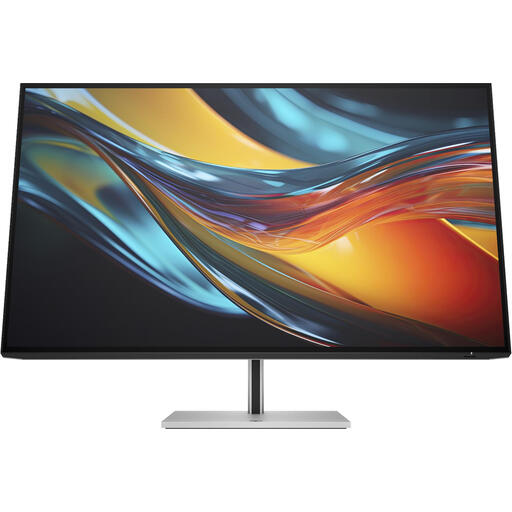
HP Series 7 Pro 732pk
A 4K option to compare for illustration work at a shared workstation. Check that the connections will work with the computers you’ll be using.
The product name lists a 31.5-inch 4K Thunderbolt 4 monitor. According to the product information, a charger isn’t included as standard.
View at Joybuy
 No image available
BenQ PD3225U
An option if you combine detailed illustration work with switching between computers at one workstation. Check that the connections and stated KVM feature will work with both computers.
The product name lists a 32-inch screen and 3840 × 2160 pixels (4K UHD).
View at Joybuy
Frequently asked questions
Should I calibrate a screen for this illustration?
If you use the screen to assess print colours, Adobe recommends calibration and profiling. Ambient light and paper also affect how closely the print matches the screen; a wide colour gamut alone isn’t enough.
Can I use two computers with one keyboard and mouse?
That depends on the exact model and cabling. BenQ lists a KVM switch for the PD3225U; Dell describes USB KVM switching for the U4025QW in PBP/PIP mode. Check the video and USB connections needed for both computers.
Is an energy label relevant for a monitor in the Netherlands?
EU rules for electronic displays include energy labelling and product information for monitors, with exceptions for certain screen categories. Delegated Regulation (EU) 2019/2013 contains the relevant labelling rules. Compare the product information for the models you’re considering; the regulation doesn’t set a general minimum energy class for buyers.
What are my rights when I buy a monitor online?
For an applicable online consumer purchase, the Dutch government generally provides a 14-day cooling-off period, with some exceptions. You also have statutory rights if a product doesn’t perform as you could reasonably expect under normal use; the retailer is your point of contact. Check whether you’re buying as a consumer or on behalf of a business.


