
Project reviewer who works with multiple windows
Wants to view a design alongside project documents or work panels on the same screen, so usable screen space is a priority.


A 31.5-inch 4K monitor is a good choice for assessing fine drawing details and documents on one screen. If you mainly want to view project windows side by side, consider a 34-inch ultrawide model instead. Manufacturers list different resolutions and colour specifications for the models mentioned. You should also check the colour requirements of your work, the space available on your desk, and your computer’s connectivity and text scaling.
Wants to view a design alongside project documents or work panels on the same screen, so usable screen space is a priority.
Needs to inspect fine details in designs or CAD drawings, and compares resolution, screen size and readability.
Compares images where colour settings matter and wants to match the monitor’s colour space to the intended output.
Choose this option: if you want to assess fine details in drawings or documents while also using work panels.
Bear in mind: text scaling and the physical screen size in your workspace.
Choose this option: if you mainly want to keep a project overview and documents side by side.
Bear in mind: the desk width required and the lower vertical resolution of the LG model reviewed compared with the 4K models reviewed.
| What to consider | What should you check? | Who is this important for? |
|---|---|---|
| Viewing projects and documents | Compare 21:9 and 16:9, the stated resolution and the desk space available. | If I want to view project windows alongside documents without a second screen, I prioritise horizontal space; around 29% of consumers put this kind of overview first. |
| Reading fine drawing details | Compare the native resolution, screen diagonal and text scaling on your computer. | If I need to inspect small details in drawings, I focus on resolution and readability; around 24% of consumers give detail review the highest priority. |
| Assessing colour in visualisations | Identify the colour space of your material and check the colour mode and calibration details for the exact model. | If I assess visualisations for a specific output, I want to match the monitor settings to it; around 18% of consumers put colour assessment first. |
| Connectivity and workspace | Check video output, USB-C DisplayPort Alt Mode if needed, power delivery, the cables required and adjustability. | If I want to connect the monitor to my laptop and workspace, I check video, power and setup in advance; around 17% of consumers prioritise practical connectivity and positioning. |
| Energy use and product lifespan | Compare the EU energy label and product information sheet for the exact model; consider product lifespan and warranty separately. | If I also take energy use and product lifespan into account, I want to consider those aspects separately; around 12% of consumers put them first. |
The 34-inch LG reviewed has 3440 × 1440 pixels; the 31.5-inch 4K models reviewed have 3840 × 2160 pixels. A larger screen diagonal does not automatically mean more pixels.
Compare the screen diagonal and both the horizontal and vertical resolution with the details you want to assess.
A USB-C port on a monitor does not, by itself, confirm that its video output and power delivery are suitable for your laptop.
Check video support, the power delivery required and the right cable for your exact devices.
BenQ and ASUS list colour coverage and calibration details for specific models. These specifications do not prove that colours will match a print or another screen without suitable colour management.
First establish the colour space of your material, then check that the settings on your chosen model are suitable.
The European Commission uses an A to G energy label scale for electronic displays. The rating alone does not tell you everything about product lifespan or warranty.
Check the label and product information sheet for the exact model, and assess the warranty terms separately.
The DesignVue PD3205U is a 31.5-inch 4K model worth considering if you need detail, colour settings and USB-C on one screen.
The UltraWide 34U650A-B is a 34-inch ultrawide model for anyone who wants to view windows side by side.
The ProArt PA329CRV is a 31.5-inch 4K model to consider if colour coverage and an adjustable stand matter to you.
The FlexScan EV3240X is a 31.5-inch 4K model with USB-C docking as a key feature.
According to Dell, the UltraSharp U3225QE combines a 31.5-inch 4K screen with an integrated hub.
These Joybuy products suit the choice between 4K detail, colour assessment and extra horizontal space for project windows.
 No image available
Suited to anyone who wants to assess fine details on one screen; the product title specifies a 27-inch 4K screen.
27 inches; 3840 × 2160 pixels; 4K Ultra HD.
 No image available
Suited to anyone who wants to view drawing details on one screen; BenQ also lists colour modes for design work on this model.
31.5 inches; 3840 × 2160 pixels; 4K Ultra HD.
 No image available
Suited to anyone who wants to view fine design details on one screen; the product title specifies 4K resolution.
31.5 inches; 3840 × 2160 pixels; 4K Ultra HD.
 No image available
Suited to anyone who wants to view project windows side by side; the product title specifies a curved WQHD monitor with a USB-C hub.
34.1 inches; WQHD; webcam; 100 Hz; 90 W Power Delivery.
 No image available
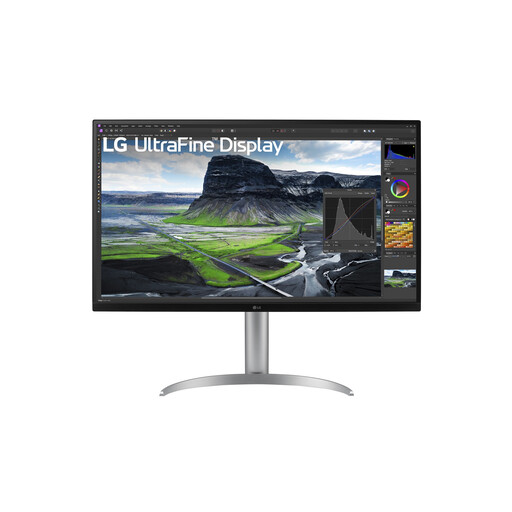
Suited to anyone who wants to keep project overviews and documents side by side; for detailed work, bear in mind its lower vertical resolution compared with the 4K option described.
34 inches; ultrawide.
No. The 4K models reviewed have more vertical pixels, while the 34-inch LG reviewed, with its 21:9 aspect ratio, offers extra horizontal space. Choose based on what you most often want to see at the same time, and check that the screen dimensions suit your workspace.
Only if your laptop supports video over USB-C and the monitor’s power delivery is suitable for your laptop. The BenQ PD3205U lists DisplayPort Alt Mode, data and 90 W Power Delivery; check your laptop and cable capabilities too.
Choose a setup that lets you position the screen comfortably, and break up long periods of screen work. Dutch rules on display screen work apply to employers and employees; they do not require every buyer to choose a specific screen size.
Compare the EU energy label and product information sheet for the exact models; monitor energy labels range from A to G. Calculate running costs using consumption figures on a like-for-like basis, your hours of use and your own electricity tariff.
According to the Dutch government, you are entitled to a product that is in good working order, but the Netherlands does not have a fixed statutory warranty period. Any additional manufacturer’s or seller’s warranty is separate from that legal right.