
Vandaag of morgen in huis

Kwaliteit gegarandeerd

Welkomstaanbiedingen ontgrendelen: GRATIS bezorging | Tot 80% korting | Gratis 30 dagen JoyPlus-proefperiode
Download de app
A big screen for films, TV series, sport or games sounds appealing. But the wrong 4K projector can disappoint in practice. A projector described in its product title as “4K supported” doesn’t always have native 4K resolution. And high lumen figures don’t tell you much if the measurement method isn’t clear.
This buying guide helps you compare a 4K projector, smart projector or Full HD projector based on the things that really make a difference at home: image resolution, brightness, streaming, sound, installation and connections.
For some models, “4K supported” or “4K decoding” means the projector can process a 4K signal, even though the image panel itself uses, for example, 1920 × 1080 pixels. That can be a great choice for films and TV series, but it’s technically different from a projector with a native resolution of 3840 × 2160 pixels.
Always check:
Brightness is given in units including ANSI lumens and ISO lumens. Don’t compare these figures like for like. A claim such as “9500 lumens” may also use a different measurement method from an ANSI lumen rating.
Lower brightness may be enough for a dark bedroom or home cinema. A higher figure is more practical in a living room with ambient light. Also consider the projection size: the larger the image, the more the light is spread across the screen.
A smart projector with Android, Google TV or its own operating system doesn’t automatically give you access to every streaming service. Check specifically whether Netflix is officially supported. According to the product information, Netflix is officially licensed on the Dangbei DBOX02. Apps, updates and compatibility can vary between systems on other models.
Autofocus and automatic keystone correction make installation easier, but they’re no substitute for good positioning. A projector placed at an angle may need image correction, which can affect the effective picture.
A native 4K projector is worth considering for large screens, detailed films and 4K content. For everyday streaming, presentations or gaming, a Full HD projector with 1920 × 1080 pixels can be a practical choice. For gaming, also check input lag, refresh rate and the available HDMI version.
DLP, LCD and laser projectors each have their own characteristics. A laser projector uses a laser light source instead of a traditional lamp. Check the stated lifespan and ventilation requirements. Your experience will also depend on usage, surroundings and maintenance.
The throw ratio determines how far the projector needs to be from the screen. A ratio of 1.2:1 means the distance is roughly 1.2 times the width of the image. Also check the minimum and maximum image size. A projector that can project up to 300 inches won’t automatically produce a good picture in every room.
In a living room, an 80- to 120-inch screen is often easier to position than a very large one. A foldable screen with a 16:9 aspect ratio can be handy for films, sport and outdoor use.
Check whether the projector has:
For outdoor use, an outdoor projector isn’t automatically protected against rain or dew. Place it on a stable table or tripod and protect it from moisture.
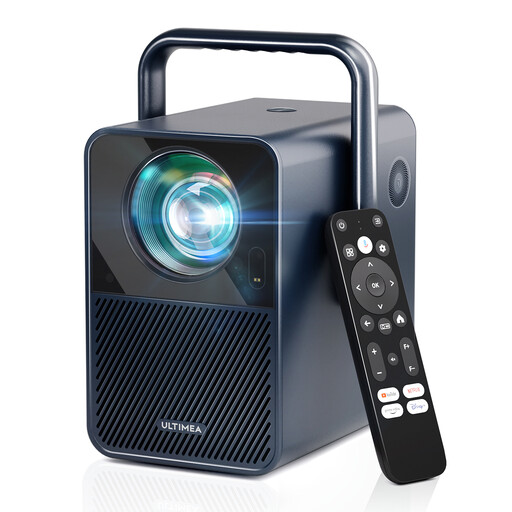
Why it suits this profile: This Full HD projector is designed for straightforward home use and, according to the product information, offers Android TV 11.0, Netflix, autofocus and 6D keystone correction.
The specifications state a native resolution of 1920 × 1080 pixels, making the distinction between native Full HD and 4K decoding clear.
1000 ANSI lumens, dual-band Wi-Fi, Dolby Audio and automatic focusing.
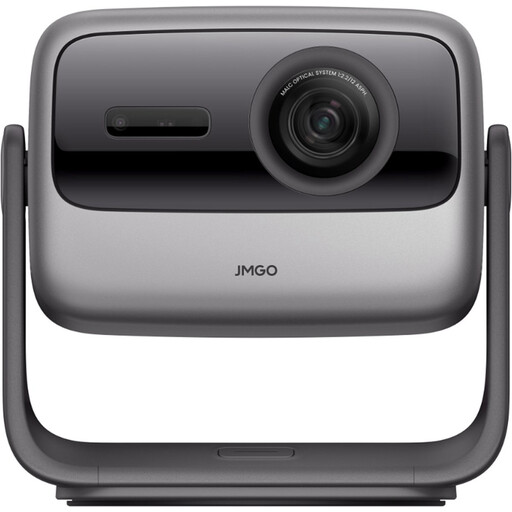
Why it suits this profile: Its native 3840 × 2160 resolution, three-colour laser light source and flexible gimbal make it well suited to a dedicated home cinema or high-quality film setup.
The product specifications state native 4K, so this model doesn’t rely solely on 4K decoding.
3000 ANSI lumens, HDMI 2.1, Wi-Fi 6, Bluetooth 5.2 and projection up to 300 inches, according to the product information.
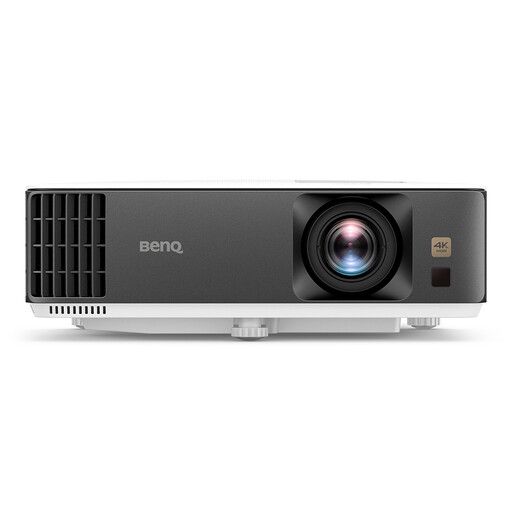
Why it suits this profile: This gaming projector combines UHD 4K, console support and a stated input lag of 4 ms at 1080p/240 Hz.
The product information gives specific gaming specifications rather than relying on a vague claim about speed.
3840 × 2160, 3200 ANSI lumens according to the product title, 1.3× zoom and 3D support.
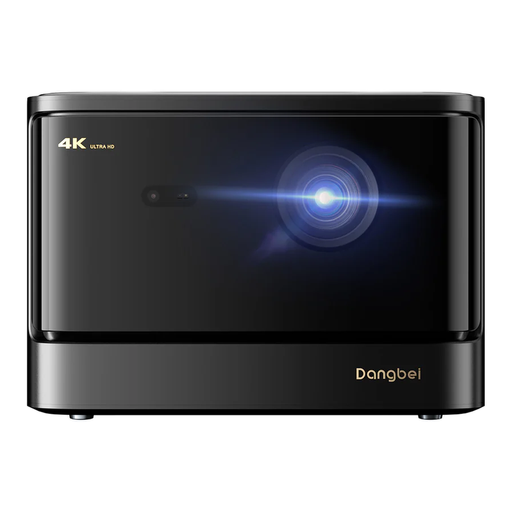
Why it suits this profile: The combination of 4K, GTV, a Netflix licence according to the product information and built-in speakers suits families who want to stream without lots of extra devices.
The stated brightness is measured in ISO lumens, making it easier to assess than an unspecified lumen claim.
2450 ISO lumens, HDR10+, Blu-ray 3D, Wi-Fi, Bluetooth and 2 × 12W audio according to the product description.
We’ve put together a complete, up-to-date list of products that meet these strict selection criteria and the applicable European safety regulations.
It can be, but check the input lag, refresh rate, HDMI version and native resolution first. A model with 4K decoding isn’t automatically a native 4K projector. For fast-paced games, a Full HD mode with a higher refresh rate may be a better fit.
Only if Netflix is officially supported, or if you connect a compatible media player, streaming stick or laptop. Check this for each model. The product information for the Dangbei DBOX02 states that it has an official Netflix licence; app support and updates can vary on other devices.
Lifespan depends on the light source, usage, ventilation and maintenance. Laser and LED models often have a stated light source lifespan, but that doesn’t guarantee consistent picture quality throughout that entire period. Keep the ventilation clear, prevent dust and moisture build-up, and follow the manufacturer’s instructions.
