
Comparing plans
If you want to view several floor plans or revisions at once, start by considering the usable screen space. BenQ and iiyama both list models of around 32 inches with 4K resolution.


A 31.5- or 32-inch 4K monitor is worth considering for viewing building plans side by side at home, provided your desk has enough space and the scaling is comfortable to read. Then consider adjustability and reflections. Only look for USB-C or Thunderbolt docking and specific CAD/CAM features if they suit your laptop and the way you work.
If you want to view several floor plans or revisions at once, start by considering the usable screen space. BenQ and iiyama both list models of around 32 inches with 4K resolution.
A screen you can adjust to suit your workspace and that minimises distracting reflections can make a difference. Arboportaal outlines requirements for adjustability and glare when working with display screens; LG lists an adjustable arm for the 32UN880K-B.
If you switch between your laptop and an external screen, you’ll want the connections and display modes to suit the way you work. BenQ lists a CAD/CAM mode and USB-C with DisplayPort Alt Mode for the PD3205U; check your laptop’s capabilities too.
When comparing monitors for viewing building plans at home, it helps to decide which feature matters most to you. Also check that the screen, connection and setup suit your desk and equipment.
| What to consider | What to look for | Who might value this most? |
|---|---|---|
| Viewing two plans | Consider the screen size, resolution, window layout and the available desk and viewing space. | If you want to view two plans at once, start by considering the available workspace; around 33% of consumers rank having a clear overview as their top priority. |
| Setting up your workspace | Check for height adjustment or an arm, reflections, light levels and the space needed for the stand or clamp. | If you work from home for long periods, you’ll want to position the screen comfortably and reduce distracting glare; around 27% of consumers prioritise workspace adjustability. |
| Connecting a laptop | Check the video output, the USB-C or Thunderbolt features required and the power needed for charging. | If you want to use your laptop with as few separate connections as possible, check that the connection supports both video and power; around 20% of consumers prioritise connecting their laptop. |
| Assessing lines and colours | Check which colour standard, display mode and software settings your project requires. | If line contrast, colour settings or a CAD/CAM mode are important for your work, check the features of each model; around 20% of consumers prioritise display quality. |
A large screen won’t automatically solve awkward positioning or distracting reflections. The space available on your desk and your chosen display scaling matter too.
Measure the space and check the stand or clamp, adjustability and light levels before choosing a model.
The presence of a USB-C port alone doesn’t mean your laptop can output video through it or receive enough power to charge.
Compare your laptop’s video output and charging requirements with the monitor’s exact port specifications.
iiyama marks the XB3288UHSU-B1 as EOL. Joybuy Netherlands lists the XB3288UHSU without that suffix, so it has not been confirmed as the exact same version.
Check the full model name with the retailer before relying on specifications for a different version.
These models illustrate different screen and connectivity options; mentioning a brand is not an assessment of its entire range.
The PD3205U is worth considering if you’re looking for a 31.5-inch 4K screen with design-focused features.
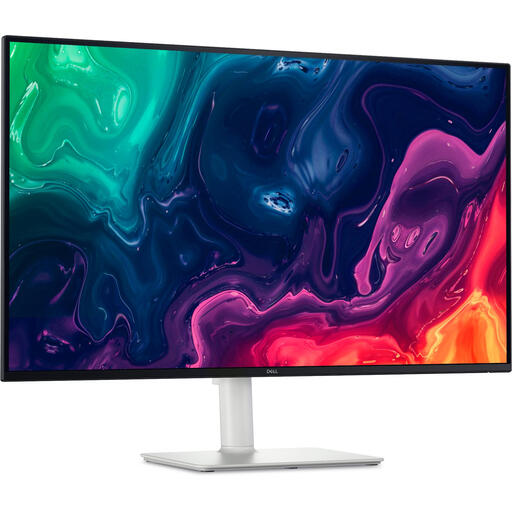
According to Dell, the U3225QE is a 31.5-inch 4K monitor with Thunderbolt hub features.
The 32UN880K-B is a 31.5-inch 4K option with an adjustable Ergo arm.
The ViewFinity S8 LS32D800UAUXEN is a 32-inch 4K option with USB-C.
The ProLite XB3288UHSU-B1 is a 31.5-inch 4K model with a VA panel.
This selection includes 31.5- and 32-inch 4K monitors with plenty of workspace. Also compare the listed connections and adjustment options with your desk and laptop.
 No image available
The 32-inch 4K format suits anyone who wants to view building plans side by side; check whether the tilt adjustment gives you the screen position you want.
Specifications: 3840 × 2160, 60 Hz, VA panel, 300 cd/m², 2 × HDMI, DisplayPort, tilt stand and speakers.
 No image available
The 32-inch 4K format gives you plenty of screen space for viewing plans; consider whether the features of this gaming model suit the way you’ll use it.
Specifications: 32-inch, 4K Ultra HD, OLED and 165 Hz.
 No image available
This 32-inch 4K model is worth considering if you want a spacious screen for viewing plans and your laptop supports Thunderbolt 3.
Specifications: 3840 × 2160, Thunderbolt 3 with 85 W power delivery, KVM, Picture by Picture, height adjustment and tilt. Check that your laptop supports Thunderbolt 3 and that 85 W meets its charging requirements.
 No image available
The 31.5-inch 4K format is one option for a spacious workspace; check whether the adjustable stand suits your setup.
Specifications: 3840 × 2160, VA panel, HDMI, DisplayPort, height adjustment and VESA mounting.
 No image available
This model is worth considering if you’ll use its listed CAD/CAM mode or USB-C feature as well as the extra workspace offered by 4K.
Specifications: 31.5-inch, 3840 × 2160, CAD/CAM mode, anti-glare screen and USB-C with DisplayPort Alt Mode and up to 90 W Power Delivery, according to BenQ. Check your laptop’s video output and charging requirements.
No, 32 inches isn’t a universal minimum. The 31.5- and 32-inch 4K models covered here are examples of screens with plenty of workspace. Also consider the space on your desk, comfortable scaling and the window layout you want to use.
Adjust the screen position and lighting to suit your workspace, and reduce distracting glare. For employees who work with display screens for more than two hours a day, Arboportaal outlines requirements including adjustability and glare. This guidance relates to workplaces and doesn’t automatically apply to every personal purchase.
No, the shape of the connector alone doesn’t guarantee this. Check that your laptop supports video output through the relevant port, and compare its charging requirements with the monitor’s power output. BenQ lists DisplayPort Alt Mode and up to 90 W Power Delivery for the PD3205U.
When you buy as a consumer in the Netherlands, you’re entitled to a product that is fit for purpose. The Government of the Netherlands states that there is no fixed statutory warranty period and that you should report a fault to the retailer, who must resolve the issue or contact the manufacturer. This guidance doesn’t automatically apply to business purchases.
Arboportaal’s guidance covers points to consider when setting up a screen-based workstation, but it doesn’t specify a required 4K model or screen size. The requirements described for employers don’t automatically apply to every personal purchase.