First, check whether your laptop can receive both a picture and sufficient power over USB-C, then choose a monitor with enough screen space to view frames and the timeline at a readable scale. USB-C Power Delivery can eliminate the need for a separate laptop charger if your laptop, cable and monitor are compatible, but the monitor itself still needs mains power. For colour-critical work, the colour gamut and settings of the exact model matter too.
Who is this relevant to?
Animator with a laptop and limited power sockets
Wants to organise frames and, if the equipment is compatible, power their laptop through a single USB-C cable. Compare the required charging power with your laptop; BenQ, ASUS and Dell list this for each model.
Animator who needs to see lots of frames at once
Looking for a readable 4K workspace for frames, the timeline and tools. Laptop charging through the monitor is not the main consideration here; Philips and BenQ describe monitors with 4K resolution.
Colour-critical animator
Compares the colour gamuts and settings of specific models to assess footage. BenQ and ASUS list these features for the relevant models.
What should you look for?
First, check whether your laptop can receive both a picture and sufficient power over USB-C. Then assess the screen space and colour settings for your animation work. Bear in mind that the monitor itself needs a mains connection.
| What to consider |
What to check before buying |
Who is this most important for? |
| Laptop charging via USB-C |
Check that your laptop supports video over USB-C, and confirm the required charging power and compatible cable. |
If I want to connect my laptop with a single cable, I need to know whether it can carry both video and enough power. Around 36% of consumers prioritise avoiding a separate laptop charger. |
| Viewing frames and the timeline |
Assess the resolution, screen size and readability at the scale you use in your animation software. |
I want to see my frames, timeline and tools clearly without text and controls becoming too small. Around 29% of consumers give this the highest priority. |
| Colour assessment |
Compare the colour gamut and settings of the exact model with your project’s requirements. |
When assessing animation colours, I need to know which colour gamut and settings are right for my work. Around 21% of consumers prioritise colour assessment. |
| Screen positioning and energy use |
Check the adjustability, the space on your desk and the energy label for the exact model. |
If I want to position my screen comfortably and take energy use into account, these features are decisive. Around 14% of consumers give this consideration priority. |
Common pitfalls
-
Assuming every USB-C monitor works with a single cable
USB-C video support and the charging power supplied need to be suitable for your laptop; manufacturers list different power outputs for different models.
Before choosing, compare the USB-C features, required charging power and cable with your laptop’s requirements.
You may still need a separate laptop charger or an additional connection.
-
Assuming a USB-C monitor doesn’t need a mains plug
USB-C Power Delivery can power a laptop, but it does not power the monitor itself.
Work out in advance which connections you need and whether your main aim is to replace the separate laptop charger.
-
Connecting extension leads to each other to save space
The Dutch Fire Service warns that overloading can cause a fire if too many extension leads are connected to a single circuit.
Use undamaged extension leads, check the load and don’t connect them to each other without checking first.
-
Treating a 4K or HDR label as a complete guide to colour performance
Models differ in their stated colour gamuts and settings; a manufacturer’s claim is not a measurement of your individual unit.
Choose based on your project’s colour gamut and check the features of the exact model.
Brands to compare
BenQ
The PD2705U is a 27-inch 4K design monitor worth comparing if both USB-C and colour features matter to you.
- BenQ lists USB-C with video, data and 65 W Power Delivery for the PD2705U, along with a calibration report and Animation mode.
- Check whether 65 W is enough for your laptop; these features apply to the PD2705U and not necessarily to other BenQ models.
ASUS
The ProArt PA279CRV is worth considering if you want to compare colour settings and laptop charging via USB-C for a 4K workspace.
- ASUS lists 96 W USB-C Power Delivery and coverage of several colour gamuts for the PA279CRV.
- Compare the stated charging power with your laptop’s requirements, and check that your laptop, monitor and cable support the connection you want.
Dell
The Pro 27 Plus P2725QE is a 27-inch 4K USB-C hub monitor to consider if connectivity for your workspace matters as well as laptop charging.
- Dell lists 90 W power delivery via USB-C for the P2725QE, along with a hub offering a range of connections.
- Assess separately whether its colour features suit your animation work; the hub features don’t answer that question.
LG
The UltraFine 27UP850K-W is a 27-inch 4K IPS model with USB-C for a laptop workspace.
- LG lists up to 96 W of charging via USB-C and a typical DCI-P3 coverage of 95% for this model.
- According to LG, the charging power is a maximum; compare it with your laptop’s power requirements and the cable you’re using.
Philips
The 27E1N1800AE/00 is a 27-inch 4K IPS model to compare if screen space matters more than charging your laptop through the monitor.
- Philips lists a resolution of 3840 × 2160 pixels and a height-adjustable stand for this model.
- Don’t assume it can charge your laptop via USB-C; check the connections on this version if you need that feature.
Joybuy monitors for animation frames
Joybuy monitors to consider when choosing a 4K workspace for animation frames.
 No image available
LG UltraFine 27U711B-B 27-inch 4K IPS monitor
A 27-inch 4K monitor to consider if you want to lay out frames and the timeline at a clear, easy-to-view size.
Size: 27 inches. Resolution: 4K. Panel type: IPS.
View at Joybuy
 No image available
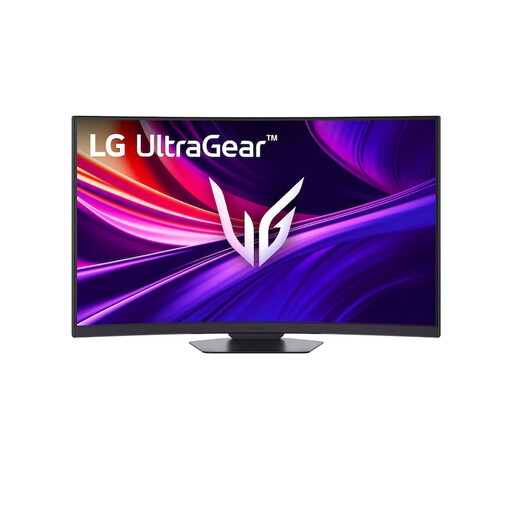
LG UltraGear 37G800A-B 37-inch curved 4K UHD monitor
Worth considering if you want to view frames and the timeline on a larger screen; check that it will fit on your desk.
Size: 37 inches. Resolution: 4K UHD. Curved VA screen; 165 Hz.
View at Joybuy
 No image available
Dell UltraSharp U3226Q 32-inch 4K UHD monitor
A 32-inch 4K screen to consider if you want more room for frames, the timeline and tools.
Size: 32 inches. Resolution: 4K UHD. Panel type: QD-OLED. Refresh rate: 120 Hz.
View at Joybuy
 No image available
CRUA CR320QB 32-inch curved 4K monitor
Worth considering if you want a 32-inch screen for your animation work; check in advance that the curved design suits your desk setup.
Resolution: 3840 × 2160. Curvature: 3000R. VA panel; HDR10; 100% sRGB.
View at Joybuy
 No image available
Philips 27E1N1800AE/00 27-inch 4K UHD IPS monitor
A 27-inch 4K monitor to consider if a clear view of your workspace and an adjustable position are important.
Resolution: 3840 × 2160. Panel type: IPS. Height-adjustable stand; HDMI and DisplayPort.
View at Joybuy
Frequently asked questions
Will a USB-C monitor save me a power socket?
It can replace your separate laptop charger only if your laptop, monitor and cable are compatible and the Power Delivery output is sufficient. The monitor itself still needs mains power.
How can I connect a monitor safely when I have limited power sockets?
Don’t connect extension leads to each other just to gain more sockets. The Dutch Fire Service warns that connecting too many extension leads to a single circuit can cause overloading and fire; check the condition and load of your connection.
How can I compare the power consumption of 4K monitors?
Compare the energy label for the exact model. According to the European Commission, computer monitors use the energy label scale from A to G. Assess laptop charging separately: the energy label doesn’t tell you whether USB-C provides enough power for your laptop.
What are my rights if a monitor I bought online is faulty?
For a consumer purchase in the Netherlands, the seller must offer a solution if the product doesn’t meet what you could reasonably expect. The Dutch government says there is no single statutory guarantee period for all products; a manufacturer’s guarantee is in addition to your statutory rights.
Can I return a monitor bought online within 14 days?
For most purchases made at a distance from a business, you have a 14-day cooling-off period. The Dutch government also outlines some exceptions, so check the terms that apply to your purchase.


