
Photographer working by a bright window
Crops wildlife photos at a fixed, bright workspace and wants to avoid reflections obscuring fine details.


Choose a monitor based on its screen finish and position relative to the window: 4K resolution alone won’t prevent distracting reflections. For precise cropping, a 27-inch 4K screen can provide a compact workspace. Give colour gamut and calibration more weight if you also edit colour-critical images or assess prints. Manufacturers’ brightness and colour coverage specifications won’t tell you exactly how the screen will perform next to your window.
Crops wildlife photos at a fixed, bright workspace and wants to avoid reflections obscuring fine details.
Assesses colours for print after cropping, so a suitable colour space and calibration workflow matter more than simply having extra pixels.
Wants a sharp workspace for photos and tool panels, with a connection and any power delivery suited to their laptop.
Start by checking reflections at your actual desk. Then decide whether your print workflow, cropping space or laptop connection is the deciding factor.
| What to consider | What to look for | Who might prioritise this? |
|---|---|---|
| Reflections by the window | Compare the screen finish and any supplied hood; also check whether you can turn the screen away from the window. | If I want to see fine feather or fur detail without it being overwhelmed by light from the window, I put reflection control first. Around 36% of consumers share this priority. |
| Colour and printing | Check the colour space used in your workflow and what calibration features or tools the exact model offers. | If I also assess my crops for printing, I want to know whether the colour settings and calibration suit the way I work. Around 29% of consumers prioritise assessing colour for prints. |
| Fine cropping detail | Check the native resolution, screen size, available desk space and readability at your usual viewing distance. | When my main aim is to assess small details in a photo, I look at the combination of resolution and screen size. Around 21% of consumers consider this their top priority. |
| Connecting and powering a laptop | Compare your laptop port’s video output and the cable, along with the power your laptop needs, against the monitor’s specifications. | If I want to connect my laptop at a single workspace, both the display connection and any power delivery need to suit my computer. Around 14% of consumers prioritise this connection. |
Resolution describes the number of pixels. BenQ lists the finish and supplied hood of the SW272U as separate features; they address a different issue from resolution.
Assess the screen finish, incoming light and possible screen positions separately from the 4K label.
EIZO lists both a maximum brightness of 500 cd/m² and a recommended working brightness of 120 cd/m² for the CG2700X. These are different figures for different purposes.
Set brightness to suit your colour workflow and reduce incoming light from the window where possible, rather than automatically turning the screen up to maximum.
The models mentioned have different calibration features: EIZO lists a built-in sensor for the CG2700X, while BenQ lists hardware calibration for the SW272U.
Before buying, check which features and tools the exact model offers.
Depending on the model and the equipment you already have, you may need an additional calibration tool.
The PhotoVue SW272U is worth considering for photography in side light and editing in Adobe RGB.
According to ASUS, the ProArt PA279CRV combines an anti-glare surface with 27-inch 4K, a wide colour gamut and USB-C.
The ColorEdge CG2700X is designed for colour-critical editing and, according to EIZO, has a built-in calibration sensor. The CS2740 is a separate 27-inch 4K photo monitor.
The UltraFine 27UP850K-W is a 27-inch 4K monitor with an adjustable stand and USB-C.
The UltraSharp U2725QE is a 27-inch 4K hub monitor for anyone who also uses their photography workspace for other computing tasks.
This Joybuy selection includes 4K monitors in a range of sizes and configurations. In particular, compare the screen finish in window light, the workspace available and the features that suit your colour workflow.
 Image unavailable
Suitable if you want to combine 4K photography work with gaming; assess the screen finish where you work by the window.
The product name lists QD-OLED, 165 Hz, 0.03 ms and USB-C. The product information advises avoiding prolonged static images at high brightness and using OLED protection features to limit image retention.
 Image unavailable
Worth considering if colour calibration and controlling incoming light are important; check how the stated colorimeter and detachable hood fit into your workflow.
The product name lists 120 Hz. Check that the 32-inch size suits the space available on your desk.
 Image unavailable
A 27-inch 4K model to consider for assessing cropping detail; check whether the stated anti-glare finish suits the light conditions at your desk.
The product name lists 3840 × 2160, 120 Hz, HDR500 and USB-C with 90 W PD. Check that the USB-C power delivery suits your laptop.
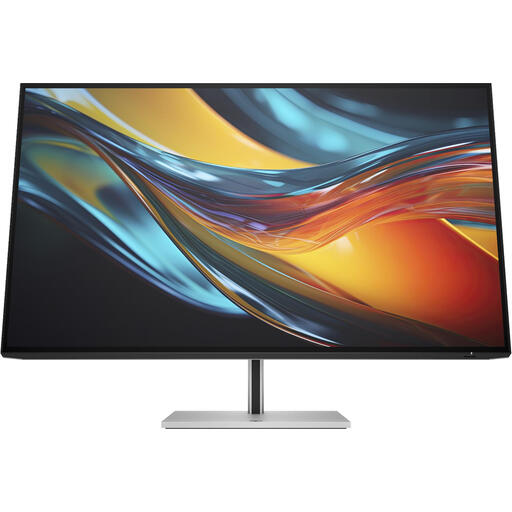 Image unavailable
An option to consider if you want a larger screen; measure the space available on your desk and your viewing distance first.
The product name lists a Thunderbolt 4 connection. Check that it’s compatible with the computer and cable you use.
 Image unavailable
A 27-inch 4K model to consider if you’re looking for a hub monitor for photos and other computing tasks; assess reflections at your intended workspace.
Dell lists IPS Black, an ambient light sensor and 120 Hz for the U2725QE. These features alone don’t indicate how window light will affect the screen at your desk.
No. A higher brightness alone doesn’t tell you whether reflections will still be distracting at your workspace. Also compare the screen finish, any supplied hood and your options for repositioning the screen. The 400 nits listed for the BenQ SW272U is a typical manufacturer specification, not a measurement taken next to your window.
First choose the colour space that suits your editing and printing workflow, then decide how you’ll calibrate. BenQ lists hardware calibration for the SW272U; EIZO lists a built-in sensor for the CG2700X. A wide colour gamut alone won’t set your colour settings for you.
Check that your laptop’s USB-C port can output video, how much power the laptop needs and whether the cable is suitable. ASUS specifies DisplayPort Alt Mode and 96 W Power Delivery for the PA279CRV; that doesn’t automatically mean your laptop supports them.
According to the Dutch government, when you buy as a consumer you’re entitled to a product that works properly, and the seller must provide a solution if there’s a problem. A manufacturer’s warranty is in addition to your statutory guarantee.
The European Commission states that computer monitors are covered by the energy label for electronic displays, so compare the label for the exact model. According to the Dutch government, private individuals buying a new, similar electrical appliance are entitled to free take-back of their old one, including when they buy online.