
Wildlife photographer checking crops
You use a 4K main screen to assess a crop and keep other photos or windows open on the second screen. Adobe describes a second Library window for Lightroom Classic.


Start by deciding whether you mainly want to assess a crop, check colour and print quality, or have more physical screen space. A 27-inch 4K monitor can suit a compact setup; a 31.5-inch model displays your photo on a larger surface, while a screen with extensive colour and calibration features is more relevant if colour assessment is your priority. Always check that your computer and connections support both screens.
You use a 4K main screen to assess a crop and keep other photos or windows open on the second screen. Adobe describes a second Library window for Lightroom Classic.
You compare colour spaces and calibration options alongside the details in your photo. The features and tools available vary by specific model.
Your choice depends on screen size, adjustability and the connections that work with your computer and second screen.
First decide what you need your main screen to do. Then compare its resolution and size, colour features and connections with your workspace and equipment.
| What to consider | What should you check? | Who should pay more attention to this? |
|---|---|---|
| Crop detail | Check whether the specific model offers 4K UHD at 3840 × 2160 pixels, and whether 27 or 31.5 inches suits your viewing distance and desk space. | If I want to crop a wildlife photo precisely, I prioritise the level of detail and the physical size of the image. Around 40% of consumers place the greatest emphasis on checking crops. |
| Colour and printing | Compare the stated colour space and calibration features of the specific model. Also check which tools your workflow requires. | When I assess colours or prepare photos for printing, I want to know which colour and calibration features I really need. Around 30% of consumers consider colour assessment their main priority. |
| Working across two screens | Check that your computer and any dock support both screens at the same time, and find out which connections you need. | If I edit photos on one screen and view my library or tools on the other, my setup needs to support both. Around 20% of consumers prioritise having an overview across two screens. |
| Size and connections | Compare the screen diagonal and adjustability with the space available, and check which video connections your equipment needs. | With two screens on my desk, I want to know in advance whether they will fit and connect to my computer. Around 10% of consumers give size and connections top priority. |
Resolution tells you how many pixels a screen has; colour space and calibration are separate features that can vary by model.
First compare the monitor with your photography needs, then check the specifications of the exact model and what’s included in the package.
For its Calibration Studio workflow for the LG 32UQ850V-W, LG states that a calibration sensor is not included in the package mentioned.
A monitor port alone doesn’t confirm that your computer supports a full two-screen setup.
Check your computer’s video outputs and screen support, along with those of any dock, as well as the inputs on both monitors.
The 27-inch and 31.5-inch models reviewed both have a stated resolution of 3840 × 2160 pixels. The diagonal size differs, not the stated number of pixels.
Choose a size based on viewing comfort and desk space; assess colour features separately.
The Creative Pro SW272U is a 27-inch 4K model for photographers who consider Adobe RGB and calibration features important.
The ColorEdge CG2700X is a 27-inch 4K model for anyone who values colour management and print preparation.
The UltraFine 32UQ850V-W is a 31.5-inch 4K option to compare if you’re looking for more physical screen space.
The ProArt PA279CRV is a 27-inch 4K model to compare if you want to consider stated Adobe RGB coverage alongside laptop connectivity.
The 27E1N1800AE/00 is a 27-inch IPS model to compare if 4K and an adjustable stand matter to you.
This selection at Joybuy includes 4K monitors for reviewing photos, with a range of screen sizes, colour features and connectivity options. Check which features suit your workflow for each model.
 No image available
An option to compare if you’re looking for a 4K main screen with stated colour and calibration features.
The product information lists 3840 × 2160 pixels, 94% Adobe RGB and an integrated automatic colorimeter.
Listed connections include Thunderbolt 4, HDMI 2.1 and DisplayPort 1.4; check that your computer supports the two-screen setup you want.
 No image available
A 27-inch 4K model to compare if you’re weighing up colour features and workspace setup as well as crop checking.
The product information lists 3840 × 2160 pixels, factory calibration, 97% DCI-P3 and 94% Adobe RGB.
PIP/PBP and a height-adjustable stand are also listed. Check the connection and screen layout for your own computer.
 No image available
A 27-inch 4K option to compare if you want to combine crop checking with stated colour features.
The product information lists IPS, 3840 × 2160 pixels, 99% Adobe RGB and DeltaE < 1.
PIP/PBP, an adjustable stand and 90 W USB-C power delivery are also listed. Check that the ports suit your equipment.
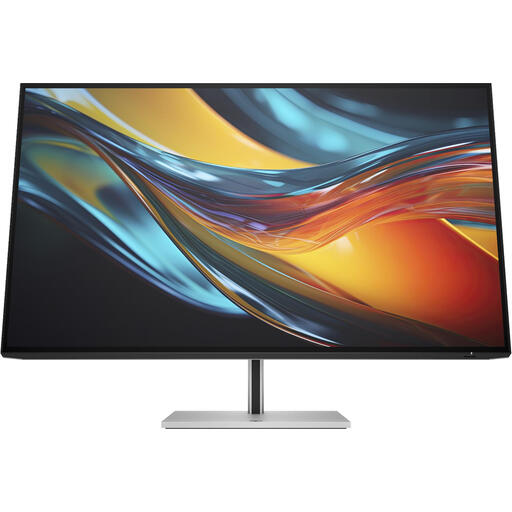 No image available
A larger 4K model to compare if you want to view your photo on a bigger physical surface.
The product information lists 3840 × 2160 pixels, 98% Display P3, Thunderbolt 4, Ethernet and a built-in KVM switch.
According to the product description, a charger is no longer included as standard. Check what comes with your version.
 No image available
A 32-inch 4K model to compare if you’re looking for a larger main screen and connectivity options for multiple monitors.
The product information lists 3840 × 2160 pixels, Calman verification and Pantone validation.
Thunderbolt 3 and daisy-chain support for multiple 4K monitors are also listed; check that your computer and cables support this setup.
Yes. Adobe describes a second Library window with Grid and Loupe views, among others. Also check that your computer and connections support both physical screens.
Not necessarily, if you use the 4K monitor as your main screen for checking crops and reserve the other screen for an overview or tools. Do check that your chosen screen layout works with your software and equipment.
Check which tools the specific model and your workflow require. LG states that a calibration sensor isn’t included in the package mentioned for the 32UQ850V-W; EIZO, by contrast, specifies an integrated sensor for the CG2700X.
For a distance purchase made by a consumer from a business, a 14-day cooling-off period applies in many cases, according to the Dutch government. You’re also entitled to a product that is fit for purpose; according to the Dutch government, there is no fixed statutory warranty period in the Netherlands. Check the terms of your specific purchase, and distinguish between the manufacturer’s warranty and your statutory rights.