
Colour-critical filmmaker
You want to assess water, façades and changing daylight consistently, so you choose a screen that suits the colour workflow for your final film.


For a canal-walk film, a colour-focused 27-inch 4K monitor suits a compact workspace and precise image assessment. A 32-inch model gives you more physical space for the preview, timeline and editing panels. Choose based on whether your final output is SDR or HDR, the space available on your desk and the connections you need. Large source files also call for a suitable storage and editing workflow: a monitor can’t replace one.
You want to assess water, façades and changing daylight consistently, so you choose a screen that suits the colour workflow for your final film.
You work with lots of clips and editing panels at once, so physical screen space and a usable 4K display matter to you.
You’re looking for a simple way to connect your screen, but you treat storage and playback issues separately from your monitor choice. Adobe describes proxy files as one option for making supported, demanding video clips more efficient to edit.
First decide whether you’ll assess and deliver your film in SDR or HDR. Then compare the colour modes and calibration options, screen size and connections with your computer and editing workflow.
| Buying consideration | What should you check? | Which shoppers is this most relevant to? |
|---|---|---|
| Colour assessment | Check the colour modes for your SDR or HDR workflow and see what calibration features the exact model offers. | If I want to assess shadows, sky and reflections in my canal film, I’m looking for a mode that suits my delivery format. Around 31% of shoppers prioritise colour assessment. |
| Space for the image and timeline | Compare the screen size with your desk and editing layout. 27- and 32-inch screens with 3840 × 2160 pixels have the same resolution, but differ in physical screen space. | If I want to keep my preview and timeline clearly in view at the same time, screen size matters alongside the space available on my desk. Around 25% of shoppers prioritise editing workspace. |
| Connectivity and files | Check video output, USB-C or Thunderbolt compatibility and the laptop charging power required; assess storage and any proxy files separately. | If I work with large clips on a laptop, I want to check whether the connection suits my computer and how my editing and storage workflow is set up. Around 19% of shoppers prioritise these connections and workflow considerations. |
| HDR assessment | Establish whether your final film is HDR and check model-specific information about brightness, contrast and dimming; an HDR label alone doesn’t fully describe performance. | If I actually want to assess or deliver the film in HDR, I want to know how the specific screen handles dark and bright areas of the image. Around 13% of shoppers prioritise HDR assessment. |
| Cost of the setup | Compare the connections and included features you need with your workspace, and check the energy label for the exact model. | If I’m putting together a complete 4K workspace, I also want to check whether I’ll need additional connections or equipment. Around 12% of shoppers prioritise the cost of the setup. |
The European Commission classifies computer monitors as electronic displays with an energy label on a scale from A to G. The label says nothing about colour accuracy.
An HDR10 or DisplayHDR 400 label alone doesn’t tell you how the screen displays dark canals and bright reflections. VESA states that local dimming is generally not a requirement for DisplayHDR 400.
If you’re delivering in HDR, compare information about the exact model’s performance and the workflow it supports. For an SDR project, assess the SDR mode separately.
A hub provides connections, but it won’t automatically solve storage or playback issues with large source files.
Assess the screen connection, storage and editing workflow as separate elements. Adobe describes proxy files as a workflow option for supported, demanding video clips.
BenQ offers 4K models for a range of workspaces, including 27- and 32-inch screens.
According to ASUS, the 27-inch ProArt PA279CRV combines 4K with colour features and USB-C for laptop use.
The 27-inch ColorEdge CS2740 is a 4K option for anyone who values colour settings and hardware calibration.
The UltraSharp U2725QE is a 27-inch 4K monitor that Dell offers as a Thunderbolt hub monitor.
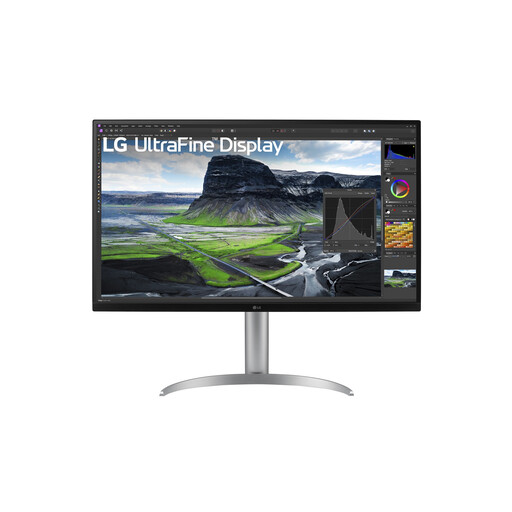
LG offers UltraFine models in several 4K sizes; features vary by model and variant.
These Joybuy products suit colour-focused 4K editing, extra screen space or a laptop connection. Compare each model’s features with your own workflow.
 No image available
Suits a compact, colour-focused 4K workspace; the product description mentions factory calibration and USB-C video for laptop use.
The product description lists 3840 × 2160 pixels, USB-C with DP Alt Mode and 98 W Power Delivery, 97% DCI-P3 and 94% Adobe RGB.
 No image available
Suits a 27-inch 4K workspace where a Thunderbolt hub is useful; check that the connections work with your computer and peripherals.
The product description lists 3840 × 2160 pixels, Thunderbolt and 99% DCI-P3. Dell lists IPS Black and 120 Hz for this model.
 No image available
Suits anyone who wants more physical space for the timeline and editing panels alongside the preview; the 32-inch screen does need room on your desk.
The product description lists 3840 × 2160 pixels, Thunderbolt 3 with 85 W Power Delivery and KVM. BenQ lists 98% P3 coverage for this model.
 No image available
Suits SDR colour work when you want a larger physical screen alongside the timeline; bear in mind the space available on your desk.
The product description lists 3840 × 2160 pixels, USB-C with 90 W Power Delivery and a KVM switch. It also lists 99% sRGB and Rec.709 coverage.
 No image available
Suits anyone looking for a larger 4K screen and a USB-C laptop connection; check that the charging power is suitable for your computer.
The product description lists 3840 × 2160 pixels, USB-C with up to 90 W power delivery, 95% DCI-P3 and hardware calibration.
No, a monitor won’t make source files play back faster on its own. Adobe describes proxy files as a way to make supported, demanding video clips more efficient to edit; you should also consider your computer and storage workflow.
First decide whether you’re editing and delivering in SDR or HDR. Then choose a suitable screen mode and check the colour management settings in your editing software; a wide-gamut label alone doesn’t describe the entire colour workflow.
No, that depends on your laptop’s video output and the capabilities of the specific screen. ASUS lists 96 W via USB-C for the PA279CRV; EIZO lists up to 60 W for the CS2740. Check that the connection and power delivery suit your computer.
For an eligible distance purchase from a business, you generally have 14 days to change your mind; the Dutch government points out that exceptions and the circumstances matter. You’re also entitled to a product that meets reasonable expectations. According to the Dutch government, the Netherlands has no fixed general statutory warranty period; if a product is faulty, contact the seller.
As described by the European Commission, the energy label places electronic displays such as computer monitors on an energy efficiency scale from A to G. It doesn’t assess colour accuracy.