
SDR filmmaker
You’re editing your canal walk film for SDR and want to judge colour and exposure on a display suited to that output. Adobe describes Rec.709 as the standard SDR output setting in Premiere.


First, match your 4K monitor to the colour and format of your finished film. For SDR, accurate Rec.709 display matters more than a wide advertised colour gamut alone. Adobe describes separate colour settings for SDR and HDR output. Also weigh up screen space and USB-C power delivery against your editing setup, and don’t rely on an HDR label alone for critical HDR assessment.
You’re editing your canal walk film for SDR and want to judge colour and exposure on a display suited to that output. Adobe describes Rec.709 as the standard SDR output setting in Premiere.
You want to see both your video and your editing tools and timeline on a single 4K screen. So, alongside resolution, consider the screen size and how much desk space you have.
You want to deliver an HDR version and need a screen to assess that output. An HDR logo alone doesn’t tell you whether the performance is suitable for critical HDR assessment.
| What to consider | What should you check? | Who is it most important for? |
|---|---|---|
| Colour for the finished version | Check the Rec.709 setting and match your editing colour settings to your intended output. | If I’m delivering the film in SDR, I want to assess colour and exposure in the appropriate output mode. Around 36% of consumers say colour assessment is their main reason for buying. |
| Space for your image and timeline | Compare the screen size and native resolution with your desk space and the scaling setting you find comfortable to read. | If I want to see the image and editing timeline at the same time, physical screen space matters as well as 4K resolution. Around 29% of consumers give workspace their highest priority. |
| HDR assessment | Decide whether you’re making an HDR finished version. If so, compare relevant brightness and contrast figures, not just the HDR label. | If I want to deliver an HDR version, I want to know whether the screen is suitable for assessing that output. Around 21% of consumers put HDR assessment first. |
| Connectivity and power | Check whether your computer supports video over USB-C, and compare your laptop’s power requirements with the monitor’s power output. | If I want to connect my editing laptop with a single cable, both the video connection and power delivery need to be suitable. Around 14% of consumers name connectivity as their main reason for buying. |
The relevant monitor setting depends on the colour space of your finished version. So, an advertised DCI-P3 coverage figure doesn’t automatically replace an appropriate Rec.709 setting for SDR.
First decide whether you’re delivering in SDR or HDR, then check the corresponding setting on the exact monitor model.
VESA has different DisplayHDR levels, each with its own performance criteria. An HDR mention alone doesn’t show whether a screen is right for your assessment needs.
If you’re making an HDR finished version, compare the relevant performance and certification level. If you’re only working in SDR, HDR doesn’t need to be your main criterion.
The monitors listed have different stated USB-C power outputs: BenQ specifies 65 W for the PD2705U, while ASUS specifies 96 W for the PA279CRV. If your laptop needs more, you may still need a separate power supply.
Check your laptop’s video output and power requirements against the connectivity and power specifications of the exact screen.
The PD2705U is a specific 27-inch 4K example for an editing setup focused on Rec.709 and SDR.
The ProArt PA279CRV is a 27-inch 4K example with a Rec.709 preset and a wide advertised colour gamut.
The 27UP850K-W is a 27-inch 4K example with IPS and a wide stated colour gamut.
EIZO positions the ColorEdge CS2740 as a 4K workstation for tasks including video editing and colour grading.
These Joybuy products are suited to 4K editing, with a focus on Rec.709 and SDR, a wider advertised colour gamut or a colour-managed workstation. Compare the specifications with your output format, laptop and available desk space.
 No image available
The 31.5-inch screen size may suit a workstation where you want more room for your image and editing timeline.
The product information lists 3840 × 2160, 99% DCI-P3, 98% Adobe RGB and USB-C with DisplayPort Alt Mode.
 No image available
This model may be worth considering if you’re looking for a large 4K workstation with colour management features.
The product information lists 3840 × 2160, 99% DCI-P3, 100% sRGB and an integrated automatic colorimeter. Compare the colour settings with your own workflow.
 No image available
The product information lists Rec.709 coverage for an SDR-focused workflow. Check the available setting for your film’s output.
Listed specifications include 3840 × 2160, 100% Rec.709, an IPS screen and USB-C with 90 W Power Delivery.
 No image available
The product information mentions video editing and Rec.709 coverage, making this model worth comparing for an SDR-focused editing setup.
Listed specifications include 3840 × 2160, 99% Rec.709 and USB-C with 90 W Power Delivery.
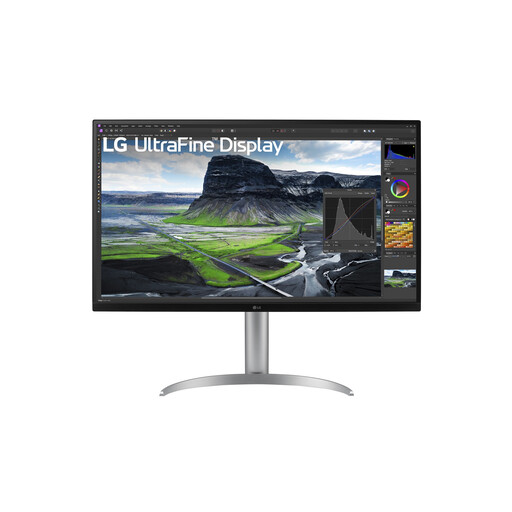 No image available
This model may suit an editing setup where you want to compare a larger screen and a wider advertised colour gamut.
The product information lists 3840 × 2160, 95% DCI-P3, hardware calibration and 90 W USB-C power delivery. Check which calibration settings suit your workflow.
Not for that reason alone: first decide whether you’re delivering your film in SDR or HDR. Adobe describes separate colour settings for HDR and Rec.709 output. If you want to assess an HDR version, compare relevant HDR performance rather than relying on an HDR label alone.
That depends on your laptop’s video output and power requirements. BenQ specifies DisplayPort Alt Mode and 65 W Power Delivery for the PD2705U; ASUS specifies 96 W for the PA279CRV. Compare those specifications with your laptop before choosing a single-cable setup.
First choose the colour space for your finished version, then match your editing colour settings to it. Adobe describes Rec.709 as the standard SDR output in Premiere; for SDR, use an appropriate monitor setting.
According to the Dutch government, a 14-day cooling-off period applies in many cases to distance purchases, with some exceptions. When you buy as a consumer, you’re also entitled to a product that meets the required standards; if there’s a problem, the seller must provide a solution. Check the terms and exceptions that apply to your order: a manufacturer’s warranty doesn’t replace your statutory rights.
The European Commission classifies computer monitors as electronic displays with an energy label on a scale from A to G. Compare the label for the exact model you’re considering.