What should you look for when buying?
First decide whether you’ll deliver your tutorial in SDR or HDR. Then compare the colour mode, available workspace and connections on the exact model.
| What to consider |
What should you check? |
Who is this important for? |
| Colour and delivery format |
Check that the monitor offers the colour mode you want, and match it to your software and output settings. Adobe describes Direct Rec.709 (SDR) as the default preset in the Premiere workflow discussed. |
If I want to assess food colours between scenes, I look for a setting that matches my delivery format. Around 36% of consumers prioritise colour checking. |
| Timeline and project versions |
Compare resolution, physical screen size and scaling to see how much space the preview and panels will take up. Adobe describes version storage as a feature of project software and its settings. |
If I want to keep the preview and tools organised while editing, I also consider the screen layout; I manage project versions separately in software and storage. Around 29% of consumers prioritise timelines and comparing versions. |
| Laptop connection |
Check video output via USB-C, your laptop’s charging requirements and the ports on the exact model. |
If I work on a laptop and want to reduce the number of cables, the USB-C connections on both devices need to support the features I want. Around 21% of consumers prioritise laptop connectivity. |
| Running costs and service |
Compare the EU energy label for the exact models and read the warranty terms alongside your statutory rights against the retailer. The European Commission lists computer monitors as being within the scope of energy labelling. |
If you consider energy use and help if something goes wrong as well as the purchase price, check the label and service terms. Around 14% of consumers prioritise running costs and service. |
4K monitors at Joybuy
This selection at Joybuy includes 4K monitors with a range of screen sizes and panel types for editing. Check the colour settings and connections on the exact model to make sure they suit your workflow.
 No image available
LG UltraFine 27U711B-B 27-inch 4K IPS monitor
The stated 27-inch 4K IPS model is worth considering if you’re looking for a 4K preview on a 27-inch screen.
Specifications as stated in the product name: 27 inches, 4K and IPS.
View at Joybuy
 No image available
MSI MAG 322UP QD-OLED E16 31.5-inch 4K UHD monitor
The 31.5-inch 4K UHD model is worth considering if you’re looking at a larger screen; check that it suits your workspace and software layout.
Specifications as stated in the product name: 31.5 inches, 4K UHD and QD-OLED. The stated USB-C power delivery is up to 15 W, so it is not intended to replace most laptop chargers.
View at Joybuy
 No image available
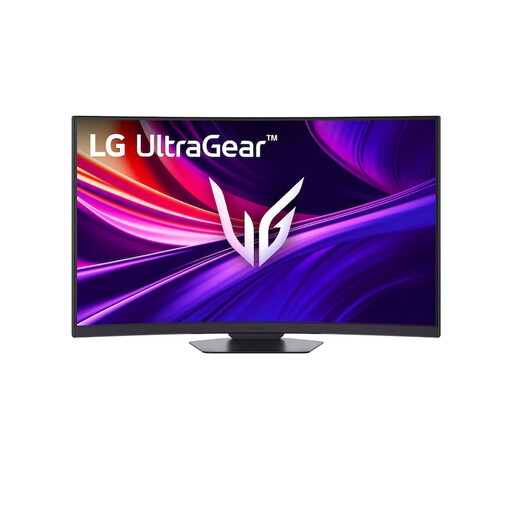
LG UltraGear 37G800A-B 37-inch 4K UHD curved VA monitor
The 37-inch model gives you another screen size to consider when deciding how much room you need for your preview and timeline.
Specifications as stated in the product name: 37 inches, 4K UHD and VA. The stated curvature is 1000R; bear this in mind when arranging your workspace.
View at Joybuy
 No image available
LG UltraGear 27G810A-B 27-inch 4K UHD 180Hz IPS monitor
This 27-inch 4K IPS model is worth comparing if you’re looking for a 27-inch screen; check that its colour settings match your delivery format.
Specifications as stated in the product name: 27 inches, 4K UHD, 180 Hz and IPS.
View at Joybuy
 No image available
Dell UltraSharp U3226Q 32-inch 4K UHD 120Hz QD-OLED monitor
The 32-inch 4K UHD model is worth considering if you want to compare a larger screen with a 27-inch setup.
Specifications as stated in the product name: 32 inches, 4K UHD, 120 Hz and QD-OLED.
View at Joybuy
Frequently asked questions
Does a 4K monitor save my different editing versions?
No. You manage project versions using your editing software and storage workflow. Adobe says local Premiere projects are set to auto-save every five minutes by default, retaining the last twenty project file versions; you can change these settings.
Which colour setting should I use for a tutorial I’m delivering in SDR?
Match your monitor and sequence settings to your chosen delivery workflow. Adobe describes Direct Rec.709 (SDR) as the default preset in the Premiere colour workflow discussed; a wide-gamut mode is not automatically the right SDR preview.
Can any laptop output video and charge through a single USB-C cable?
No. Check that your laptop’s USB-C port supports video, and compare its charging requirements with the power available from the specific monitor. ASUS lists USB-C with DP Alt Mode and 96 W Power Delivery for the PA279CRV; this does not confirm that it is compatible with your laptop.
What energy and maintenance information should I check?
Check the EU energy label for the exact model; according to the European Commission, computer monitors are covered by the energy labelling rules for electronic displays. If you want to maintain calibration, check what the model requires; EIZO lists hardware calibration via ColorNavigator for the CS2740.
What are my rights when buying online in the Netherlands?
For an eligible online consumer purchase, ACM ConsuWijzer says you generally have up to 14 days after delivery to change your mind; check whether an exception applies. Your statutory guarantee from the retailer is separate from a manufacturer’s warranty and depends on what you could reasonably expect from the product under normal use.


